
Excalimate
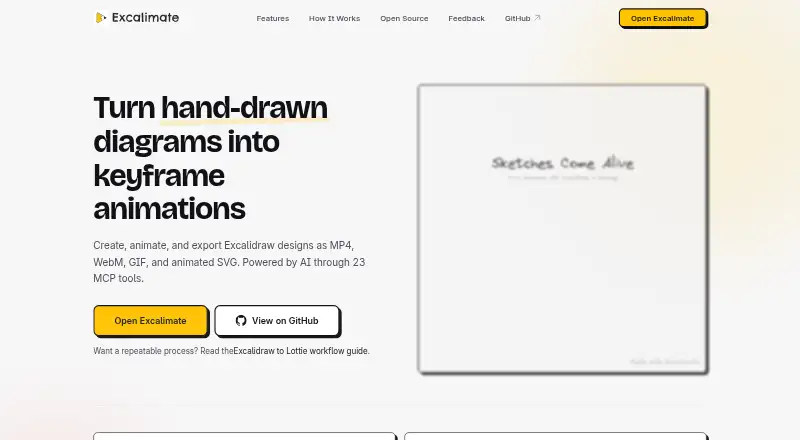
Excalimate: A free, open-source choice for animating technical diagrams in the browser. Ranked #17 of 26 in Whiteboard Animation Software by our editors (7.4/10); pricing: Free plan; best for developers animating diagrams and drawings.
At a glance
- Editor score7.4 / 10
- PricingFree plan
- Best forDevelopers animating diagrams and drawings
- Free planYes
- Paid fromFree
- Drawing animationYes
- Facts checked20 Sep 2026
Where it wins
- Full Excalidraw editor with per-element keyframe tracks
- Exports MP4, WebM, GIF, SVG, dotLottie, Lottie JSON, PNG, and WebP
- MCP integrations support AI-assisted diagram creation and animation
Where it doesn't
- Better suited to diagram-led visuals than narration-first explainers
- Browser-only access limits it to web-based workflows
- Advanced export resolution controls are not part of the published feature set
Our verdict on Excalimate
Excalimate is a free, open-source web tool for turning Excalidraw designs into animated diagrams. It is aimed at developers, technical teams, educators, startups, individuals, and enterprise users who need animated explanations, presentations, or documentation visuals. The full Excalidraw drawing editor keeps creation and animation in one workspace, while commercial use, scene templates, and drawing animation are included in its category capabilities.
Animation is the product’s clearest strength. A visual keyframe timeline provides per-element tracks, with controls for opacity, position, scale, rotation, and draw progress. Camera pan, zoom, and rotation can also be animated, and real-time preview and playback controls help refine sequences before export. The output options cover video, raster images, vector animation, and Lottie formats, including MP4, WebM, GIF, SVG, dotLottie, Lottie JSON, PNG, and WebP. End-to-end encrypted project sharing adds a direct way to distribute projects.
Its ecosystem is particularly relevant to developer workflows. The MCP server connects Excalimate with VS Code and GitHub Copilot, Cursor, Claude Desktop, Claude Code, and Windsurf for AI-assisted diagram creation and animation. That combination makes it a strong fit for technical visuals generated or refined alongside code and documentation. It is less suitable for teams seeking a narration-first whiteboard production workflow, so choose a product centered on voiceover and presenter-style explainers for that use case. Choose Excalimate when editable diagrams, keyframe control, broad exports, and open-source access matter most.
Your product? Our editors can test Excalimate in depth and publish a review, labelled as paid · from $149/mo →
Excalimate pricing
Excalimate fact sheet
| Free plan | Yes |
|---|---|
| Paid from | Free |
| Drawing animation | Yes |
| Character library | Not verified |
| Voiceover tools | Not verified |
| Scene templates | Yes |
| Export resolution | Not verified |
| Commercial use | Yes |
| Deployment | Cloud |
| Platforms | Web |
| Support | Community, Docs |
| Built for | Solo, Small business, Enterprise (editorial estimate) |
| Integrations | 5 integrations: VS Code/GitHub Copilot, Cursor, Claude Desktop, Claude Code, Windsurf |
| Pricing | Free plan |
| Website | excalimate.com |
| Facts checked | 20 Sep 2026 |
Excalimate integrations
Excalimate lists 5 integrations on its own site.
- VS Code/GitHub Copilot
- Cursor
- Claude Desktop
- Claude Code
- Windsurf
Alternatives to Excalimate
- AnimakerA broad whiteboard and animation suite with AI tools, collaboration, and 4K export.9.4
- VideoScribeA focused whiteboard animation tool with broad assets, AI tools, and 1080p exports.9.2
- simpleshow video makerA browser-based explainer-video maker with AI scripting, storyboards, voices, and integrations.9.0


See all Excalimate alternatives →
Used Excalimate? Be the first to review it
The editor score above is our own research. What this page doesn't have yet is a reader's view — what you used Excalimate for, what worked and what didn't. No stars are seeded and no review is paid for; an editor reads every one before it appears.
Write a reviewTwo minutes · verified accounts only · read by an editor before it appears
Featured on iTechGuides

Excalimate is listed in our Whiteboard Animation Software directory. Add the badge to your site — it links back to this page.
<a href="https://www.itechguides.com/products/excalimate/"><img src="https://www.itechguides.com/best/badge/excalimate.svg" alt="Featured on iTechGuides" width="230" height="46"></a>
Reviewed by iTechGuides Editors · Editorial team · Updated Oct 2026
Advertiser disclosure: iTechGuides is reader-supported. Vendors can pay for top positions in our rankings and for a place on other products' pages, and we may earn a commission when you click some links. Bought places stand at the number bought; this page and our disclosure say so. Paying vendors may get a fuller, more detailed review from our editors, and that review can change their score. How we rank.
Last updated · How we research and update