eMargin
eMargin: A focused free tool for shared close reading, tagging, and discussion. Ranked #21 of 31 in Web Annotation Tools by our editors (7.2/10); pricing: Free plan; best for group-based academic text annotation.
At a glance
- Editor score7.2 / 10
- PricingFree plan
- Best forGroup-based academic text annotation
- Free planYes
- Paid fromFree
- Collaborative reviewYes
- Facts checked20 Sep 2026
Where it wins
- Free access with highlighting, tagging, search, and group sharing
- Detailed filters across text, comments, colour, tags, creators, groups, and dates
- Integrates with Moodle, Blackboard Learn, WebCT, and IMS LTI
Where it doesn't
- Designed for academic text annotation rather than broad document workflows
- Output centers on printable annotated texts rather than multiple export formats
- Web-based access may not suit users seeking a native desktop or mobile app
Our verdict on eMargin
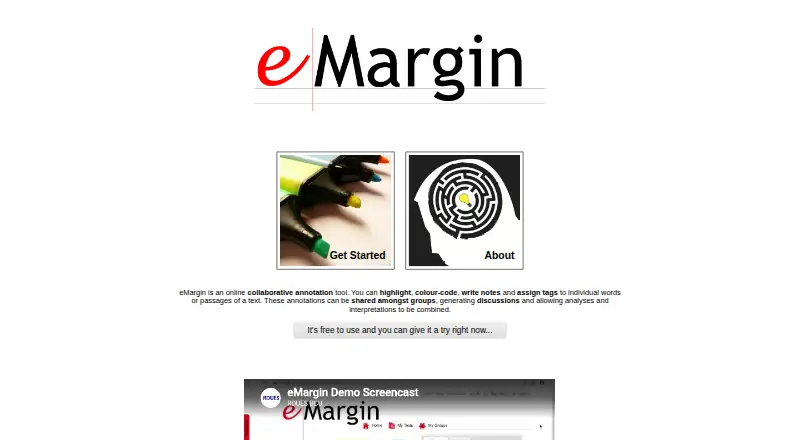
eMargin is a web-based collaborative annotation tool for studying electronic texts. It is aimed at students, teachers, and researchers in higher and further education who need to mark passages, add notes, discuss interpretations, and organize group reading. Users can upload, paste, or fetch texts from the web, then highlight and colour-code passages, assign tags, and connect annotations to specific sections. The free model makes it suitable for academic groups that need shared annotation without a paid tier structure.
Its strongest area is the organization of collaborative close reading. Annotations can be searched by text, comments, colour, tags, creator, group, and date, while filters narrow views by colour, tag, group, or author. Groups can share annotations, see real-time updates, and review annotation history. Users can also look up highlighted text on external websites and create printable versions of annotated texts. This combination supports teaching activities, seminar discussion, and research workflows where the conversation around a passage matters as much as the highlight itself.
For institutional use, eMargin connects with Moodle, Blackboard Learn, WebCT, and IMS LTI, which gives it a practical fit within established learning environments. Its focus is narrower than a general-purpose document collaboration system: the central workflow is annotation of electronic texts, with printable output rather than a broad export system. Choose eMargin for free, group-based academic reading with detailed search and filtering. Consider another tool if you need a native app, wider document-production features, or a workflow centered on formats beyond annotated web texts.
Your product? Our editors can test eMargin in depth and publish a review, labelled as paid · from $149/mo →
eMargin pricing
eMargin fact sheet
| Free plan | Yes |
|---|---|
| Paid from | Free |
| Annotation modes | Both |
| Collaborative review | Yes |
| Guest access | Not verified |
| Document support | Webpages |
| Browser capture | Not verified |
| Team seats | Not verified |
| Export options | Printable versions of annotated texts |
| Deployment | Cloud |
| Platforms | Web |
| Support | Email, Docs |
| Built for | Small business, Mid-market, Enterprise (editorial estimate) |
| Integrations | 4 integrations: Moodle, Blackboard Learn, WebCT, IMS LTI |
| Pricing | Free plan |
| Website | emargin.bcu.ac.uk |
| Facts checked | 20 Sep 2026 |
eMargin integrations
eMargin lists 4 integrations on its own site.
- Moodle
- Blackboard Learn
- WebCT
- IMS LTI
Alternatives to eMargin
- HypothesisA free, open-source annotation platform with strong education and collaboration features.9.3
- PinPointA free web annotation workspace combining collaborative review, PDF proofing, and AI QA.9.1
- PerusallA course-focused annotation platform combining discussion, assessment, analytics, and LMS sync.9.0



See all eMargin alternatives →
Used eMargin? Be the first to review it
The editor score above is our own research. What this page doesn't have yet is a reader's view — what you used eMargin for, what worked and what didn't. No stars are seeded and no review is paid for; an editor reads every one before it appears.
Write a reviewTwo minutes · verified accounts only · read by an editor before it appears
Featured on iTechGuides

eMargin is listed in our Web Annotation Tools directory. Add the badge to your site — it links back to this page.
<a href="https://www.itechguides.com/products/emargin/"><img src="https://www.itechguides.com/best/badge/emargin.svg" alt="Featured on iTechGuides" width="230" height="46"></a>
Reviewed by iTechGuides Editors · Editorial team · Updated Oct 2026
Advertiser disclosure: iTechGuides is reader-supported. Vendors can pay for top positions in our rankings and for a place on other products' pages, and we may earn a commission when you click some links. Bought places stand at the number bought; this page and our disclosure say so. Paying vendors may get a fuller, more detailed review from our editors, and that review can change their score. How we rank.
Last updated · How we research and update