
EaseUS VoiceWave
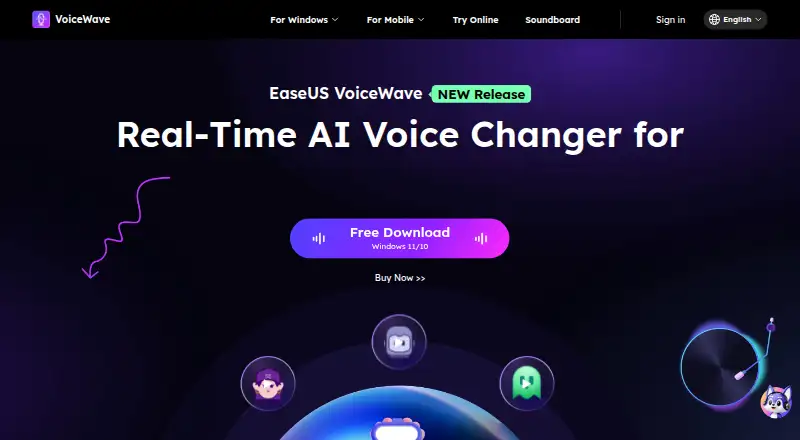
EaseUS VoiceWave: A flexible Windows voice changer with recording and exports, but a costly monthly entry plan. Ranked #1 of 45 in Voice Changer Software by our editors (9.2/10); pricing: Free plan; best for windows voice changing with exports.
At a glance
- Editor score9.2 / 10
- PricingFree plan
- Best forWindows voice changing with exports
- Free planYes
- Paid from$49.95/yr
- Real-time changingYes
- Founded2004
- Facts checked19 Sep 2026
Where it wins
- Changes microphone input live and transforms imported audio and video
- Records and exports transformed voices to MP3 and other audio formats
- Offers a virtual microphone and integrations including Discord, OBS, and Zoom
Where it doesn't
- Monthly pricing starts at $29.95, despite a free plan
- Each paid plan licenses one computer
- Supports Windows only
Our verdict on EaseUS VoiceWave
EaseUS VoiceWave is a Windows application for changing voices in live microphone input and imported audio or video. Its mix of character-style presets, custom effects, recording, noise reduction, and export tools suits gamers, streamers, and creators who want to alter voices during calls or streams and edit files afterward. It is a less natural fit for people who need a non-Windows app or only want occasional use at a low ongoing cost.
The feature set spans live and recorded workflows: users can adjust pitch and timbre, apply presets or custom effects, reduce background noise, and record voice. Transformed recordings can be exported to MP3 and other audio formats. A virtual microphone output supports streaming applications, while integrations or usage guidance cover Discord, Steam, Zoom, Streamlabs, OBS, Twitch, TikTok Live Studio, Audacity, Omegle, Skype, and Google Meet. That breadth makes VoiceWave relevant beyond gaming, including calls, live content, and post-production.
EaseUS offers a free plan alongside three paid options. According to the vendor's pricing page, Monthly costs $29.95 per month and includes one license for one computer plus one month of free upgrades; Yearly costs $49.95 per year with one year of free upgrades; and Lifetime is a $79.95 one-time purchase with lifetime free upgrades. The subscriptions auto-renew. All paid plans are limited to one computer, and the application supports Windows 10 64-bit and Windows 11. Choose VoiceWave if you need Windows-based live voice changing plus recording and export, and compare alternatives if you need another platform or prefer not to pay the monthly price for a single-computer license.
Your product? Our editors can test EaseUS VoiceWave in depth and publish a review, labelled as paid · from $149/mo →
EaseUS VoiceWave pricing
All 3 EaseUS VoiceWave plans and prices →
EaseUS VoiceWave fact sheet
| Free plan | Yes |
|---|---|
| Paid from | $49.95/yr |
| Real-time changing | Yes |
| Recorded-audio changing | Yes |
| Virtual microphone | Yes |
| Character voices | Yes |
| Audio export | Yes |
| Platform support | Desktop |
| Deployment | Desktop |
| Platforms | Windows |
| Integrations | 11 integrations: Discord, Steam, Zoom, Streamlabs, OBS, Twitch … |
| Pricing | Free plan (source) |
| Website | voicechanger.easeus.com |
| Facts checked | 19 Sep 2026 |
EaseUS VoiceWave integrations
EaseUS VoiceWave lists 11 integrations on its own site.
- Discord
- Steam
- Zoom
- Streamlabs
- OBS
- Twitch
- TikTok Live Studio
- Audacity
- Omegle
- Skype
- Google Meet
Alternatives to EaseUS VoiceWave
- Voice.aiReal-time and recorded voice tools across desktop, mobile, and API offerings.8.9
- Altered StudioA broad voice-production suite, with monthly morphing limits on its paid individual plans.8.7
- iMyFone MagicMicA broad voice-effect library with desktop real-time changing and audio tools across devices.8.6


See all EaseUS VoiceWave alternatives →
EaseUS VoiceWave vs the competition
- EaseUS VoiceWave vs Voice.ai
- EaseUS VoiceWave vs Altered Studio
- EaseUS VoiceWave vs iMyFone MagicMic
- EaseUS VoiceWave vs W-Okada Voice Changer
- EaseUS VoiceWave vs RVC WebUI
- EaseUS VoiceWave vs Voxal Voice Changer
Compare EaseUS VoiceWave with any tool side by side →
Also Ranked In
EaseUS VoiceWave is ranked in 3 of our directories.
Used EaseUS VoiceWave? Be the first to review it
The editor score above is our own research. What this page doesn't have yet is a reader's view — what you used EaseUS VoiceWave for, what worked and what didn't. No stars are seeded and no review is paid for; an editor reads every one before it appears.
Write a reviewTwo minutes · verified accounts only · read by an editor before it appears
Featured on iTechGuides

EaseUS VoiceWave is listed in our Voice Changer Software directory. Add the badge to your site — it links back to this page.
<a href="https://www.itechguides.com/products/easeus-voicewave/"><img src="https://www.itechguides.com/best/badge/easeus-voicewave.svg" alt="Featured on iTechGuides" width="230" height="46"></a>
Reviewed by iTechGuides Editors · Editorial team · Updated Oct 2026
Advertiser disclosure: iTechGuides is reader-supported. Vendors can pay for top positions in our rankings and for a place on other products' pages, and we may earn a commission when you click some links. Bought places stand at the number bought; this page and our disclosure say so. Paying vendors may get a fuller, more detailed review from our editors, and that review can change their score. How we rank.
Last updated · How we research and update