
DocFather Compare Documents
DocFather Compare Documents: A focused free tool for side-by-side PDF and DOCX change review. Ranked #21 of 25 in Document Comparison Software by our editors (6.6/10); pricing: Free plan · 7-day trial; best for basic free side-by-side document review.
At a glance
- Editor score6.6 / 10
- PricingFree plan · 7-day trial
- Best forBasic free side-by-side document review
- Free planYes
- PDF comparisonYes
- Facts checked20 Sep 2026
Where it wins
- Free PDF and DOCX comparison requires no account
- Highlights additions, removals, and changed words
- Ignores formatting-only changes and aligns document structure
Where it doesn't
- No redline export
- Web-only access
- Paid tiers use AI credits rather than a simple flat plan
Our verdict on DocFather Compare Documents
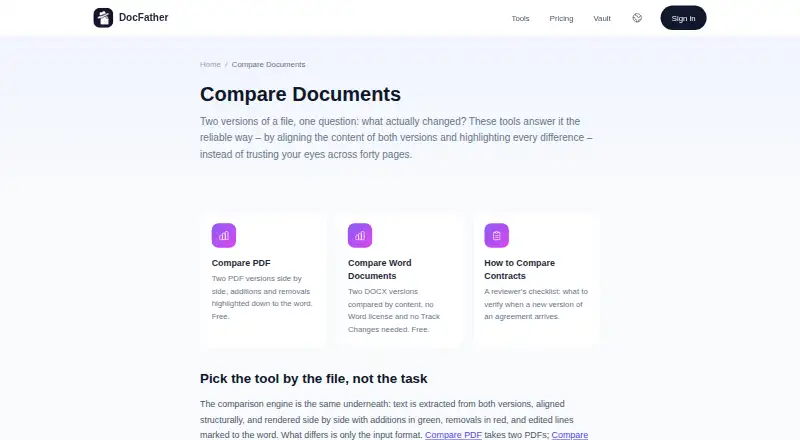
DocFather Compare Documents is a browser-based tool for reviewing changes between two PDF or DOCX versions. It is suited to people who need a quick, content-focused comparison without a Microsoft Word license or account. The free tools compare documents side by side, highlight additions and removals, mark changed words within edited lines, and show structural text alignment. Files and comparison results are deleted within 24 hours.
Its strongest area is focused document review. Users can collapse unchanged sections and ignore formatting-only changes, keeping attention on edited content such as numbers, dates, and wording. The published feature set covers both PDF and DOCX files and includes a 50 MB limit for the free comparison tools. This makes DocFather a practical fit for straightforward version checks, while its web-only format is less suitable for teams that require desktop workflows, broader deployment options, or an exported redline.
The Free plan costs $0 per month and includes PDF and DOCX comparison, no account requirement, and no watermark. A seven-day free trial is listed. Paid options include Lite weekly and yearly subscriptions and Pro weekly and yearly subscriptions, all based on AI credits; Pro also offers top-up packs. One-time packs cost $5.99 for 2,500 credits or $21.99 for 10,000 credits, and the credits never expire. Choose DocFather for accessible side-by-side review and clear content changes; choose another tool if redline output or a non-web workflow is essential.
Your product? Our editors can test DocFather Compare Documents in depth and publish a review, labelled as paid · from $149/mo →
DocFather Compare Documents pricing
All 7 DocFather Compare Documents plans and prices →
DocFather Compare Documents fact sheet
| Free plan | Yes |
|---|---|
| Paid from | Not verified |
| PDF comparison | Yes |
| Office file comparison | Yes |
| Formatting changes | No |
| Redline output | No |
| Deployment | Web |
| Maximum file size | 50 MB |
| Free trial | 7 days |
| Deployment | Cloud |
| Platforms | Web |
| Support | |
| Built for | Solo, Small business (editorial estimate) |
| Pricing | Free plan · 7-day trial (source) |
| Website | docfather.com |
| Facts checked | 20 Sep 2026 |
Alternatives to DocFather Compare Documents
- DiffcheckerA broad comparison toolkit with free access and a $15 monthly desktop tier.9.3
- Litera CompareA broad comparison toolkit for redlines, scanned PDFs, and server-side workflows.9.2
- UltraCompareA broad desktop comparison suite for technical teams that need three-way merges.9.0


See all DocFather Compare Documents alternatives →
Used DocFather Compare Documents? Be the first to review it
The editor score above is our own research. What this page doesn't have yet is a reader's view — what you used DocFather Compare Documents for, what worked and what didn't. No stars are seeded and no review is paid for; an editor reads every one before it appears.
Write a reviewTwo minutes · verified accounts only · read by an editor before it appears
Featured on iTechGuides

DocFather Compare Documents is listed in our Document Comparison Software directory. Add the badge to your site — it links back to this page.
<a href="https://www.itechguides.com/products/docfather-compare-documents/"><img src="https://www.itechguides.com/best/badge/docfather-compare-documents.svg" alt="Featured on iTechGuides" width="230" height="46"></a>
Reviewed by iTechGuides Editors · Editorial team · Updated Oct 2026
Advertiser disclosure: iTechGuides is reader-supported. Vendors can pay for top positions in our rankings and for a place on other products' pages, and we may earn a commission when you click some links. Bought places stand at the number bought; this page and our disclosure say so. Paying vendors may get a fuller, more detailed review from our editors, and that review can change their score. How we rank.
Last updated · How we research and update