Disa
Disa: A free Android messaging hub for combining personal conversations, not full team chat. Ranked #60 of 63 in Team Chat Apps by our editors (3.0/10); pricing: Free plan; best for android users combining personal messaging services.
At a glance
- Editor score3.0 / 10
- PricingFree plan
- Best forAndroid users combining personal messaging services
- Free planYes
- Paid fromFree
- Founded2016 · Astoria, New York, United States
- Facts checked20 Sep 2026
Where it wins
- Unifies conversations from SMS/MMS, Telegram, and Facebook Messenger
- Supports cross-service group chats, media, and message customization
- Includes backup and restore plus plugin-based service additions
Where it doesn't
- Available only on Android
- The available version is legacy and no longer under active development
- Limited functionality and possible regional restrictions for new users
Our verdict on Disa
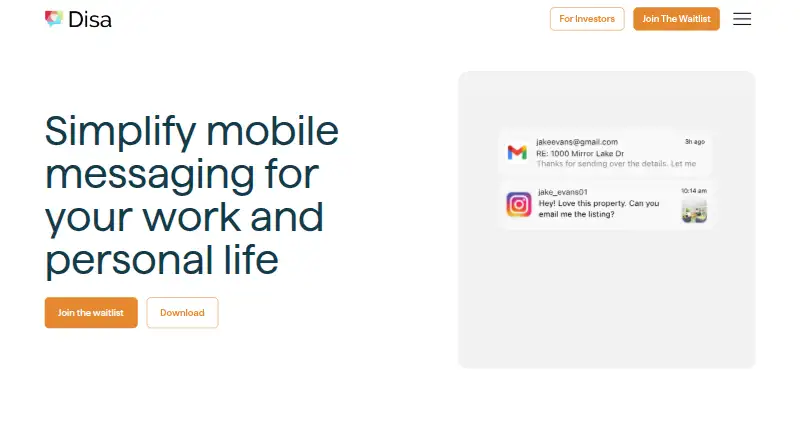
Disa is a free Android messaging hub for people who want conversations from multiple personal messaging services in one application. It supports SMS/MMS, Telegram, and Facebook Messenger, while its integration list also includes WhatsApp, Instagram, iMessage, and Email. Users can combine messages into unified conversation threads, create group chats with contacts from different services, and send emoji, audio, video, photos, and GIFs. The vendor positions Disa for everyday users and small businesses, but its focus is personal messaging rather than a dedicated team-chat workspace.
Its strongest fit is breadth within a single mobile inbox. Message customization covers fonts, colors, wallpapers, and notifications, while dark mode provides another interface option. Conversation and settings backup and restore add continuity, and plugin-based service additions provide a way to extend supported messaging services. These features make Disa relevant for Android users who regularly move between several messaging ecosystems and want one place for their conversations.
The main trade-off is product status and platform scope. The vendor labels the available download as a legacy product with limited functionality and says it is no longer under active development. Disa is available on Android, so it suits users whose messaging workflow is mobile and Android-based rather than people looking for a broader team-chat platform. The app may also work regionally for some new users, which matters when evaluating adoption. Choose Disa for free, consolidated personal messaging on Android; choose an alternative if ongoing development, wider platform coverage, or a more complete team-chat environment is central to the decision.
Your product? Our editors can test Disa in depth and publish a review, labelled as paid · from $149/mo →
Disa pricing
Disa fact sheet
| Free plan | Yes |
|---|---|
| Paid from | Free |
| Channels | Not verified |
| Guest access | Not verified |
| Message history | Not verified |
| Integrations | SMS/MMS, Telegram, Facebook Messenger, WhatsApp, Instagram, iMessage, Email |
| Supported platforms | android |
| Maximum members | Not verified |
| Deployment | Mobile |
| Platforms | Android |
| Support | |
| Built for | Solo, Small business (editorial estimate) |
| Integrations | 7 integrations: SMS/MMS, Telegram, Facebook Messenger, WhatsApp, Instagram, iMessage … |
| Pricing | Free plan |
| Website | disa.im |
| Facts checked | 20 Sep 2026 |
Disa integrations
Disa lists 7 integrations on its own site.
- SMS/MMS
- Telegram
- Facebook Messenger
- iMessage
Alternatives to Disa
- Microsoft TeamsA broad team chat workspace with a free plan and deep Microsoft 365 integration.9.4
- SlackA capable team-chat hub for integration-heavy teams, with limited free history.9.3
- Zoho CliqA broad team chat suite with strong Zoho ecosystem fit and a capable free plan.9.1


Used Disa? Be the first to review it
The editor score above is our own research. What this page doesn't have yet is a reader's view — what you used Disa for, what worked and what didn't. No stars are seeded and no review is paid for; an editor reads every one before it appears.
Write a reviewTwo minutes · verified accounts only · read by an editor before it appears
Featured on iTechGuides

Disa is listed in our Team Chat Apps directory. Add the badge to your site — it links back to this page.
<a href="https://www.itechguides.com/products/disa/"><img src="https://www.itechguides.com/best/badge/disa.svg" alt="Featured on iTechGuides" width="230" height="46"></a>
Reviewed by iTechGuides Editors · Editorial team · Updated Oct 2026
Advertiser disclosure: iTechGuides is reader-supported. Vendors can pay for top positions in our rankings and for a place on other products' pages, and we may earn a commission when you click some links. Bought places stand at the number bought; this page and our disclosure say so. Paying vendors may get a fuller, more detailed review from our editors, and that review can change their score. How we rank.
Last updated · How we research and update