DigiCel FlipBook
DigiCel FlipBook: A focused desktop tool for hand-drawn animation and exposure-sheet timing. Ranked #33 of 48 in 2D Character Animation Software by our editors (5.8/10); pricing: Paid; best for traditional exposure-sheet workflows.
At a glance
- Editor score5.8 / 10
- PricingPaid
- Best forTraditional exposure-sheet workflows
- Free planNo
- Animation workflowFrame-by-frame
- Facts checked20 Sep 2026
Where it wins
- Vertical exposure-sheet timeline with timing edits during playback
- Frame-by-frame drawing, onion-skin lightboxing, and ink-and-paint tools
- Camera capture, scanned drawing import, and multiple export formats
Where it doesn't
- The trial version adds a permanent watermark
- Mac support is documented only through macOS Mojave 10.14
- Lite and Studio limit layer counts to 2 and 6 respectively
Our verdict on DigiCel FlipBook
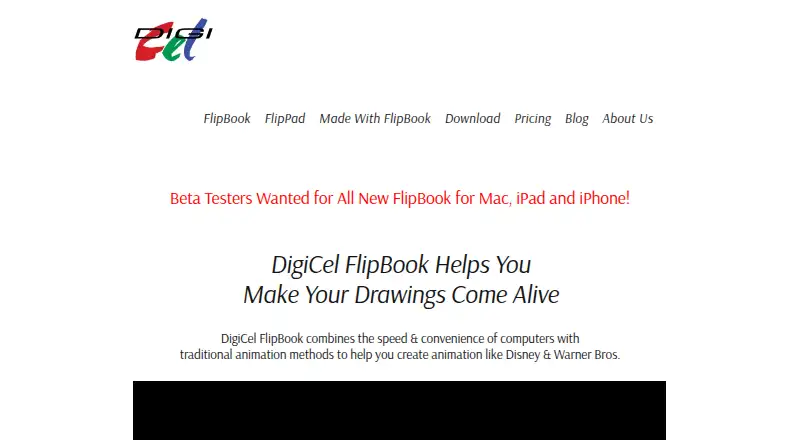
DigiCel FlipBook is desktop software for creating traditional 2D animation from hand-drawn frames. It is aimed at students, teachers, schools, and professional animators who want drawing, painting, playback, and timing tools in one frame-by-frame workflow. Windows and macOS versions are available, and the separate FlipPad product is intended for iPad users. Its vertical exposure-sheet timeline, onion-skin lightbox, and layered ink-and-paint workflow make it particularly relevant to animators who organize scenes by exposure and timing rather than relying primarily on motion presets.
The edition structure increases capacity as projects become more demanding. FlipBook Lite supports 800 x 600 output and 2 layers, while FlipBook Studio keeps the same resolution and raises the layer count to 6. FlipBook Pro supports 1920 x 1080 full-screen work and 100 layers, adding 10 special FX layers plus automatic shadows and highlights. All three editions include automatic painting and timing edits during playback; the listed paid product also has a trial version with a permanent watermark. The toolset covers bucket-fill painting, pan, zoom, rotate, blur, dissolve, camera capture, scanned drawing import, and export with multiple formats and codecs.
FlipBook’s strongest fit is a traditional production process built around individual drawings, exposure sheets, lightboxing, and manual timing decisions. Its practical ceiling depends on the edition, so artists working with larger layered scenes or full-screen output should consider Pro rather than Lite or Studio. Mac users should also account for the documented compatibility boundary at macOS Mojave 10.14, excluding Catalina and newer versions. Choose FlipBook for focused hand-drawn animation work on Windows or compatible macOS systems; choose another product if newer Mac support or a broader modern ecosystem is central to the workflow.
Your product? Our editors can test DigiCel FlipBook in depth and publish a review, labelled as paid · from $149/mo →
DigiCel FlipBook pricing
All 3 DigiCel FlipBook plans and prices →
DigiCel FlipBook fact sheet
| Free plan | No |
|---|---|
| Paid from | Not verified |
| Animation workflow | Frame-by-frame |
| Bone rigging | Not verified |
| Mesh deformation | Not verified |
| Lip sync | Not verified |
| Supported platforms | Windows, macOS |
| Export formats | Not verified |
| Deployment | Desktop |
| Platforms | Windows, macOS |
| Support | Email, Docs |
| Built for | Solo, Small business, Mid-market (editorial estimate) |
| Pricing | Paid (source) |
| Website | digicel.net |
| Facts checked | 20 Sep 2026 |
Alternatives to DigiCel FlipBook
- Toon Boom HarmonyA broad desktop suite for teams that need both drawn and rigged 2D production.9.4
- OpenToonzA free, full-featured 2D animation suite for artists who can manage a technical workflow.9.2
- Adobe AnimateA capable desktop animator for vector workflows, web publishing, and Adobe users.9.0



See all DigiCel FlipBook alternatives →
Also Ranked In
DigiCel FlipBook is ranked in 2 of our directories.
Used DigiCel FlipBook? Be the first to review it
The editor score above is our own research. What this page doesn't have yet is a reader's view — what you used DigiCel FlipBook for, what worked and what didn't. No stars are seeded and no review is paid for; an editor reads every one before it appears.
Write a reviewTwo minutes · verified accounts only · read by an editor before it appears
Featured on iTechGuides

DigiCel FlipBook is listed in our 2D Character Animation Software directory. Add the badge to your site — it links back to this page.
<a href="https://www.itechguides.com/products/digicel-flipbook/"><img src="https://www.itechguides.com/best/badge/digicel-flipbook.svg" alt="Featured on iTechGuides" width="230" height="46"></a>
Reviewed by iTechGuides Editors · Editorial team · Updated Oct 2026
Advertiser disclosure: iTechGuides is reader-supported. Vendors can pay for top positions in our rankings and for a place on other products' pages, and we may earn a commission when you click some links. Bought places stand at the number bought; this page and our disclosure say so. Paying vendors may get a fuller, more detailed review from our editors, and that review can change their score. How we rank.
Last updated · How we research and update