DesignSpark Mechanical
DesignSpark Mechanical: Accessible direct-modeling CAD with strong documentation and assembly tools. Ranked #36 of 80 in 3D CAD Software by our editors (5.8/10); pricing: Free plan · 7-day trial; best for accessible direct modeling and documentation.
At a glance
- Editor score5.8 / 10
- PricingFree plan · 7-day trial
- Best forAccessible direct modeling and documentation
- Free planYes
- Assembly designYes
- Facts checked23 Sep 2026
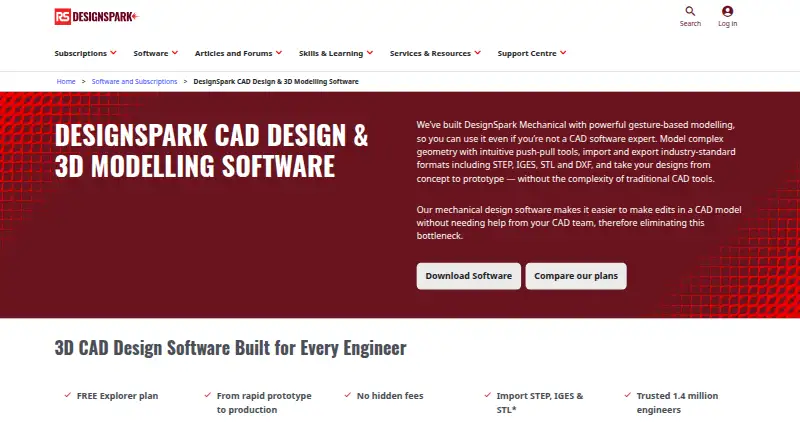
Where it wins
- Free Explorer plan with direct modeling and 3D geometry tools
- Detailed drawings with GD&T, BOM tables, and welding symbols
- Assembly constraints, movement control, and exploded views
Where it doesn't
- Windows-only application
- No sheet-metal tools
- No cloud collaboration
Our verdict on DesignSpark Mechanical
DesignSpark Mechanical is a Windows-based 3D mechanical CAD application for engineers, makers, students, and product designers. Its direct push-pull modeling approach supports creating and modifying solid geometry without relying solely on feature-history workflows. The product also covers constrained sketching, measurement, quality checks, bill-of-materials generation, engineering drawings, and model-based definition. Designs are stored locally, making it suited to users who want desktop CAD for mechanical design, prototyping, and documentation.
The three-tier structure gives users a clear progression. Explorer is free and includes direct modeling, measurement and quality tools, bill-of-materials creation, and limited file import and export. Creator is a paid yearly subscription that adds advanced features, STEP, IGES, DXF, and DWG exchange, the 3D Mirror tool, drawing detailing, and model-based definition; it includes a 7-day trial. Engineer is also billed yearly and includes Creator features, assembly tools, advanced DesignSpark PCB functionality, and private collaboration groups, with a 7-day trial. File-format availability varies by tier.
DesignSpark Mechanical is strongest when direct modeling and engineering documentation matter more than a broad cloud ecosystem. Its drawing tools include GD&T, hole tables, BOM tables, welding symbols, semantic GD&T, and 3D annotations, while quality checks cover mass, volume, interference, and surface anomalies. Integrations with RS Online, Allied Electronics, and TraceParts support component sourcing and model access. However, the Windows-only desktop approach, local storage, lack of cloud collaboration, and absence of sheet-metal tools narrow its fit. Choose it for accessible mechanical CAD and documentation; consider an alternative for sheet-metal workflows or cloud-first collaboration.
Your product? Our editors can test DesignSpark Mechanical in depth and publish a review, labelled as paid · from $149/mo →
DesignSpark Mechanical pricing
All 3 DesignSpark Mechanical plans and prices →
DesignSpark Mechanical fact sheet
| Free plan | Yes |
|---|---|
| Paid from | Not verified |
| Modeling method | Direct |
| Assembly design | Yes |
| Sheet-metal tools | No |
| Surface modeling | Not verified |
| Cloud collaboration | No |
| Supported platforms | Windows 10 (64-bit), Windows 11 (64-bit), Windows Server 2016 and 2019 (64-bit) |
| File import and export | Explorer imports RSDOC, RSDOCX, DSPCB IDF, TXT, JPG, BMP, PNG; exports RSDOCX, STL, OBJ, 3D PDF. Creator/Engineer also import OBJ, SKP, DXF, DWG, STEP, IGES, AVI, WMV, MKV; export AMF, DXF, DWG, STEP, IGES, GLB/GLTF, OBJ, VDB, 3D PDF, SKP, STL, XAML, JPG, PNG. |
| Free trial | 7 days |
| Deployment | Desktop |
| Platforms | Windows |
| Support | Community, Docs |
| Built for | Solo, Small business, Mid-market (editorial estimate) |
| Pricing | Free plan · 7-day trial (source) |
| Website | rs-online.com |
| Facts checked | 23 Sep 2026 |
Alternatives to DesignSpark Mechanical
- Siemens NXDeep hybrid CAD with Teamcenter integration for large engineering organizations.9.4
- CATIAA deep engineering suite for complex products, with enterprise pricing to match.9.3
- SOLIDWORKSFull mechanical CAD with broad design, manufacturing, simulation, and collaboration tools.9.2


See all DesignSpark Mechanical alternatives →
Also Ranked In
DesignSpark Mechanical is ranked in 3 of our directories.
Used DesignSpark Mechanical? Be the first to review it
The editor score above is our own research. What this page doesn't have yet is a reader's view — what you used DesignSpark Mechanical for, what worked and what didn't. No stars are seeded and no review is paid for; an editor reads every one before it appears.
Write a reviewTwo minutes · verified accounts only · read by an editor before it appears
Featured on iTechGuides

DesignSpark Mechanical is listed in our 3D CAD Software directory. Add the badge to your site — it links back to this page.
<a href="https://www.itechguides.com/products/designspark-mechanical/"><img src="https://www.itechguides.com/best/badge/designspark-mechanical.svg" alt="Featured on iTechGuides" width="230" height="46"></a>
Reviewed by iTechGuides Editors · Editorial team · Updated Oct 2026
Advertiser disclosure: iTechGuides is reader-supported. Vendors can pay for top positions in our rankings and for a place on other products' pages, and we may earn a commission when you click some links. Bought places stand at the number bought; this page and our disclosure say so. Paying vendors may get a fuller, more detailed review from our editors, and that review can change their score. How we rank.
Last updated · How we research and update