
Darkroom Booth
Darkroom Booth: A broad Windows photo booth toolkit with a $295 one-time license. Ranked #12 of 26 in Photo Booth Software by our editors (8.1/10); pricing: Paid; best for windows users preferring perpetual licensing.
At a glance
- Editor score8.1 / 10
- PricingPaid
- Best forWindows users preferring perpetual licensing
- Free planNo
- Offline captureYes
- Facts checked20 Sep 2026
Where it wins
- Captures photos, videos, GIFs, boomerangs, and green-screen effects
- Supports printing, templates, surveys, quizzes, and data collection
- Offers remote control plus email, SMS/MMS, and social sharing
Where it doesn't
- Runs on Windows rather than across multiple desktop platforms
- The full license has a $295 upfront cost
- Extended updates and support cost $95 per additional year
Our verdict on Darkroom Booth
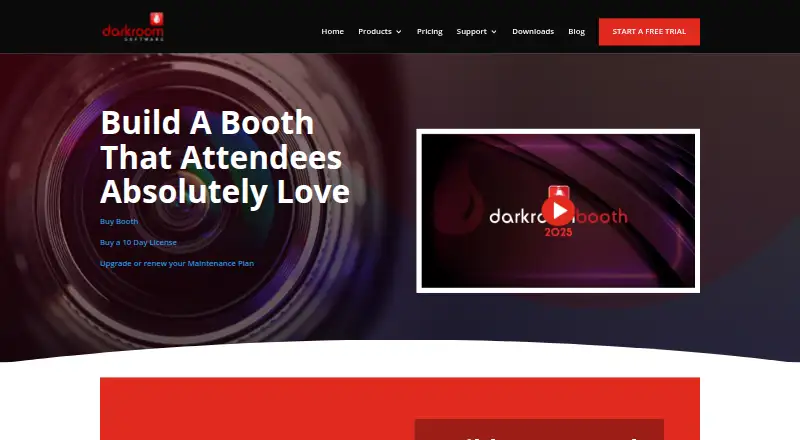
Darkroom Booth is Windows photo booth software for professional photographers, event operators, parties, weddings, and corporate activations. It combines camera capture, customizable screen and print templates, direct printing, media sharing, surveys, quizzes, data collection, and remote booth control in a desktop application. Capture options include supported Canon and Nikon cameras, webcams, and GoPro cameras, with support for photos, videos, GIFs, boomerangs, and green-screen effects. It is designed for operators who want a broad event feature set rather than a narrow photo-only tool.
The published pricing structure centers on a $295 one-time license for the full software, with one year of software updates and support included. A $45 one-time 10-day license provides temporary full-version access for existing full-version customers. Booth 2.x users can purchase an in-application upgrade to Booth 2025 for $195, while an additional maintenance year costs $95 annually and includes software updates and support. This model suits operators who prefer a perpetual desktop license, though the upfront cost is higher than a subscription-free entry point might suggest once ongoing maintenance is considered.
Its feature breadth is the main reason to choose it. Built-in drivers and Windows printer support cover direct printing, while email, SMS/MMS, social-ready media, Event Gallery, and Dropbox support extend sharing and cloud workflows. Remote control works from a phone, tablet, or computer on the same network, and Booth 2025 adds AI effects. The trade-off is platform scope: Darkroom Booth is Windows software, with Windows 10 and 11 listed in its system requirements. Choose it for Windows-based events that need capture, printing, sharing, lead collection, and varied media modes; consider another product if multi-platform operation is essential.
Questions about Darkroom Booth
Does Darkroom Booth have a free plan? No free plan is listed; paid plans start at $95/yr (Additional maintenance year).
How much does Darkroom Booth cost? Darkroom Booth lists 4 paid plans; the lowest is Additional maintenance year at $95/yr.
What does Darkroom Booth run on? Windows. It runs as a desktop app.
What does Darkroom Booth integrate with? 8 integrations, including Event Gallery, Dropbox, Facebook, Snapchat and Twitter.
Who is Darkroom Booth built for? Solo users, small businesses and mid-market companies (our editorial estimate).
Your product? Our editors can test Darkroom Booth in depth and publish a review, labelled as paid · from $149/mo →
Darkroom Booth pricing
All 4 Darkroom Booth plans and prices →
Darkroom Booth fact sheet
| Free plan | No |
|---|---|
| Paid from | Not verified |
| Offline capture | Yes |
| Printing support | Yes |
| Lead capture | Yes |
| Capture modes | photos, videos, GIFs, boomerangs |
| Live event gallery | Yes |
| Supported platforms | Windows |
| Booth limit | Not verified |
| Deployment | Desktop |
| Platforms | Windows |
| Support | Email, Phone, Docs |
| Built for | Solo, Small business, Mid-market (editorial estimate) |
| Integrations | 8 integrations: Event Gallery, Dropbox, Facebook, Snapchat, Twitter, Instagram … |
| Pricing | Paid (source) |
| Website | darkroomsoftware.com |
| Facts checked | 20 Sep 2026 |
Darkroom Booth integrations
Darkroom Booth lists 8 integrations on its own site.
- Event Gallery
- Dropbox
- Snapchat
- SMS/MMS
Alternatives to Darkroom Booth
- LumaBoothA broad, affordable choice for operators working across multiple booth platforms.9.4
- Booth.EventsA broad photo booth toolkit for operators who need offline capture and event automation.9.2
- Curator LiveA broad photo booth toolkit with a free starting point and paid event licensing.9.0



See all Darkroom Booth alternatives →
Also Ranked In
Darkroom Booth is ranked in 2 of our directories.
Used Darkroom Booth? Be the first to review it
The editor score above is our own research. What this page doesn't have yet is a reader's view — what you used Darkroom Booth for, what worked and what didn't. No stars are seeded and no review is paid for; an editor reads every one before it appears.
Write a reviewTwo minutes · verified accounts only · read by an editor before it appears
Featured on iTechGuides

Darkroom Booth is listed in our Photo Booth Software directory. Add the badge to your site — it links back to this page.
<a href="https://www.itechguides.com/products/darkroom-booth/"><img src="https://www.itechguides.com/best/badge/darkroom-booth.svg" alt="Featured on iTechGuides" width="230" height="46"></a>
Reviewed by iTechGuides Editors · Editorial team · Updated Nov 2026
Advertiser disclosure: iTechGuides is reader-supported. Vendors can pay for top positions in our rankings and for a place on other products' pages, and we may earn a commission when you click some links. Bought places stand at the number bought; this page and our disclosure say so. Paying vendors may get a fuller, more detailed review from our editors, and that review can change their score. How we rank.
Last updated · How we research and update