CWAC
CWAC: A focused, free CLI for site-wide accessibility scans with practical visual checks. Ranked #112 of 129 in Website Accessibility Tools by our editors (3.0/10); pricing: Open source; best for python teams running focused site scans.
At a glance
- Editor score3.0 / 10
- PricingOpen source
- Best forPython teams running focused site scans
- Paid fromFree
- WCAG versionWcag 2.2
- Facts checked22 Sep 2026
Where it wins
- Crawls discovered pages and accepts CSV lists of base URLs
- Combines axe-core audits with focus and 320px reflow checks
- Exports CSV results and captures screenshots for review
Where it doesn't
- Repository-based CLI requires technical setup and operation
- No verified scheduling, API, or recurring scan service
- Does not provide manual review or remediation guidance
Our verdict on CWAC
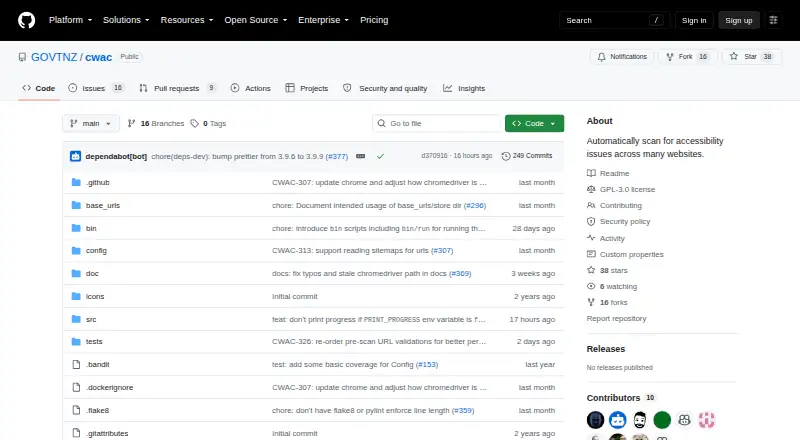
CWAC, or Centralised Web Accessibility Checker, is an open-source command-line tool from New Zealand Government’s Web Standards team. It is designed for organizations monitoring accessibility across many websites, with a particularly good fit for Python teams that want focused site scans. CWAC accepts lists of base URLs, crawls discovered pages, runs automated axe-core audits, and exports results to CSV. Its site-level scope and WCAG 2.2 positioning make it suited to repeatable technical checks across a defined set of websites rather than a broader accessibility management program.
The standout feature is the combination of automated audits and targeted page checks. Alongside axe-core, CWAC checks keyboard focus indicators, tests page reflow at a 320px viewport, audits page titles and selected HTML elements, and captures screenshots for visual review. These checks give teams more context than an accessibility scan limited to rule violations alone. Python and Selenium integrations support scripted workflows, while Chrome for Testing provides the browser environment used by the tool. CSV input and output also fit teams managing several site entry points or reviewing results outside the command line.
CWAC follows an open-source model rather than paid tiers, and it is distributed as a repository-based command-line tool instead of a hosted commercial service. That makes it a practical choice for technically capable teams that want control over scanning and reporting without a subscription. It is less suitable for organizations seeking verified scheduling, an API, CI/CD integration, browser-based workflows, manual accessibility review, or built-in remediation guidance. Those needs call for a broader platform, while teams prioritizing focused crawling, automated checks, screenshots, and CSV exports may find CWAC a strong fit.
Your product? Our editors can test CWAC in depth and publish a review, labelled as paid · from $149/mo →
CWAC pricing
CWAC fact sheet
| Free plan | Not verified |
|---|---|
| Paid from | Free |
| WCAG version | Wcag 2.2 |
| Scan scope | Site |
| Scan limit | Not verified |
| Scheduled scans | Not verified |
| Browser extension | Not verified |
| CI/CD integration | Not verified |
| API access | Not verified |
| Deployment | Self-hosted |
| Support | Email, Community, Docs |
| Built for | Mid-market, Enterprise (editorial estimate) |
| Integrations | 4 integrations: Python, Selenium, axe-core, Chrome for Testing |
| Pricing | Open source |
| Website | github.com |
| Facts checked | 22 Sep 2026 |
CWAC integrations
CWAC lists 4 integrations on its own site.
- Python
- Selenium
- axe-core
- Chrome for Testing
Alternatives to CWAC
- Octopus Scanner (formerly A11y Scanner)A free desktop scanner for detailed local audits of complex websites.9.3
- WAVEA flexible accessibility suite spanning free page checks, browser extensions, APIs, and CI workflows.9.1
- IBM Equal Access Accessibility CheckerA technically focused toolkit for browser, batch, and CI/CD accessibility checks.9.0


Used CWAC? Be the first to review it
The editor score above is our own research. What this page doesn't have yet is a reader's view — what you used CWAC for, what worked and what didn't. No stars are seeded and no review is paid for; an editor reads every one before it appears.
Write a reviewTwo minutes · verified accounts only · read by an editor before it appears
Featured on iTechGuides

CWAC is listed in our Website Accessibility Tools directory. Add the badge to your site — it links back to this page.
<a href="https://www.itechguides.com/products/cwac/"><img src="https://www.itechguides.com/best/badge/cwac.svg" alt="Featured on iTechGuides" width="230" height="46"></a>
Reviewed by iTechGuides Editors · Editorial team · Updated Oct 2026
Advertiser disclosure: iTechGuides is reader-supported. Vendors can pay for top positions in our rankings and for a place on other products' pages, and we may earn a commission when you click some links. Bought places stand at the number bought; this page and our disclosure say so. Paying vendors may get a fuller, more detailed review from our editors, and that review can change their score. How we rank.
Last updated · How we research and update