Cupscale
Cupscale: A capable free ESRGAN upscaler for Windows users who want workflow control. Ranked #60 of 99 in Image Upscaling Software by our editors (6.0/10); pricing: Open source; best for windows users wanting configurable ESRGAN workflows.
At a glance
- Editor score6.0 / 10
- PricingOpen source
- Best forWindows users wanting configurable ESRGAN workflows
- Paid fromFree
- Upscaling methodAi
- Facts checked22 Sep 2026
Where it wins
- Supports batch processing, model chaining, and model interpolation
- Offers CUDA, Vulkan/NCNN, and CPU processing backends
- Includes tiling, resizing, clipboard input, and comparison previews
Where it doesn't
- Runs on Windows only
- Maximum scale is 4x
- Workflow depth may exceed the needs of simple one-off enlargements
Our verdict on Cupscale
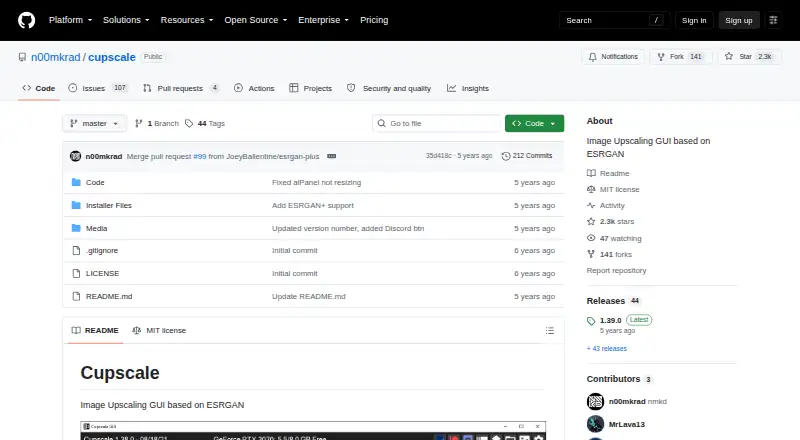
Cupscale is an open-source desktop application for enlarging images with ESRGAN-based upscaling. It is aimed at Windows users who want more control than a basic image resize tool provides, including configurable models, processing backends, and multi-step workflows. The application runs locally and is distributed as a portable executable. Supported input formats include PNG, JPEG, BMP, WEBP, TGA, and DDS, while the published category specifications list AI upscaling, batch processing, and a desktop app.
Its main strength is workflow depth. Cupscale can upscale directories or multiple images in a batch, automatically tile and merge images, and apply pre-processing and post-processing resizing. On-the-fly model interpolation and model chaining give users additional ways to shape an ESRGAN workflow. Clipboard image input and side-by-side or animated comparisons also make it suited to iterative image evaluation. CUDA, Vulkan/NCNN, and CPU backends broaden its hardware options, although the practical choice depends on the Windows system and available backend support.
Cupscale is a good fit for Windows users who want a free, open-source tool with detailed ESRGAN controls, batch work, and local processing. It is less suitable for users who need a cross-platform application, a straightforward cloud workflow, or enlargement beyond the listed 4x maximum scale. Its portable format can simplify distribution, while the number of processing options makes it more appropriate for people who value configuration over a minimal interface. Users focused on occasional, simple resizing may prefer a narrower tool; users managing repeatable image-upscaling workflows will find Cupscale's feature set more relevant.
Your product? Our editors can test Cupscale in depth and publish a review, labelled as paid · from $149/mo →
Cupscale pricing
Cupscale fact sheet
| Free plan | Not verified |
|---|---|
| Paid from | Free |
| Upscaling method | Ai |
| Maximum scale | 4x |
| Batch processing | Yes |
| API access | Not verified |
| Desktop app | Yes |
| Input formats | PNG, JPEG, BMP, WEBP, TGA, DDS |
| Deployment | Desktop |
| Platforms | Windows |
| Built for | Solo, Small business (editorial estimate) |
| Pricing | Open source |
| Website | github.com |
| Facts checked | 22 Sep 2026 |
Alternatives to Cupscale
- Real-ESRGANA flexible open-source upscaler for local image, anime, and video workflows.9.4
- NextGenUpA capable local upscaler with broad enhancement tools and no subscription.9.3
- UpscaylA flexible upscaler with free local processing and credit-based cloud plans.9.1


See all Cupscale alternatives →
Used Cupscale? Be the first to review it
The editor score above is our own research. What this page doesn't have yet is a reader's view — what you used Cupscale for, what worked and what didn't. No stars are seeded and no review is paid for; an editor reads every one before it appears.
Write a reviewTwo minutes · verified accounts only · read by an editor before it appears
Featured on iTechGuides

Cupscale is listed in our Image Upscaling Software directory. Add the badge to your site — it links back to this page.
<a href="https://www.itechguides.com/products/cupscale/"><img src="https://www.itechguides.com/best/badge/cupscale.svg" alt="Featured on iTechGuides" width="230" height="46"></a>
Reviewed by iTechGuides Editors · Editorial team · Updated Oct 2026
Advertiser disclosure: iTechGuides is reader-supported. Vendors can pay for top positions in our rankings and for a place on other products' pages, and we may earn a commission when you click some links. Bought places stand at the number bought; this page and our disclosure say so. Paying vendors may get a fuller, more detailed review from our editors, and that review can change their score. How we rank.
Last updated · How we research and update