
Cubit
Cubit: A specialized desktop toolkit for repairing geometry and producing analysis-ready finite-element meshes. Ranked #93 of 147 in 3D Modeling Software by our editors (3.0/10); pricing: Free plan; best for finite-element mesh generation and repair.
At a glance
- Editor score3.0 / 10
- PricingFree plan
- Best forFinite-element mesh generation and repair
- Free planYes
- Paid fromFree
- Platform accessDesktop
- Facts checked22 Sep 2026
Where it wins
- Supports solid repair, Boolean operations, web-cutting, and healing
- Generates 2D and 3D meshes across several element types
- Adds Python scripting, command-line automation, and parallel meshing
Where it doesn't
- U.S. government-use licensing limits access for other users
- Desktop deployment excludes browser-based workflows
- Focused on meshing rather than animation or general 3D modeling
Our verdict on Cubit
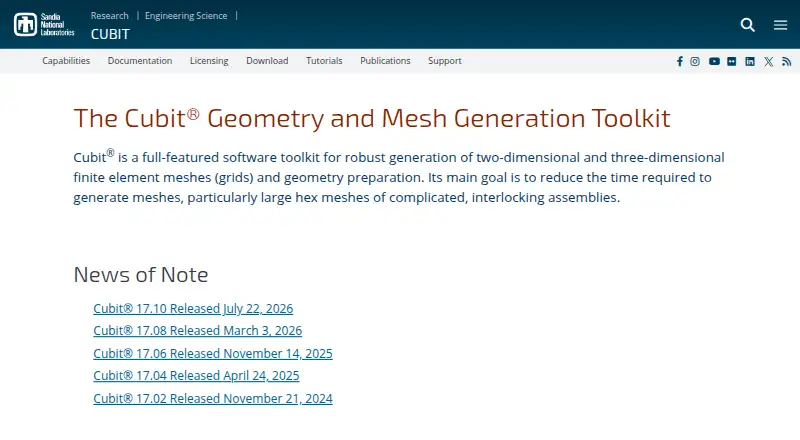
Cubit is a desktop toolkit for preparing solid geometry and generating two- and three-dimensional finite-element meshes. It is aimed at technical teams working with complex assemblies, large meshes, analysis preparation, research workflows, and high-performance computing. Core capabilities include CAD import, geometry modification, Boolean operations, healing, repair, model attribution, mesh generation, refinement, smoothing, quality assessment, editing, and export for analysis.
The published licensing terms make Cubit free for U.S. government agencies, with limited-term licenses potentially available to direct government contractors. Academic and commercial users are directed to Coreform Cubit by the licensing page. Cubit runs on Windows, macOS, and Linux as desktop software, giving technical organizations a cross-platform option while keeping the workflow centered on installed applications. Email and documentation are the stated support channels.
Its strongest fit is finite-element preparation rather than broad 3D content creation. Users can build quadrilateral, hexahedral, triangle, tetrahedral, and mixed meshes, then refine, smooth, edit, and assess quality. The Sculpt algorithm supports parallel meshing, while Python scripting and command-line automation suit repeatable technical processes. CAD and mesh exchange includes STEP, IGES, STL, and Exodus II. Choose Cubit when geometry repair and production mesh generation are central requirements, especially in U.S. government environments. Choose an alternative when the priority is animation, browser access, or unrestricted academic and commercial licensing.
Your product? Our editors can test Cubit in depth and publish a review, labelled as paid · from $149/mo →
Cubit pricing
All 1 Cubit plans and prices →
Cubit fact sheet
| Free plan | Yes |
|---|---|
| Paid from | Free |
| Platform access | Desktop |
| Sculpting tools | No |
| Animation tools | No |
| Parametric modeling | Not verified |
| Render engine | Built-in |
| 3D print export | Yes |
| Deployment | Desktop |
| Platforms | Windows, macOS, Linux |
| Support | Email, Docs |
| Built for | Mid-market, Enterprise (editorial estimate) |
| Pricing | Free plan (source) |
| Website | cubit.sandia.gov |
| Facts checked | 22 Sep 2026 |
Alternatives to Cubit
- BlenderA broad free 3D suite covering modeling, animation, rendering, scripting, and print export.9.3
- HoudiniA deep procedural 3D suite for VFX, animation, games, and technical art.9.1
- Autodesk MayaA mature desktop suite for studios handling modeling, animation, VFX, and rendering.9.0



Used Cubit? Be the first to review it
The editor score above is our own research. What this page doesn't have yet is a reader's view — what you used Cubit for, what worked and what didn't. No stars are seeded and no review is paid for; an editor reads every one before it appears.
Write a reviewTwo minutes · verified accounts only · read by an editor before it appears
Featured on iTechGuides

Cubit is listed in our 3D Modeling Software directory. Add the badge to your site — it links back to this page.
<a href="https://www.itechguides.com/products/cubit/"><img src="https://www.itechguides.com/best/badge/cubit.svg" alt="Featured on iTechGuides" width="230" height="46"></a>
Reviewed by iTechGuides Editors · Editorial team · Updated Oct 2026
Advertiser disclosure: iTechGuides is reader-supported. Vendors can pay for top positions in our rankings and for a place on other products' pages, and we may earn a commission when you click some links. Bought places stand at the number bought; this page and our disclosure say so. Paying vendors may get a fuller, more detailed review from our editors, and that review can change their score. How we rank.
Last updated · How we research and update