
Crayo
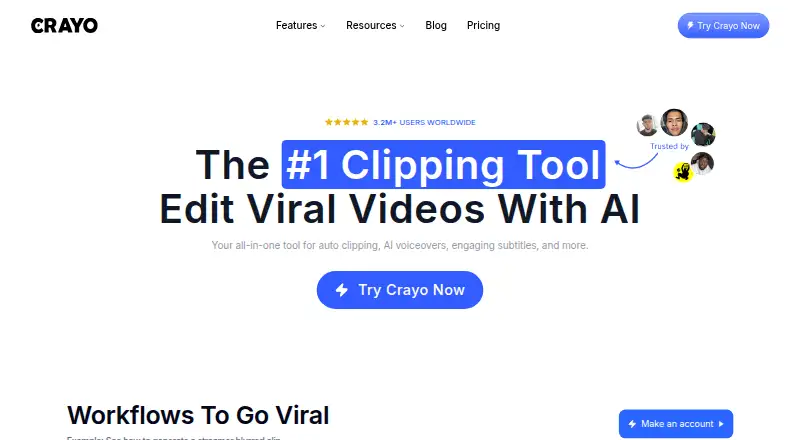
Crayo: Crayo combines AI clipping, captions and video generation, with paid annual plans from $13 per month. Ranked #22 of 29 in Social Media Video Makers by our editors (7.1/10); pricing: Paid; best for short-form clipping and caption automation.
At a glance
- Editor score7.1 / 10
- PricingPaid
- Best forShort-form clipping and caption automation
- Free planNo
- Paid from$13/mo
- Auto captionsYes
- Facts checked19 Sep 2026
Where it wins
- Turns long-form videos into short clips with AI auto-clipping.
- Adds styled captions and reframes video for social platforms.
- Combines prompt-based video generation, voiceovers and image generation.
Where it doesn't
- No free plan; the $13 monthly-equivalent Hobby price is billed annually.
- Available on the web only.
- Plan limits apply to workflow credits, export time, voiceover minutes and storage.
Our verdict on Crayo
Crayo is a browser-based video creation and editing platform for short-form creators, clippers, podcasters, streamers, agencies and faceless-channel operators. Its core workflow turns long-form uploads into short clips, while its other tools generate videos from scripts or prompts, add captions and voiceovers, create images, and reframe footage for TikTok, Instagram Reels and YouTube Shorts. It suits creators who want clipping and caption automation alongside several related editing tools in one web product.
The published plans show annual-billing monthly equivalents: Hobby costs $13 per month, Clipper $27 and Pro $55. Hobby includes 50 workflow credits, 40 minutes of export, 30 voiceover minutes, 100 AI images, 25GB of storage and tracking for one social account. Clipper raises those limits to 150 credits, 2 hours of export, 120 voiceover minutes, 300 images, 100GB and three accounts. Pro includes 250 credits, 4 hours of export, 180 voiceover minutes, 500 images, 500GB and tracking for 10 accounts. There is no free plan, so buyers should compare the included monthly allowances with their output needs before committing to annual billing.
The feature set extends beyond clipping and captions: Crayo offers script- or prompt-based video generation, voiceovers with 100+ voices, AI image generation, background removal, speech enhancement, voice changing and subtitle removal. YouTube, TikTok, Instagram Reels and YouTube Shorts are listed as integrations, and a developer REST API is available. That breadth may suit creators who want multiple short-video tasks in a browser, but the platform is web-only. Crayo is a reasonable fit for short-form workflows that benefit from automated clipping and captions; buyers seeking a free plan or a non-web platform should look elsewhere.
Your product? Our editors can test Crayo in depth and publish a review, labelled as paid · from $149/mo →
Crayo pricing
All 3 Crayo plans and prices →
Crayo fact sheet
| Free plan | No |
|---|---|
| Paid from | $13/mo |
| Auto captions | Yes |
| Social resizing | Yes |
| Text-to-video | Yes |
| Export resolution | Not verified |
| Watermark-free export | Yes |
| Maximum video length | Not verified |
| Brand kit | Not verified |
| Deployment | Cloud |
| Platforms | Web |
| Integrations | 4 integrations: YouTube, TikTok, Instagram Reels, YouTube Shorts |
| Pricing | Paid (source) |
| Website | crayo.ai |
| Facts checked | 19 Sep 2026 |
Crayo integrations
Crayo lists 4 integrations on its own site.
- YouTube
- TikTok
- Instagram Reels
- YouTube Shorts
Alternatives to Crayo
- CapCutCross-device video editing with social-ready tools, AI features and team collaboration.9.3
- VEEDA web-first editor combining AI tools, subtitles, collaboration, and mobile apps.9.1
- AnimotoA browser-based video maker with AI creation, social formats, and brand tools.9.0



Used Crayo? Be the first to review it
The editor score above is our own research. What this page doesn't have yet is a reader's view — what you used Crayo for, what worked and what didn't. No stars are seeded and no review is paid for; an editor reads every one before it appears.
Write a reviewTwo minutes · verified accounts only · read by an editor before it appears
Featured on iTechGuides

Crayo is listed in our Social Media Video Makers directory. Add the badge to your site — it links back to this page.
<a href="https://www.itechguides.com/products/crayo/"><img src="https://www.itechguides.com/best/badge/crayo.svg" alt="Featured on iTechGuides" width="230" height="46"></a>
Reviewed by iTechGuides Editors · Editorial team · Updated Oct 2026
Advertiser disclosure: iTechGuides is reader-supported. Vendors can pay for top positions in our rankings and for a place on other products' pages, and we may earn a commission when you click some links. Bought places stand at the number bought; this page and our disclosure say so. Paying vendors may get a fuller, more detailed review from our editors, and that review can change their score. How we rank.
Last updated · How we research and update