
Corte Cut
Corte Cut: A capable browser editor for transcript-led workflows, captions, and AI-assisted production. Ranked #51 of 153 in Video Editing Software by our editors (4.3/10); pricing: Free plan; best for browser editors needing transcript automation.
At a glance
- Editor score4.3 / 10
- PricingFree plan
- Best forBrowser editors needing transcript automation
- Free planYes
- Paid from$10/mo
- Facts checked22 Sep 2026
Where it wins
- Text-based editing, transcription, captions, and silence removal
- Frame-accurate multitrack, multicam, color, and audio tools
- Watermark-free H.264 and H.265 export in the browser
Where it doesn't
- Platform support is limited to web and API
- Higher plans are needed for more credits and storage
- AI-assisted workflows depend on monthly credit allowances
Our verdict on Corte Cut
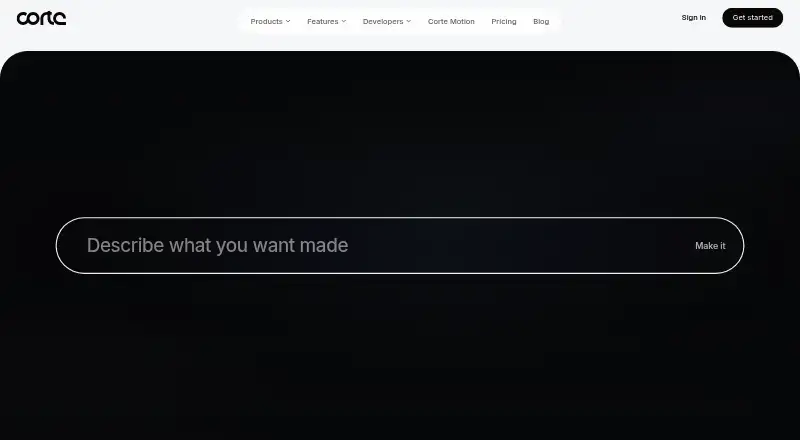
Corte Cut is a browser-based video editor for creators, teams, and businesses that want transcript-led editing alongside conventional timeline tools. Its feature set covers frame-accurate trims, splits, ripple deletes, keyframes, automatic transcription, styled captions, silence removal, multicam synchronization, color grading, audio denoise, and an AI editing agent. Shared projects and cloud media storage also support collaborative work, while the connection to Corte’s media-generation workspace brings video, image, and audio generation into the broader editing workflow.
The plan structure makes the product approachable for evaluation and smaller projects. Free includes the full editor, watermark-free export, standard generation models, and 5 GB of storage. Standard costs $10 per month and adds 1,000 monthly credits plus 100 GB of storage. Pro costs $30 per month with 3,500 monthly credits and 500 GB, while Max costs $80 per month with 10,000 monthly credits and 1 TB. Each paid tier retains the full editor and watermark-free export, so the main upgrade path is capacity for generation and media storage rather than access to a different editing application.
Corte Cut’s strongest fit is for browser-first teams and editors who value transcript automation, captions, silence removal, and shared cloud projects in one workspace. Shopify, Squarespace, and Dropbox integrations broaden its ecosystem connections, and API access supports programmatic or white-label options. The trade-off is platform scope: the listed platforms are web and API, so organizations seeking a desktop editing application should look elsewhere. Choose Corte Cut for text-based workflows and browser collaboration; consider an alternative if native desktop support is essential.
Your product? Our editors can test Corte Cut in depth and publish a review, labelled as paid · from $149/mo →
Corte Cut pricing
All 4 Corte Cut plans and prices →
Corte Cut fact sheet
| Free plan | Yes |
|---|---|
| Paid from | $10/mo |
| Desktop app | Not verified |
| Web app | Not verified |
| Mobile app | Not verified |
| 4K export | Not verified |
| Team collaboration | Not verified |
| Included cloud storage | Not verified |
| Deployment | Cloud, Browser extension |
| Platforms | Web |
| Support | Email, Docs, Tickets |
| Built for | Solo, Small business, Mid-market, Enterprise (editorial estimate) |
| Integrations | 3 integrations: Shopify, Squarespace, Dropbox |
| Pricing | Free plan (source) |
| Website | corte.so |
| Facts checked | 22 Sep 2026 |
Corte Cut integrations
Corte Cut lists 3 integrations on its own site.
- Shopify
- Squarespace
- Dropbox
Alternatives to Corte Cut
- DaVinci ResolveA deep free editor with professional post-production tools across desktop and iPad.9.3
- Avid Media ComposerA deep editing suite with collaborative workflows, AI search, and a free entry option.9.2
- Final Cut ProA full-featured editor for Apple users who want desktop and iPad workflows.9.1


See all Corte Cut alternatives →
Also Ranked In
Corte Cut is ranked in 2 of our directories.
Used Corte Cut? Be the first to review it
The editor score above is our own research. What this page doesn't have yet is a reader's view — what you used Corte Cut for, what worked and what didn't. No stars are seeded and no review is paid for; an editor reads every one before it appears.
Write a reviewTwo minutes · verified accounts only · read by an editor before it appears
Featured on iTechGuides

Corte Cut is listed in our Video Editing Software directory. Add the badge to your site — it links back to this page.
<a href="https://www.itechguides.com/products/corte-cut/"><img src="https://www.itechguides.com/best/badge/corte-cut.svg" alt="Featured on iTechGuides" width="230" height="46"></a>
Reviewed by iTechGuides Editors · Editorial team · Updated Oct 2026
Advertiser disclosure: iTechGuides is reader-supported. Vendors can pay for top positions in our rankings and for a place on other products' pages, and we may earn a commission when you click some links. Bought places stand at the number bought; this page and our disclosure say so. Paying vendors may get a fuller, more detailed review from our editors, and that review can change their score. How we rank.
Last updated · How we research and update