Corel VideoStudio
Corel VideoStudio: A broad Windows editor for traditional video projects, with no free plan or mobile version. Ranked #21 of 153 in Video Editing Software by our editors (7.1/10); pricing: 30-day trial; best for windows users wanting broad traditional tools.
At a glance
- Editor score7.1 / 10
- Pricing30-day trial
- Best forWindows users wanting broad traditional tools
- Free planNo
- 4K exportYes
- Founded1985 · Ottawa, Ontario, Canada
- Facts checked20 Sep 2026
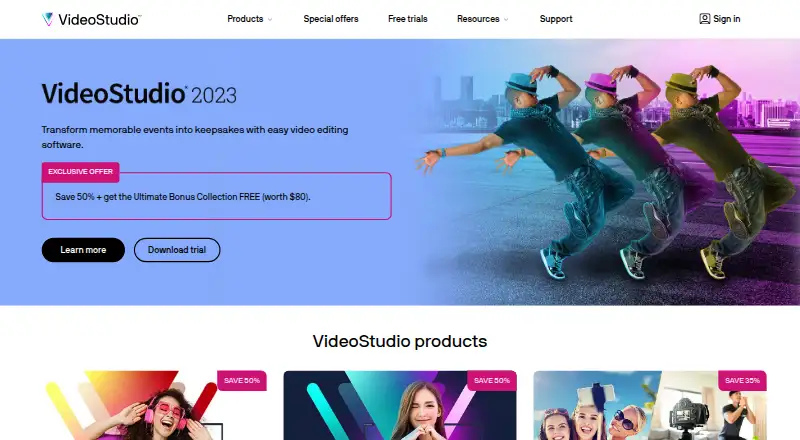
Where it wins
- Combines timeline, storyboard, multicam, and screen recording tools
- Includes color, motion tracking, stabilization, 360-degree editing, and subtitles
- Exports common formats and supports sharing to YouTube and Vimeo
Where it doesn't
- Runs on Windows only, with no mobile coverage
- No free plan; access is limited to a 30-day trial before purchase
- Purchase details vary by region and store
Our verdict on Corel VideoStudio
Corel VideoStudio is a Windows desktop video editor for individuals, hobbyists, educators, and organizations. It covers traditional editing from timeline and storyboard workflows through export and online sharing. The toolset includes multi-camera editing, screen recording, color correction, color grading, LUT profiles, titles, transitions, overlays, filters, AR stickers, motion tracking, speed effects, stabilization, 360-degree video editing, GIF creation, subtitle generation, and audio work. It is suited to Windows users who want many editing functions in one desktop application rather than a mobile editor or a narrowly focused tool.
Its strongest fit is breadth within a conventional desktop workflow. Users can combine visual editing with audio mixing, voiceover, audio ducking, and speech-to-text subtitle creation, while common-format export supports finished videos for sharing. YouTube and Vimeo integrations extend the publishing workflow, and the product includes AI features. VideoStudio 2023 Pro and Ultimate editions are presented with a one-time purchase model rather than a subscription. A 30-day trial provides a way to assess the editor before committing to a paid edition.
The main trade-off is platform coverage: VideoStudio runs on Windows, so it is not a fit for users who need mobile editing or a cross-platform workflow. It also has no free plan, and purchase controls are regional or store-dependent. Choose it if you want a feature-rich Windows editor with multicam, recording, color, subtitles, 360-degree tools, and standard exports. Choose another product if mobile access, a free tier, or broader platform support matters more than desktop editing breadth.
Your product? Our editors can test Corel VideoStudio in depth and publish a review, labelled as paid · from $149/mo →
Corel VideoStudio pricing
Corel VideoStudio fact sheet
| Free plan | No |
|---|---|
| Paid from | Not verified |
| Desktop app | Yes |
| Web app | Not verified |
| Mobile app | Not verified |
| 4K export | Yes |
| Team collaboration | Not verified |
| Included cloud storage | Not verified |
| Free trial | 30 days |
| Money-back guarantee | 30 days |
| Deployment | Desktop |
| Platforms | Windows |
| Support | Community, Docs, Tickets |
| Built for | Solo, Small business, Mid-market, Enterprise (editorial estimate) |
| Integrations | 2 integrations: YouTube, Vimeo |
| Pricing | 30-day trial |
| Website | videostudiopro.com |
| Facts checked | 20 Sep 2026 |
Corel VideoStudio integrations
Corel VideoStudio lists 2 integrations on its own site.
- YouTube
- Vimeo
Alternatives to Corel VideoStudio
- DaVinci ResolveA deep free editor with professional post-production tools across desktop and iPad.9.3
- Avid Media ComposerA deep editing suite with collaborative workflows, AI search, and a free entry option.9.2
- Final Cut ProA full-featured editor for Apple users who want desktop and iPad workflows.9.1


See all Corel VideoStudio alternatives →
Also Ranked In
Corel VideoStudio is ranked in 6 of our directories.
Used Corel VideoStudio? Be the first to review it
The editor score above is our own research. What this page doesn't have yet is a reader's view — what you used Corel VideoStudio for, what worked and what didn't. No stars are seeded and no review is paid for; an editor reads every one before it appears.
Write a reviewTwo minutes · verified accounts only · read by an editor before it appears
Featured on iTechGuides

Corel VideoStudio is listed in our Video Editing Software directory. Add the badge to your site — it links back to this page.
<a href="https://www.itechguides.com/products/corel-videostudio/"><img src="https://www.itechguides.com/best/badge/corel-videostudio.svg" alt="Featured on iTechGuides" width="230" height="46"></a>
Reviewed by iTechGuides Editors · Editorial team · Updated Oct 2026
Advertiser disclosure: iTechGuides is reader-supported. Vendors can pay for top positions in our rankings and for a place on other products' pages, and we may earn a commission when you click some links. Bought places stand at the number bought; this page and our disclosure say so. Paying vendors may get a fuller, more detailed review from our editors, and that review can change their score. How we rank.
Last updated · How we research and update