
Convert3D
Convert3D: A broad 3D converter with local browser workflows, desktop apps, batch tools, and an API. Ranked #12 of 31 in 3D File Converter Software by our editors (8.1/10); pricing: Free plan; best for cross-platform conversion with an API.
At a glance
- Editor score8.1 / 10
- PricingFree plan
- Best forCross-platform conversion with an API
- Free planYes
- Paid from$899/yr
- Format scopeMixed
- Facts checked22 Sep 2026
Where it wins
- Supports mesh and CAD-related formats including FBX, STEP, STL, DWG, and DXF
- Converts locally in the browser without uploads in most cases
- Offers desktop apps, batch conversion, and synchronous or asynchronous API jobs
Where it doesn't
- The Free API plan allows 10 conversions per month
- Paid API plans start at $899 per year
- Batch conversion sends several files to one output format
Our verdict on Convert3D
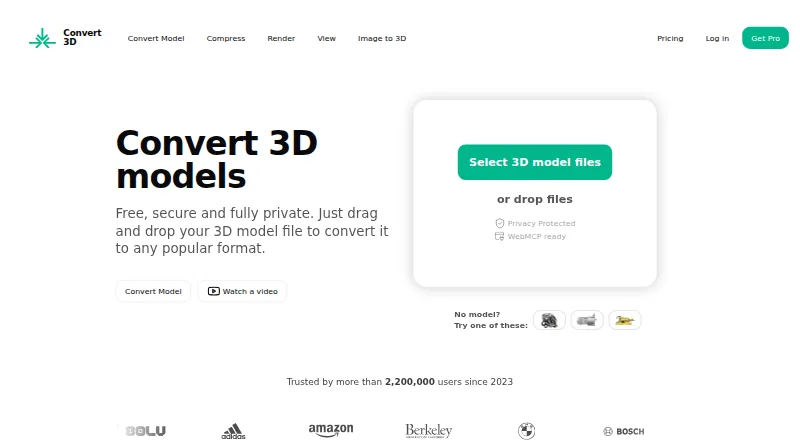
Convert3D is a 3D model conversion service for individuals, designers, developers, and businesses. It handles conversion between mesh and CAD-related formats, including FBX, OBJ, GLTF, USDZ, STEP, STL, DWG, and DXF. The browser converter runs locally on the user’s device in most cases, without installation or account creation. A model preview provides rotate, zoom, and pan controls, while desktop applications extend access to macOS, Windows, and Linux.
The published plans separate browser conversion from API usage. The Free plan costs $0 per month and includes 10 API conversions per month plus a way to try the API without commitment. Starter costs $899 per year for 5,000 conversions, Growth costs $1,799 per year for 15,000 conversions, and Scale costs $4,899 per year for 100,000 conversions. The paid tiers are aimed at small applications and prototypes, growing businesses with moderate usage, and enterprises with high-volume needs, respectively. This makes Convert3D suitable for evaluating an API before moving to annual usage tiers.
Its platform coverage is a strong fit for teams that need the same conversion capability across web, desktop, and programmatic workflows. The REST API supports synchronous and asynchronous jobs, batch conversion, and large-file uploads through upload URLs. The product is less suitable for teams whose API volume does not justify annual pricing or whose workflow requires batch jobs to produce multiple output formats at once. Choose Convert3D for mixed-format conversion across macOS, Windows, Linux, and web environments; choose another tool when a narrower, lower-cost API workflow better matches the workload.
Your product? Our editors can test Convert3D in depth and publish a review, labelled as paid · from $149/mo →
Convert3D pricing
All 4 Convert3D plans and prices →
Convert3D fact sheet
| Free plan | Yes |
|---|---|
| Paid from | $899/yr |
| Format scope | Mixed |
| Animation conversion | Not verified |
| Batch conversion | Yes |
| API access | Yes |
| Maximum file size | Not verified |
| Supported platforms | web, windows, macos, linux, api |
| Deployment | Cloud, Self-hosted, Desktop |
| Platforms | Web, Windows, macOS, Linux |
| Support | Email, Community, Docs |
| Built for | Solo, Small business, Mid-market, Enterprise (editorial estimate) |
| Pricing | Free plan (source) |
| Website | convert3d.org |
| Facts checked | 22 Sep 2026 |
Alternatives to Convert3D
- 3D_EvolutionA professional CAD conversion suite for complex engineering workflows and enterprise validation.9.4
- 3D InterOpA broad engineering SDK for integrating high-volume CAD and BIM translation.9.3
- HOOPS ExchangeA broad CAD/BIM conversion SDK for engineering software teams.9.2



See all Convert3D alternatives →
Used Convert3D? Be the first to review it
The editor score above is our own research. What this page doesn't have yet is a reader's view — what you used Convert3D for, what worked and what didn't. No stars are seeded and no review is paid for; an editor reads every one before it appears.
Write a reviewTwo minutes · verified accounts only · read by an editor before it appears
Featured on iTechGuides

Convert3D is listed in our 3D File Converter Software directory. Add the badge to your site — it links back to this page.
<a href="https://www.itechguides.com/products/convert3d/"><img src="https://www.itechguides.com/best/badge/convert3d.svg" alt="Featured on iTechGuides" width="230" height="46"></a>
Reviewed by iTechGuides Editors · Editorial team · Updated Oct 2026
Advertiser disclosure: iTechGuides is reader-supported. Vendors can pay for top positions in our rankings and for a place on other products' pages, and we may earn a commission when you click some links. Bought places stand at the number bought; this page and our disclosure say so. Paying vendors may get a fuller, more detailed review from our editors, and that review can change their score. How we rank.
Last updated · How we research and update