ComPAIR
ComPAIR: A free, Canvas-connected peer review tool built around anonymous paired comparison. Ranked #7 of 17 in Peer Assessment Software by our editors (7.1/10); pricing: Free plan; best for canvas users seeking free open-source peer review.
At a glance
- Editor score7.1 / 10
- PricingFree plan
- Best forCanvas users seeking free open-source peer review
- Free planYes
- Paid fromNone
- Reviewer anonymityOne_way
- Facts checked21 Sep 2026
Where it wins
- Anonymous paired comparison with instructor-defined rubrics
- Automatic allocation, adaptive scoring and written feedback
- Canvas integration with LTI authentication and grade updates
Where it doesn't
- Self-hosted deployment requires technical administration
- Built around one-way reviewer anonymity
- Live UBC hosting requires registration or UBC IT support
Our verdict on ComPAIR
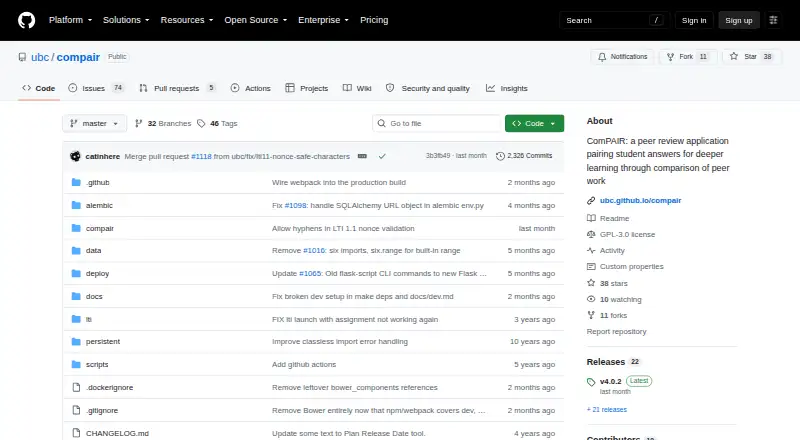
ComPAIR is an open-source peer assessment application developed by the University of British Columbia. It is designed for instructors who want students to review classmates’ work through structured comparisons rather than only assigning scores. Students submit responses, compare pairs of peer answers, select which better meets instructor-defined criteria, and provide written feedback. Instructors can configure assignments, rubrics, anonymous evaluations and class-performance review. The application is available for self-hosted deployment and through a UBC-hosted web application.
Its strongest fit is the combination of structured assessment and automated workflow. ComPAIR can randomly assign peer-answer pairs, apply instructor-defined criteria, and use adaptive scoring to rank answers. That gives courses a repeatable peer-review process while retaining qualitative feedback. One-way reviewer anonymity supports anonymous evaluations, and the system includes rubric scoring, automatic review allocation and grade synchronization. These capabilities make it a focused choice for courses where comparison between student responses is central to the assessment design.
Canvas and LTI connectivity are important ecosystem advantages. LTI authentication and course connectivity support connected courses and assignments, while grade updates can synchronize results with Canvas. Teams choosing self-hosting should account for deployment and ongoing administration, whereas access through the UBC-hosted application involves registration or UBC IT support. ComPAIR suits Canvas-based teaching teams seeking a free, open-source peer-review workflow with comparison, rubrics and feedback. It is less suitable for organizations that need broad LMS coverage or a peer-assessment model beyond its comparison-led approach.
ComPAIR pricing
ComPAIR fact sheet
| Free plan | Yes |
|---|---|
| Paid from | None |
| Reviewer anonymity | One_way |
| Review allocation | Automatic |
| Rubric scoring | Yes |
| Moderation tools | Not verified |
| LMS integration | Yes |
| Gradebook sync | Yes |
| Deployment | Cloud, Self-hosted |
| Platforms | Web |
| Support | Docs |
| Built for | Mid-market, Enterprise (editorial estimate) |
| Integrations | 2 integrations: Canvas, LTI |
| Pricing | Free plan |
| Website | github.com |
| Facts checked | 21 Sep 2026 |
ComPAIR integrations
ComPAIR lists 2 integrations on its own site.
- Canvas
- LTI
Alternatives to ComPAIR
- CrowdGraderAffordable peer assessment with anonymous reviews, rubrics, and LMS integration.9.8
- Kritik360A calibrated peer assessment platform with LMS connections and a free entry point.8.5
- peerScholarA flexible choice for institutions running varied peer-assessment activities.8.2


See all ComPAIR alternatives →
ComPAIR vs the competition
- ComPAIR vs CrowdGrader
- ComPAIR vs Kritik360
- ComPAIR vs peerScholar
- ComPAIR vs Eli Review
- ComPAIR vs Peerceptiv
- ComPAIR vs PeerAssessment.com



Compare ComPAIR with any tool side by side →
Used ComPAIR? Be the first to review it
The editor score above is our own research. What this page doesn't have yet is a reader's view — what you used ComPAIR for, what worked and what didn't. No stars are seeded and no review is paid for; an editor reads every one before it appears.
Write a reviewTwo minutes · verified accounts only · read by an editor before it appears
Featured on iTechGuides

ComPAIR is listed in our Peer Assessment Software directory. Add the badge to your site — it links back to this page.
<a href="https://www.itechguides.com/products/compair/"><img src="https://www.itechguides.com/best/badge/compair.svg" alt="Featured on iTechGuides" width="230" height="46"></a>
Reviewed by iTechGuides Editors · Editorial team · Updated Sep 2026
Advertiser disclosure: iTechGuides is reader-supported. We may earn a commission when you click some links. How we rank.
Last updated · How we research and update