Comail
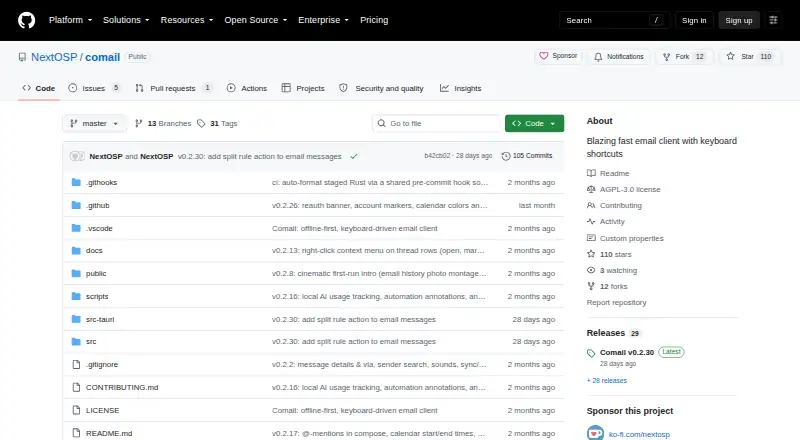
Comail: A capable open-source desktop client for keyboard-first email workflows. Ranked #29 of 142 in Email Clients by our editors (6.5/10); pricing: Free plan; best for keyboard-first open-source email.
At a glance
- Editor score6.5 / 10
- PricingFree plan
- Best forKeyboard-first open-source email
- Free planYes
- Paid fromFree
- App coverageDesktop
- Facts checked23 Sep 2026
Where it wins
- Free, open-source desktop apps for macOS, Windows, and Linux
- Strong offline tools, keyboard navigation, rules, and bulk triage
- Built-in calendar, automation, scheduling, and optional AI features
Where it doesn't
- Desktop-only coverage does not suit mobile-first email workflows
- AI capabilities depend on optional OpenAI-compatible providers
- The feature set may feel broader than needed for simple email use
Our verdict on Comail
Comail is a free, open-source email client for macOS, Windows, and Linux. It is designed for people who want a keyboard-first desktop workflow while keeping mailbox data locally available for offline reading, composing, search, and mailbox actions. Connections include Gmail, Microsoft 365, Outlook, IMAP providers such as Fastmail and iCloud, self-hosted mail servers, company servers, and CalDAV calendars. Its audience includes individual users and teams that value desktop control, flexible mail handling, and open-source software.
Its strongest advantage is the depth of everyday workflow tools. Keyboard-driven navigation and a command palette support fast interaction, while split inboxes, custom rules, bulk archive, labeling, snoozing, scheduled sending, and undo send cover both organization and triage. Search supports natural-language and filtered queries, and attachment previews handle common document and image formats. The built-in calendar offers week and month views with CalDAV synchronization, while email automation workflows extend beyond basic inbox management. These capabilities make Comail a good fit for users who want email, scheduling, and automation in one desktop application rather than a narrowly focused mail reader.
Optional AI adds summaries, drafting, proofreading, natural-language commands, and inbox questions, with support for OpenAI-compatible AI providers. That flexibility may appeal to users who want to choose how AI connects to their workflow, but it also adds another configuration decision. Comail is best suited to desktop-focused users who value open-source software, offline operation, keyboard control, and detailed mailbox workflows. Users who depend on mobile access or prefer a simpler, lighter email experience should consider a more narrowly focused alternative.
Your product? Our editors can test Comail in depth and publish a review, labelled as paid · from $149/mo →
Comail pricing
Comail fact sheet
| Free plan | Yes |
|---|---|
| Paid from | Free |
| App coverage | Desktop |
| Account limit | Not verified |
| Unified inbox | Yes |
| Offline access | Yes |
| Scheduled sending | Yes |
| Calendar tools | Yes |
| Deployment | Desktop |
| Platforms | Windows, macOS, Linux |
| Support | Email, Community |
| Built for | Solo, Small business (editorial estimate) |
| Integrations | 9 integrations: Gmail, Microsoft 365, Outlook, IMAP providers, Google Calendar, Fastmail … |
| Pricing | Free plan |
| Website | github.com |
| Facts checked | 23 Sep 2026 |
Comail integrations
Comail lists 9 integrations on its own site.
- Gmail
- Microsoft 365
- Outlook
- IMAP providers
- Google Calendar
- Fastmail
- iCloud
- CalDAV
- OpenAI-compatible AI providers
Alternatives to Comail
- Mozilla ThunderbirdA capable free client for multi-account email, offline access, and desktop productivity tools.9.4
- Zoho MailA flexible hosted email service with free access, migration tools, and Zoho collaboration options.9.2
- Apple MailA capable Apple-focused email client with unified inboxes, scheduling, privacy controls, and AI assistance.9.1



Used Comail? Be the first to review it
The editor score above is our own research. What this page doesn't have yet is a reader's view — what you used Comail for, what worked and what didn't. No stars are seeded and no review is paid for; an editor reads every one before it appears.
Write a reviewTwo minutes · verified accounts only · read by an editor before it appears
Featured on iTechGuides

Comail is listed in our Email Clients directory. Add the badge to your site — it links back to this page.
<a href="https://www.itechguides.com/products/comail/"><img src="https://www.itechguides.com/best/badge/comail.svg" alt="Featured on iTechGuides" width="230" height="46"></a>
Reviewed by iTechGuides Editors · Editorial team · Updated Oct 2026
Advertiser disclosure: iTechGuides is reader-supported. Vendors can pay for top positions in our rankings and for a place on other products' pages, and we may earn a commission when you click some links. Bought places stand at the number bought; this page and our disclosure say so. Paying vendors may get a fuller, more detailed review from our editors, and that review can change their score. How we rank.
Last updated · How we research and update