
CoCut Pro XT
CoCut Pro XT: A mature Windows plug-in for detailed signmaking and plotter production workflows. Ranked #5 of 25 in Sign Design Software by our editors (8.8/10); pricing: 30-day trial; best for established Windows plotter workflows.
At a glance
- Editor score8.8 / 10
- Pricing30-day trial
- Best forEstablished Windows plotter workflows
- Free planNo
- Paid from€149/yr
- Vinyl cuttingYes
- Founded1993 · Grevenmacher, Luxembourg
- Facts checked21 Sep 2026
Where it wins
- Detailed vinyl cutting, contouring, welding and weeding tools
- Controls multiple plotters and supports oversized-plot segmentation
- Integrates with CorelDRAW, Illustrator, AutoCAD, InDesign and Inkscape
Where it doesn't
- Windows-only, supporting Windows 7, 8, 10 and 11
- Paid product with no permanent free plan
- Designed as a plug-in rather than a standalone illustration program
Our verdict on CoCut Pro XT
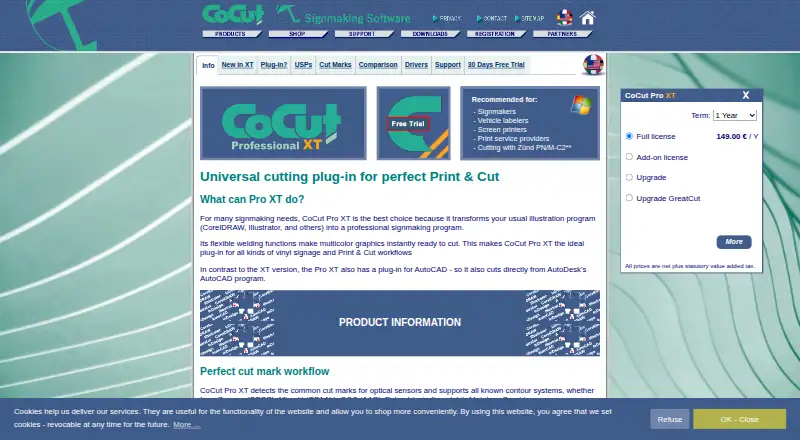
CoCut Pro XT is Windows software for signmakers, vehicle labelers, screen printers and print service providers. It extends CorelDRAW, CorelDesigner, Adobe Illustrator, Adobe InDesign, AutoCAD and Inkscape with tools for vinyl signage, print-and-cut production and plotter output. The product is best suited to established Windows workflows that already use one of these host applications, rather than teams seeking a standalone illustration program.
Pricing is structured around the full license. The published plans show EUR 49.90 per 3 months, EUR 149 per year with annual billing, or EUR 399 per 3 years. Each plan includes the full CoCut Pro XT license, and a 30-day trial is available. Its host-application coverage is a significant fit advantage: users can work alongside CorelDRAW, CorelDesigner, Adobe Illustrator, Adobe InDesign, AutoCAD and Inkscape. AutoCAD plug-in support gives the product a useful place in technical drawing workflows, while CMX or PDF export to a hot folder supports file handoff.
Production depth is the main reason to consider CoCut Pro XT. It provides configurable cutting speed, blade pressure and accuracy, contour creation, cut-mark detection, bitmap contouring, welding for multicolor graphics, material display, foil optimization and line- or frame-based weeding aids. It can also segment oversized plots and configure or control multiple plotters simultaneously. Those capabilities make it a practical choice for signmaking operations with varied output requirements. Choose an alternative if you need macOS or another platform, a permanent free plan, or a standalone design application instead of a Windows plug-in.
Your product? Our editors can test CoCut Pro XT in depth and publish a review, labelled as paid · from $149/mo →
CoCut Pro XT pricing
All 1 CoCut Pro XT plans and prices →
CoCut Pro XT fact sheet
| Free plan | No |
|---|---|
| Paid from | €149/yr |
| Vinyl cutting | Yes |
| Vehicle graphics | Not verified |
| Lettering tools | Yes |
| Production output | Print-and-cut |
| Supported platforms | Windows 7, 8, 10 and 11 (32- or 64-bit) |
| Plotter support | Yes |
| Free trial | 30 days |
| Deployment | Desktop |
| Platforms | Windows |
| Support | Email, Docs |
| Built for | Small business, Mid-market (editorial estimate) |
| Integrations | 6 integrations: CorelDRAW, CorelDesigner, Adobe Illustrator, Adobe InDesign, AutoCAD, Inkscape |
| Pricing | 30-day trial (source) |
| Website | cocut.com |
| Facts checked | 21 Sep 2026 |
CoCut Pro XT integrations
CoCut Pro XT lists 6 integrations on its own site.
- CorelDRAW
- CorelDesigner
- Adobe Illustrator
- Adobe InDesign
- AutoCAD
- Inkscape
Alternatives to CoCut Pro XT
- SAi FlexiA full production suite for sign businesses that design, print and cut in-house.9.3
- VinylMasterA Windows-focused sign-production suite with affordable entry pricing and broad output support.9.1
- SignMasterA Windows-focused sign production suite with broad device support and low upgrade prices.9.0


See all CoCut Pro XT alternatives →
CoCut Pro XT vs the competition
- CoCut Pro XT vs SAi Flexi
- CoCut Pro XT vs VinylMaster
- CoCut Pro XT vs SignMaster
- CoCut Pro XT vs EasySIGN
- CoCut Pro XT vs SignCut Pro 2
- CoCut Pro XT vs EasyCut Pro


Compare CoCut Pro XT with any tool side by side →
Used CoCut Pro XT? Be the first to review it
The editor score above is our own research. What this page doesn't have yet is a reader's view — what you used CoCut Pro XT for, what worked and what didn't. No stars are seeded and no review is paid for; an editor reads every one before it appears.
Write a reviewTwo minutes · verified accounts only · read by an editor before it appears
Featured on iTechGuides

CoCut Pro XT is listed in our Sign Design Software directory. Add the badge to your site — it links back to this page.
<a href="https://www.itechguides.com/products/cocut-pro-xt/"><img src="https://www.itechguides.com/best/badge/cocut-pro-xt.svg" alt="Featured on iTechGuides" width="230" height="46"></a>
Reviewed by iTechGuides Editors · Editorial team · Updated Oct 2026
Advertiser disclosure: iTechGuides is reader-supported. Vendors can pay for top positions in our rankings and for a place on other products' pages, and we may earn a commission when you click some links. Bought places stand at the number bought; this page and our disclosure say so. Paying vendors may get a fuller, more detailed review from our editors, and that review can change their score. How we rank.
Last updated · How we research and update