
Cobalt
Cobalt: A NURBS-focused CAD tool with direct, parametric and associative workflows. Ranked #24 of 80 in 3D CAD Software by our editors (7.0/10); pricing: 14-day trial; best for NURBS-focused modeling on Windows or macOS.
At a glance
- Editor score7.0 / 10
- Pricing14-day trial
- Best forNURBS-focused modeling on Windows or macOS
- Free planNo
- Paid from$695/user/yr
- Assembly designYes
- Founded1988 · Austin, Texas, USA
- Facts checked19 Sep 2026
Where it wins
- Combines direct, associative and equation-driven parametric modeling.
- Includes Class-A NURBS surfaces, surface analysis and assembly tools.
- Supports drafting and a mechanical parts library of 149,000 parts.
Where it doesn't
- No free plan; monthly pricing starts at $69.95 per user.
- Sheet-metal tools are not included.
- Cloud-based collaboration is not clearly documented on the reviewed pages.
Our verdict on Cobalt
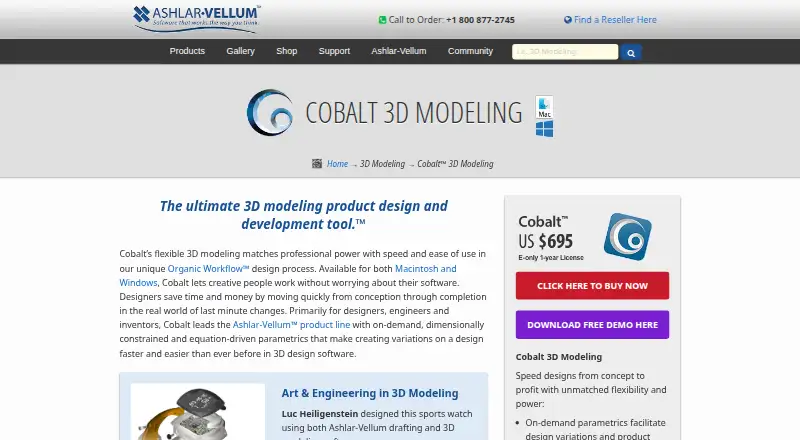
Cobalt is desktop 3D CAD software from Ashlar-Vellum for product designers, mechanical engineers and inventors. It brings direct, associative and parametric modeling together, with wireframe, surface and solid tools. The hybrid approach suits work that moves between shaping geometry directly and using dimensions or equations to control it. Windows and macOS versions are available, making it a fit for individuals who want a desktop CAD workflow on either platform.
Surface work is a notable strength: Cobalt includes Class-A NURBS surface modeling and surface analysis alongside assemblies, drafting and rendering. Assembly tools include connect, mate, align and insert; drafting supports associative views, dimensions, GD&T and bills of materials. A mechanical parts library contains 149,000 parts, and import/export translators cover formats including ACIS SAT, DWG/DXF, IGES, STEP and Rhino 3DM. These capabilities make the product relevant to mechanical design and product development workflows that need both surfaces and production-oriented documentation.
The published plans are commercial single-user subscriptions. Cobalt Solo Monthly costs $69.95 per user per month, includes major upgrades and can be cancelled at any time. Cobalt Solo Annual costs $695 per user per year and includes major upgrades and electronic download. A 14-day free trial is offered, but there is no free plan. The product's documented focus is desktop modeling and drafting; sheet-metal tools are not included, and cloud-based collaboration is not clearly documented. Choose Cobalt for NURBS-focused desktop design with parametric and assembly tools; consider alternatives if sheet-metal workflows or clearly specified cloud collaboration are central requirements.
Your product? Our editors can test Cobalt in depth and publish a review, labelled as paid · from $149/mo →
Cobalt pricing
All 2 Cobalt plans and prices →
Cobalt fact sheet
| Free plan | No |
|---|---|
| Paid from | $695/user/yr |
| Modeling method | Hybrid |
| Assembly design | Yes |
| Sheet-metal tools | No |
| Surface modeling | Yes |
| Cloud collaboration | Not verified |
| Supported platforms | Windows x64 10/11 and macOS 12, 13, 14, 15 and 26 |
| File import and export | ACIS SAT, PDF, DWG/DXF, IGES, STEP, Pro/E via SAT, SolidWorks via SAT, Catia v4, 3D Studio, Rhino 3DM, Facet, STL, Adobe Illustrator, EPS, CGM, VRML, ShockWave 3D, BMP, JPEG, PNG, PPM, XPM, XBM, GIF, PICT, Spline, RAW Triangle, ASCII Text, Grid Surface, SIM |
| Free trial | 14 days |
| Deployment | Desktop |
| Platforms | Windows, macOS |
| Pricing | 14-day trial (source) |
| Website | ashlar.com |
| Facts checked | 19 Sep 2026 |
Alternatives to Cobalt
- Siemens NXDeep hybrid CAD with Teamcenter integration for large engineering organizations.9.4
- CATIAA deep engineering suite for complex products, with enterprise pricing to match.9.3
- SOLIDWORKSFull mechanical CAD with broad design, manufacturing, simulation, and collaboration tools.9.2


Also Ranked In
Cobalt is ranked in 3 of our directories.
Used Cobalt? Be the first to review it
The editor score above is our own research. What this page doesn't have yet is a reader's view — what you used Cobalt for, what worked and what didn't. No stars are seeded and no review is paid for; an editor reads every one before it appears.
Write a reviewTwo minutes · verified accounts only · read by an editor before it appears
Featured on iTechGuides

Cobalt is listed in our 3D CAD Software directory. Add the badge to your site — it links back to this page.
<a href="https://www.itechguides.com/products/cobalt/"><img src="https://www.itechguides.com/best/badge/cobalt.svg" alt="Featured on iTechGuides" width="230" height="46"></a>
Reviewed by iTechGuides Editors · Editorial team · Updated Oct 2026
Advertiser disclosure: iTechGuides is reader-supported. Vendors can pay for top positions in our rankings and for a place on other products' pages, and we may earn a commission when you click some links. Bought places stand at the number bought; this page and our disclosure say so. Paying vendors may get a fuller, more detailed review from our editors, and that review can change their score. How we rank.
Last updated · How we research and update