
Cloud CMS
Cloud CMS: A strong fit for complex content operations, with a high paid entry point. Ranked #13 of 34 in Headless CMS by our editors (8.1/10); pricing: Free plan; best for teams needing versioned, workflow-heavy content.
At a glance
- Editor score8.1 / 10
- PricingFree plan
- Best forTeams needing versioned, workflow-heavy content
- Free planYes
- API typesBoth
- Facts checked20 Sep 2026
Where it wins
- Branching, merging, versioning and visual comparison
- Both REST and GraphQL APIs with structured content modeling
- Workflow approvals, localization and scheduled publishing
Where it doesn't
- Starter costs $220 per month
- Advanced plans become expensive for smaller teams
- The free Developer Edition has no displayed quota details
Our verdict on Cloud CMS
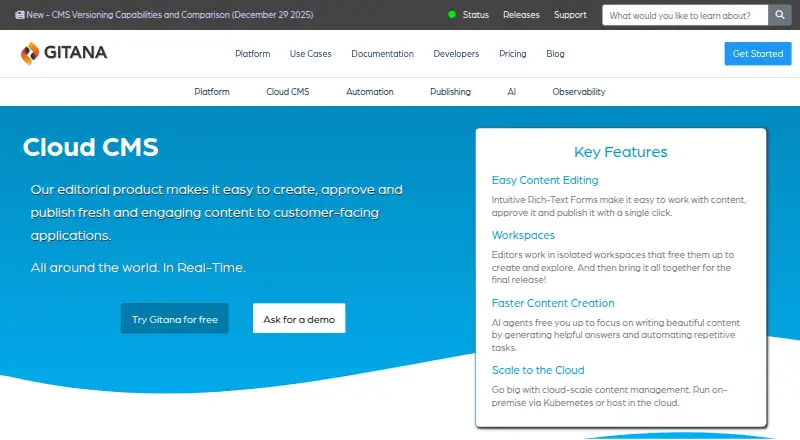
Cloud CMS is a headless content management platform for organizations creating, approving and publishing structured content across websites, applications, APIs and other delivery targets. It suits teams that need hierarchical content types, JSON Schema validation, editorial forms, role-based permissions and multilingual content. Hosted subscriptions and self-managed Docker-based deployments support both cloud and private infrastructure requirements, while REST and GraphQL APIs provide flexible delivery options.
Its strongest distinction is the depth of its content operations. Workflow-based approval, scheduled publishing, event-driven rules, webhooks, external deployment targets and on-the-fly asset transformations cover more than basic content storage. Git-like versioning, branches, merges and visual comparison are particularly relevant for teams managing frequent changes across structured content. Integrations with AWS, Azure, Google, Amazon S3 and Slack add useful ecosystem connections, though the platform is most compelling when those editorial and delivery controls are central to the project.
Pricing is the main constraint. The Developer Edition is free, while Starter costs $220 per month and adds workflows, multilingual content, scheduled publishing, versioning and branches, full GraphQL and REST APIs, and commercial support. Business costs $850 per month and adds single sign-on, a service level agreement, business support and 1x high-performance bandwidth. Plus costs $1,700 per month and adds priority support, multi-factor authentication, an additional development/starter tenant and 2x high-performance bandwidth. Enterprise adds custom users, projects and environments, dedicated infrastructure and job queue, multiple CMS environments and a custom SLA. Cloud CMS is a strong choice for versioned, workflow-heavy content operations; smaller teams seeking a lower-cost, simpler CMS should look elsewhere.
Your product? Our editors can test Cloud CMS in depth and publish a review, labelled as paid · from $149/mo →
Cloud CMS pricing
All 5 Cloud CMS plans and prices →
Cloud CMS fact sheet
| Free plan | Yes |
|---|---|
| Paid from | Not verified |
| API types | Both |
| Content localization | Yes |
| Role permissions | Custom |
| Webhooks | Yes |
| Content preview | Yes |
| Asset transformations | Yes |
| Deployment | Cloud, Self-hosted |
| Platforms | Web |
| Support | Email, Phone, Docs |
| Built for | Small business, Mid-market, Enterprise (editorial estimate) |
| Integrations | 5 integrations: AWS, Azure, Google, Amazon S3, Slack |
| Pricing | Free plan (source) |
| Website | gitana.io |
| Facts checked | 20 Sep 2026 |
Cloud CMS integrations
Cloud CMS lists 5 integrations on its own site.
- AWS
- Azure
- Amazon S3
- Slack
Alternatives to Cloud CMS
- StrapiA flexible CMS for teams that want open-source control and deployment choice.9.4
- SanityA flexible headless CMS for collaborative teams building custom content systems.9.2
- PrismicStrong value for teams that want polished authoring and flexible APIs.9.1



See all Cloud CMS alternatives →
Also Ranked In
Cloud CMS is ranked in 2 of our directories.
Used Cloud CMS? Be the first to review it
The editor score above is our own research. What this page doesn't have yet is a reader's view — what you used Cloud CMS for, what worked and what didn't. No stars are seeded and no review is paid for; an editor reads every one before it appears.
Write a reviewTwo minutes · verified accounts only · read by an editor before it appears
Featured on iTechGuides

Cloud CMS is listed in our Headless CMS directory. Add the badge to your site — it links back to this page.
<a href="https://www.itechguides.com/products/cloud-cms/"><img src="https://www.itechguides.com/best/badge/cloud-cms.svg" alt="Featured on iTechGuides" width="230" height="46"></a>
Reviewed by iTechGuides Editors · Editorial team · Updated Oct 2026
Advertiser disclosure: iTechGuides is reader-supported. Vendors can pay for top positions in our rankings and for a place on other products' pages, and we may earn a commission when you click some links. Bought places stand at the number bought; this page and our disclosure say so. Paying vendors may get a fuller, more detailed review from our editors, and that review can change their score. How we rank.
Last updated · How we research and update