
CLIPSTER 7
CLIPSTER 7: A mastering-focused color workflow for mixed media, HDR, and delivery formats. Ranked #19 of 26 in Video Color Grading Software by our editors (7.2/10); pricing: Pricing on request; best for multi-format mastering operations.
At a glance
- Editor score7.2 / 10
- PricingPricing on request
- Best forMulti-format mastering operations
- HDR finishingYes
- Facts checked20 Sep 2026
Where it wins
- Handles mixed codecs, resolutions, and color formats
- Supports HDR, Dolby Vision, and Dolby Atmos deliverables
- Offers DCP, IMF, AS02, and AS11 output wizards
Where it doesn't
- Pricing requires direct contact with CineCert
- Its focus is digital mastering rather than general color grading
- Deployment and workflow planning may require specialized expertise
Our verdict on CLIPSTER 7
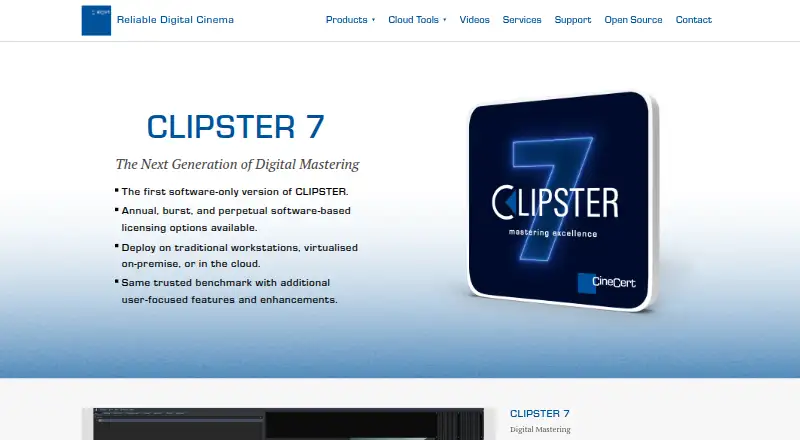
CLIPSTER 7 is CineCert’s software-only digital mastering product for studios, post-production facilities, and independent creators. It combines procedural color processing with a non-linear conforming timeline for workflows involving mixed codecs, mixed resolutions, and file-based delivery. The product supports HD, 2K, UHD, and 4K timelines, along with compressed and uncompressed media, making it suited to operations that manage varied source material and multiple delivery requirements.
Its strongest distinction is the breadth of mastering and delivery support. CLIPSTER 7 provides native support for extensive file formats and video-signal capture, customizable file-based media output, and dedicated DCP, IMF, AS02, and AS11 output wizards. It also supports HDR, Dolby Vision, and Dolby Atmos deliverables. The procedural color-processing pipeline is designed for mixed color formats, while conforming tools help organize material in a non-linear timeline. These capabilities make the product a strong fit for facilities handling theatrical, broadcast, and file-based mastering workflows across varied specifications.
Deployment options extend from traditional workstations to virtualized on-premise infrastructure and cloud environments. CineCert offers annual, burst, and perpetual licensing, with pricing provided through direct contact. CLIPSTER 7 should appeal to teams that need broad format handling, standardized mastering outputs, and HDR finishing in one product. It is less suited to buyers seeking a narrowly focused grading application or a straightforward self-service purchase. For multi-format mastering operations with complex delivery requirements, its combination of conforming, color processing, and output control is the central reason to consider it.
Your product? Our editors can test CLIPSTER 7 in depth and publish a review, labelled as paid · from $149/mo →
CLIPSTER 7 pricing
CLIPSTER 7 fact sheet
| Free plan | Not verified |
|---|---|
| Paid from | Not verified |
| HDR finishing | Yes |
| Camera RAW support | Not verified |
| Color management | Not verified |
| Collaboration tools | Not verified |
| Plugin support | Not verified |
| Supported platforms | Not verified |
| Max output resolution | Not verified |
| Deployment | Cloud, Self-hosted, Desktop |
| Support | Email, Phone |
| Built for | Small business, Mid-market, Enterprise (editorial estimate) |
| Pricing | Pricing on request |
| Website | cinecert.com |
| Facts checked | 20 Sep 2026 |
Alternatives to CLIPSTER 7
- DaVinci ResolveA broad free post-production suite with advanced color tools and a $295 Studio upgrade.9.4
- SCRATCHA broad finishing suite for professional teams handling grading, VFX, dailies, and mastering.9.1
- BaselightA high-end finishing system with deep HDR, RAW, managed-colour and collaboration workflows.9.0



See all CLIPSTER 7 alternatives →
Used CLIPSTER 7? Be the first to review it
The editor score above is our own research. What this page doesn't have yet is a reader's view — what you used CLIPSTER 7 for, what worked and what didn't. No stars are seeded and no review is paid for; an editor reads every one before it appears.
Write a reviewTwo minutes · verified accounts only · read by an editor before it appears
Featured on iTechGuides

CLIPSTER 7 is listed in our Video Color Grading Software directory. Add the badge to your site — it links back to this page.
<a href="https://www.itechguides.com/products/clipster-7/"><img src="https://www.itechguides.com/best/badge/clipster-7.svg" alt="Featured on iTechGuides" width="230" height="46"></a>
Reviewed by iTechGuides Editors · Editorial team · Updated Oct 2026
Advertiser disclosure: iTechGuides is reader-supported. Vendors can pay for top positions in our rankings and for a place on other products' pages, and we may earn a commission when you click some links. Bought places stand at the number bought; this page and our disclosure say so. Paying vendors may get a fuller, more detailed review from our editors, and that review can change their score. How we rank.
Last updated · How we research and update