
Clipkiln
Clipkiln: Low-cost automated clip production with captions, reframing, scoring, and publishing. Ranked #7 of 30 in Podcast Clip Makers by our editors (7.7/10); pricing: Free plan · 7-day trial; best for low-cost automated clip production.
At a glance
- Editor score7.7 / 10
- PricingFree plan · 7-day trial
- Best forLow-cost automated clip production
- Free planYes
- Paid from£4.99/mo
- Auto clip detectionYes
- Facts checked20 Sep 2026
Where it wins
- Sentence-aware clipping and automatic active-speaker reframing
- Captions, hooks, B-roll, scoring, and narrated videos
- Base starts at £4.99 monthly with no-watermark exports
Where it doesn't
- Free exports are watermarked
- Automation is available only on the Pro plan
- Free uploads are limited to 512 MB and YouTube links
Our verdict on Clipkiln
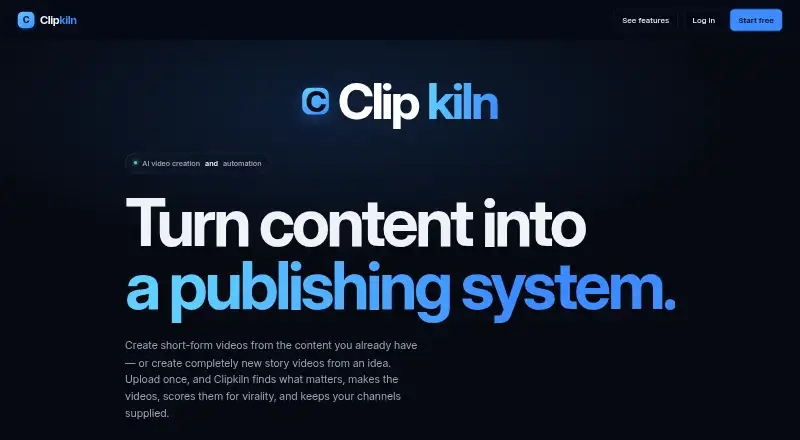
Clipkiln turns podcasts, interviews, webinars, streams, and other long videos into short vertical clips. It is aimed at podcasters, creators, businesses, agencies, and story-video channels that want automated extraction rather than a fully manual editing workflow. The service transcribes footage, identifies potential highlights, cuts at sentence boundaries, reframes around the active speaker, adds dynamic captions, generates hook lines, and can add stock-footage B-roll. It also supports narrated vertical videos from prompts or scripts.
Pricing is accessible for smaller publishing workflows. The Free plan provides 30 minutes per month, every feature except automation, 512 MB uploads, YouTube links, and watermarked exports, with no card required. Base costs £4.99 per month and increases capacity to 400 minutes, 1.5 GB uploads, no watermark, YouTube and Twitch input, clips and story videos, and the Story API. Pro costs £14.99 per month for 1,200 minutes, 4 GB uploads, and unattended daily automation, while including everything in Base. A seven-day trial is available; the Pro trial provides 350 minutes and requires a payment method.
Clipkiln’s main advantage is the breadth of its automated clip workflow: users can score and filter clips, schedule extraction and publishing, and connect social or storage platforms. Integrations include TikTok, YouTube, Google Drive, Claude, Anthropic, OpenAI, and Pexels, with web and API access. The Free plan is useful for evaluating the workflow, but its watermark, lower upload limit, monthly minute allowance, and lack of automation narrow its production use. Choose Clipkiln for recurring short-form output from long video; choose another tool if you need longer clips than the homepage’s 35-second setting or a broader free workflow.
Your product? Our editors can test Clipkiln in depth and publish a review, labelled as paid · from $149/mo →
Clipkiln pricing
All 3 Clipkiln plans and prices →
Clipkiln fact sheet
| Free plan | Yes |
|---|---|
| Paid from | £4.99/mo |
| Auto clip detection | Yes |
| Captions | Yes |
| Video reframing | Yes |
| Clip length limit | 35 sec |
| Caption languages | Not verified |
| Social publishing | Yes |
| Watermark on free plan | Yes |
| Free trial | 7 days · card required |
| Deployment | Cloud |
| Platforms | Web |
| Support | |
| Built for | Solo, Small business, Mid-market, Enterprise (editorial estimate) |
| Integrations | 7 integrations: TikTok, YouTube, Google Drive, Claude, Anthropic, OpenAI … |
| Pricing | Free plan · 7-day trial (source) |
| Website | clipkiln.com |
| Facts checked | 20 Sep 2026 |
Clipkiln integrations
Clipkiln lists 7 integrations on its own site.
- TikTok
- YouTube
- Google Drive
- Claude
- Anthropic
- OpenAI
- Pexels
Alternatives to Clipkiln
- OpusClipA full workflow for turning long-form video into branded, social-ready clips.9.1
- HeadlinerA versatile podcast repurposing suite with strong free and entry-level plans.8.8
- VizardA broad AI clipping workspace for turning long videos into social content.8.4



See all Clipkiln alternatives →
Clipkiln vs the competition
- Clipkiln vs OpusClip
- Clipkiln vs Headliner
- Clipkiln vs Vizard
- Clipkiln vs quso.ai
- Clipkiln vs Choppity
- Clipkiln vs ClipEmber



Compare Clipkiln with any tool side by side →
Used Clipkiln? Be the first to review it
The editor score above is our own research. What this page doesn't have yet is a reader's view — what you used Clipkiln for, what worked and what didn't. No stars are seeded and no review is paid for; an editor reads every one before it appears.
Write a reviewTwo minutes · verified accounts only · read by an editor before it appears
Featured on iTechGuides

Clipkiln is listed in our Podcast Clip Makers directory. Add the badge to your site — it links back to this page.
<a href="https://www.itechguides.com/products/clipkiln/"><img src="https://www.itechguides.com/best/badge/clipkiln.svg" alt="Featured on iTechGuides" width="230" height="46"></a>
Reviewed by iTechGuides Editors · Editorial team · Updated Oct 2026
Advertiser disclosure: iTechGuides is reader-supported. Vendors can pay for top positions in our rankings and for a place on other products' pages, and we may earn a commission when you click some links. Bought places stand at the number bought; this page and our disclosure say so. Paying vendors may get a fuller, more detailed review from our editors, and that review can change their score. How we rank.
Last updated · How we research and update