
Clicker Communicator AAC
Clicker Communicator AAC: A one-time purchase for iPad users who want editable AAC grids and a choice of symbol sets. Ranked #26 of 26 in AAC Communication Software by our editors (6.6/10); pricing: Paid; best for iPad users wanting ready-made symbol vocabulary sets.
At a glance
- Editor score6.6 / 10
- PricingPaid
- Best foriPad users wanting ready-made symbol vocabulary sets
- Free planNo
- Paid from£199.99/device one-time
- Symbol systemSymbol
- Facts checked23 Sep 2026
Where it wins
- Ready-made core-word vocabulary sets can be edited or expanded into grids.
- Offers Widgit, PCS, and SymbolStix editions at the same listed price.
- Supports SuperKeys, one- and two-switch access, and vocabulary sharing or backup.
Where it doesn't
- Available for iPad only.
- Each symbol edition costs £199.99 as a one-time purchase.
- Institutions must buy one copy for each device.
Our verdict on Clicker Communicator AAC
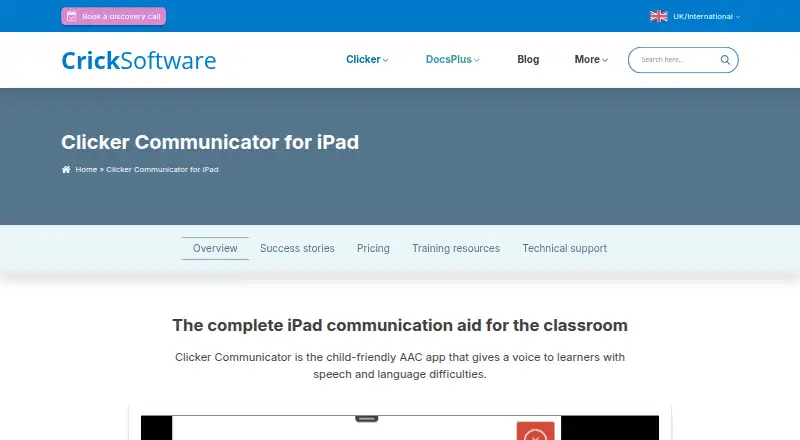
Clicker Communicator AAC is an iPad app for augmentative and alternative communication, designed for learners with speech and language difficulties. It is aimed at classroom communication and participation, particularly for people who want ready-made core-word vocabulary sets they can personalise. Users can also create and edit communication grids and vocabulary sets, with speech output and access through touch, SuperKeys, or one- and two-switch controls.
Symbol choice is a central decision: the app comes in separate Widgit, PCS, and SymbolStix editions. According to the vendor’s pricing page, each costs £199.99 as a one-time purchase. The editions differ by symbol library, rather than by listed feature tier. The CrickPix curriculum picture library and free curriculum-based LearningGrids resources add classroom-oriented materials. For schools, the vendor notes that each device needs its own copy, so the per-device purchase requirement should be considered when budgeting.
Vocabulary sets can be shared or backed up using email, AirDrop, and cloud storage; listed services include Dropbox, Google Drive, OneDrive, and WebDAV. That gives users options for moving sets across supported workflows, while keeping the app’s platform scope specific: it is for iPad, not a cross-platform AAC choice. Consider it if an iPad user would benefit from prepared core-word sets, editable layouts, and switch access. Those needing another platform, or an app available on a free plan, should look elsewhere.
Your product? Our editors can test Clicker Communicator AAC in depth and publish a review, labelled as paid · from $149/mo →
Clicker Communicator AAC pricing
All 3 Clicker Communicator AAC plans and prices →
Clicker Communicator AAC fact sheet
| Free plan | No |
|---|---|
| Paid from | £199.99/device one-time |
| Symbol system | Symbol |
| Speech output | Yes |
| Access methods | Touch, one- and two-switch access, SuperKeys |
| Offline use | Not verified |
| Supported platforms | iPad (iPadOS) |
| Layout customization | Customizable |
| Deployment | Mobile |
| Platforms | iOS |
| Support | Email, Phone, Community |
| Built for | Solo, Small business (editorial estimate) |
| Integrations | 5 integrations: Dropbox, Google Drive, OneDrive, WebDAV, AirDrop |
| Pricing | Paid (source) |
| Website | cricksoft.com |
| Facts checked | 23 Sep 2026 |
Clicker Communicator AAC integrations
Clicker Communicator AAC lists 5 integrations on its own site.
- Dropbox
- Google Drive
- OneDrive
- WebDAV
- AirDrop
Alternatives to Clicker Communicator AAC
- Asterics AACA flexible free AAC option for users needing personalized grids and varied input methods.9.4
- TD SnapA free AAC foundation with eye-gaze, switch and scanning access, plus paid page-set upgrades.9.2
- CboardA flexible free AAC core across web, Windows, and Android, with paid Pro additions.9.0



See all Clicker Communicator AAC alternatives →
Used Clicker Communicator AAC? Be the first to review it
The editor score above is our own research. What this page doesn't have yet is a reader's view — what you used Clicker Communicator AAC for, what worked and what didn't. No stars are seeded and no review is paid for; an editor reads every one before it appears.
Write a reviewTwo minutes · verified accounts only · read by an editor before it appears
Featured on iTechGuides

Clicker Communicator AAC is listed in our AAC Communication Software directory. Add the badge to your site — it links back to this page.
<a href="https://www.itechguides.com/products/clicker-communicator-aac/"><img src="https://www.itechguides.com/best/badge/clicker-communicator-aac.svg" alt="Featured on iTechGuides" width="230" height="46"></a>
Reviewed by iTechGuides Editors · Editorial team · Updated Oct 2026
Advertiser disclosure: iTechGuides is reader-supported. Vendors can pay for top positions in our rankings and for a place on other products' pages, and we may earn a commission when you click some links. Bought places stand at the number bought; this page and our disclosure say so. Paying vendors may get a fuller, more detailed review from our editors, and that review can change their score. How we rank.
Last updated · How we research and update