
Chromatica
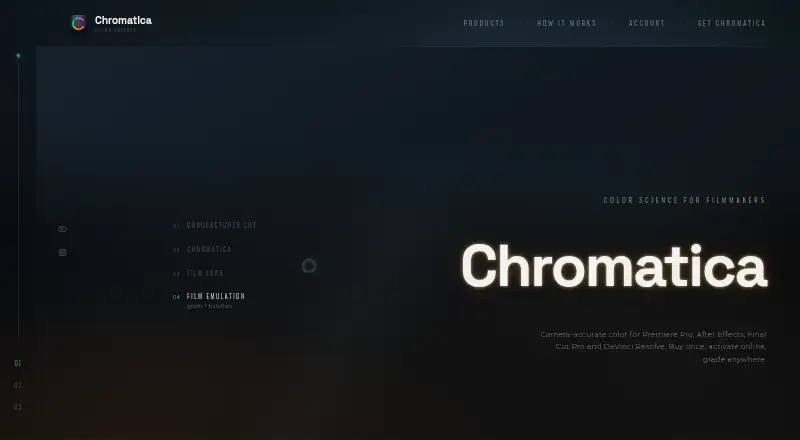
Chromatica: A focused film-look plugin with four host applications and a one-time €99 license. Ranked #23 of 26 in Video Color Grading Software by our editors (6.8/10); pricing: Paid; best for affordable film-look plugin users.
At a glance
- Editor score6.8 / 10
- PricingPaid
- Best forAffordable film-look plugin users
- Free planNo
- Paid from€99 one-time
- Facts checked20 Sep 2026
Where it wins
- Camera-accurate transforms and output mapping
- Supports Premiere Pro, After Effects, Final Cut Pro, and Resolve
- Three-seat one-time licensing across all hosts
Where it doesn't
- No free plan or standalone Studio environment currently available
- Film emulation requires the higher-priced €119 plan
- Online account activation is required for licensing
Our verdict on Chromatica
Chromatica is a color-grading plugin for filmmakers who want camera-accurate transforms, look development, output mapping, and film-oriented finishing tools inside an existing host application. It supports Adobe Premiere Pro, Adobe After Effects, Final Cut Pro, and DaVinci Resolve, making it suitable for editors and colorists working across those environments. The product is a focused plugin rather than a complete grading suite, so its value depends on whether your workflow already centers on one of those hosts.
Pricing is straightforward. The Chromatica plan costs €99 as a one-time purchase and includes camera-accurate transforms, look development, output mapping, three seats, and all hosts. Chromatica + Film costs €119 one time and adds the Chromatica color engine, physically modelled grain, halation, bloom, and film-stock emulation. Both plans use online license activation, while the three-seat coverage provides room for a small team or multiple workstations. The four-host support also avoids tying the purchase to a single editing environment.
Its standout strength is the combination of technical color tools and film-oriented effects in a compact plugin. The Film plan gives users a defined path from camera transforms to film-stock emulation, grain, halation, and bloom without moving to a separate application. However, Chromatica is less suitable for buyers seeking a full standalone grading workspace or a broader post-production platform; the standalone Studio environment is planned for 2026. Pick Chromatica for affordable, host-based film-look work, especially when three-seat licensing matters. Choose another option if you need a currently available standalone grading environment.
Your product? Our editors can test Chromatica in depth and publish a review, labelled as paid · from $149/mo →
Chromatica pricing
All 2 Chromatica plans and prices →
Chromatica fact sheet
| Free plan | No |
|---|---|
| Paid from | €99 one-time |
| HDR finishing | Not verified |
| Camera RAW support | Not verified |
| Color management | Not verified |
| Collaboration tools | Not verified |
| Plugin support | Not verified |
| Supported platforms | Not verified |
| Max output resolution | Not verified |
| Built for | Solo, Small business (editorial estimate) |
| Integrations | 4 integrations: Adobe Premiere Pro, Adobe After Effects, Final Cut Pro, DaVinci Resolve |
| Pricing | Paid (source) |
| Website | chromatica.store |
| Facts checked | 20 Sep 2026 |
Chromatica integrations
Chromatica lists 4 integrations on its own site.
- Adobe Premiere Pro
- Adobe After Effects
- Final Cut Pro
- DaVinci Resolve
Alternatives to Chromatica
- DaVinci ResolveA broad free post-production suite with advanced color tools and a $295 Studio upgrade.9.4
- SCRATCHA broad finishing suite for professional teams handling grading, VFX, dailies, and mastering.9.1
- BaselightA high-end finishing system with deep HDR, RAW, managed-colour and collaboration workflows.9.0



See all Chromatica alternatives →
Used Chromatica? Be the first to review it
The editor score above is our own research. What this page doesn't have yet is a reader's view — what you used Chromatica for, what worked and what didn't. No stars are seeded and no review is paid for; an editor reads every one before it appears.
Write a reviewTwo minutes · verified accounts only · read by an editor before it appears
Featured on iTechGuides

Chromatica is listed in our Video Color Grading Software directory. Add the badge to your site — it links back to this page.
<a href="https://www.itechguides.com/products/chromatica/"><img src="https://www.itechguides.com/best/badge/chromatica.svg" alt="Featured on iTechGuides" width="230" height="46"></a>
Reviewed by iTechGuides Editors · Editorial team · Updated Oct 2026
Advertiser disclosure: iTechGuides is reader-supported. Vendors can pay for top positions in our rankings and for a place on other products' pages, and we may earn a commission when you click some links. Bought places stand at the number bought; this page and our disclosure say so. Paying vendors may get a fuller, more detailed review from our editors, and that review can change their score. How we rank.
Last updated · How we research and update