Chaos Arena
Chaos Arena: A specialized Windows platform for complex, tracked LED-stage ICVFX workflows. Ranked #12 of 28 in Virtual Production Software by our editors (8.1/10); pricing: Pricing on request; best for high-end LED-stage ICVFX teams.
At a glance
- Editor score8.1 / 10
- PricingPricing on request
- Best forHigh-end LED-stage ICVFX teams
- Camera trackingYes
- Founded1997 · Karlsruhe, Germany
- Facts checked20 Sep 2026
Where it wins
- Supports FreeD, Vicon, stYpe, OptiTrack, EZtrack, and other protocols
- Loads V-Ray and DCC assets without preprocessing
- Combines ray tracing, lighting, lens, DOF, genlock, and distributed rendering
Where it doesn't
- Runs on Windows only
- Pricing requires contacting sales or requesting a quote
- Its focus on LED-stage ICVFX may not suit general-purpose 3D work
Our verdict on Chaos Arena
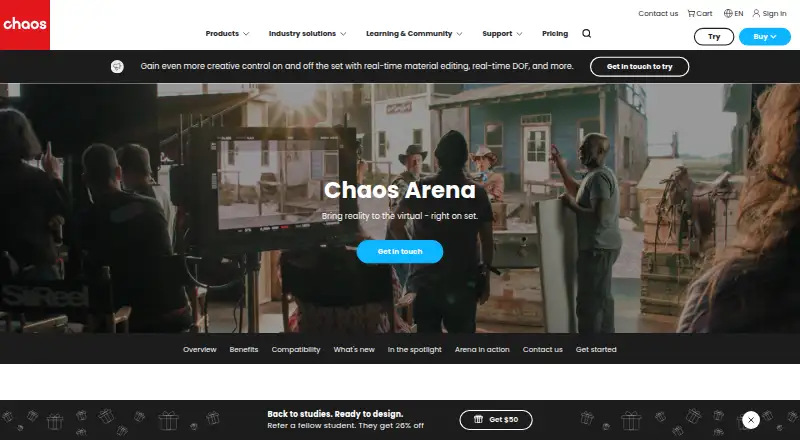
Chaos Arena is real-time ray-tracing software for in-camera visual effects on LED virtual production stages. It is aimed at filmmakers, virtual production teams, VFX artists, and studios using LED volumes. The software brings assets from V-Ray and DCC pipelines to LED walls without preprocessing, while supporting tracked-camera workflows and live changes to lighting, exposure, materials, and scenes. It is available for Windows and is positioned for teams working with complex stage-based ICVFX production rather than general-purpose 3D content creation.
Its strongest fit is an established production pipeline that already includes tools such as V-Ray, Maya, Houdini, 3ds Max, Blender, USD, or MaterialX. Arena supports FreeD, Vicon, stYpe, OptiTrack, EZtrack, and other camera-tracking protocols, along with real-time depth of field, lens-encoder support, ACEScg, HDR output, and OpenColorIO. Distributed rendering and NVIDIA Quadro Sync genlock support address demanding stage configurations, while built-in material editing allows on-set shader adjustments. Ray-traced Gaussian Splats add another supported rendering approach for virtual production scenes.
Pricing is quote-based, with prospects directed to request a quote or schedule a demo. That sales-led model suits studios evaluating Arena alongside their stage, rendering, tracking, and color pipeline requirements, but gives buyers less immediate pricing visibility. Teams seeking ray-traced LED-stage ICVFX with broad tracking support and direct DCC integration should consider Arena. Smaller teams, Windows-incompatible environments, or projects that do not depend on LED-volume production may find its specialized focus less appropriate.
Your product? Our editors can test Chaos Arena in depth and publish a review, labelled as paid · from $149/mo →
Chaos Arena pricing
Chaos Arena fact sheet
| Free plan | Not verified |
|---|---|
| Paid from | Not verified |
| Camera tracking | Yes |
| LED-stage workflows | Yes |
| Greenscreen workflows | Not verified |
| Live compositing | Yes |
| Render engines | V-Ray |
| Supported platforms | Windows |
| Money-back guarantee | 14 days |
| Deployment | Self-hosted, Desktop |
| Platforms | Windows |
| Support | Live chat, Community, Docs |
| Built for | Small business, Mid-market, Enterprise (editorial estimate) |
| Integrations | 7 integrations: V-Ray, Maya, Houdini, 3ds Max, Blender, USD … |
| Pricing | Pricing on request (source) |
| Website | chaos.com |
| Facts checked | 20 Sep 2026 |
Chaos Arena integrations
Chaos Arena lists 7 integrations on its own site.
- V-Ray
- Maya
- Houdini
- 3ds Max
- Blender
- USD
- MaterialX
Alternatives to Chaos Arena
- AximmetryA broad virtual production suite with strong real-time I/O and Unreal workflows.9.3
- Viz EngineA Windows-based engine for complex broadcast, virtual-production, and live graphics workflows.9.2
- Brainstorm InfinitySetA Windows-based virtual production system spanning tracked, trackless, PTZ, LED/XR and green-screen workflows.9.1



See all Chaos Arena alternatives →
Used Chaos Arena? Be the first to review it
The editor score above is our own research. What this page doesn't have yet is a reader's view — what you used Chaos Arena for, what worked and what didn't. No stars are seeded and no review is paid for; an editor reads every one before it appears.
Write a reviewTwo minutes · verified accounts only · read by an editor before it appears
Featured on iTechGuides

Chaos Arena is listed in our Virtual Production Software directory. Add the badge to your site — it links back to this page.
<a href="https://www.itechguides.com/products/chaos-arena/"><img src="https://www.itechguides.com/best/badge/chaos-arena.svg" alt="Featured on iTechGuides" width="230" height="46"></a>
Reviewed by iTechGuides Editors · Editorial team · Updated Oct 2026
Advertiser disclosure: iTechGuides is reader-supported. Vendors can pay for top positions in our rankings and for a place on other products' pages, and we may earn a commission when you click some links. Bought places stand at the number bought; this page and our disclosure say so. Paying vendors may get a fuller, more detailed review from our editors, and that review can change their score. How we rank.
Last updated · How we research and update