
Cardboard
Cardboard: A capable AI editor for collaborative social video, in the browser and on the Mac, with paid plans from $8 a month. Ranked #77 of 153 in Video Editing Software by our editors (3.0/10); pricing: Free Lite on Mac; best for AI-powered collaborative social editing.
At a glance
- Editor score3.0 / 10
- PricingFree Lite on Mac
- Best forAI-powered collaborative social editing
- Free planYes
- Paid from$8/mo
- Facts checked23 Oct 2026
Where it wins
- Natural-language editing, footage search, and automatic reframing
- Captions, silence removal, audio cleanup, dubbing, and translation
- Cloud collaboration with multi-platform exports, in 4K on the two higher plans
Where it doesn't
- The free Lite plan is Mac-only: three exports at 1080p, watermarked
- The Mac app needs Apple Silicon
- 4K exports start on Creator at $59 a month; Pro costs $175
Our verdict on Cardboard
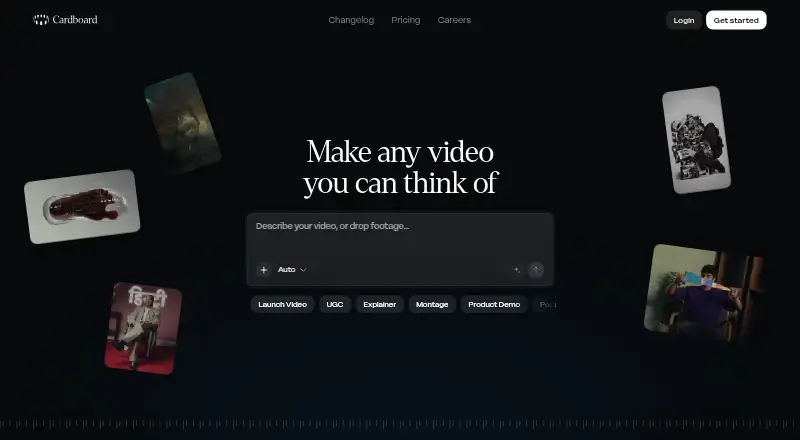
Cardboard is an AI video editor for the browser and the Mac, for solo creators, editors, and collaborative studios working on social and multi-format video. It analyzes uploaded footage, finds moments, creates cuts from natural-language prompts, generates animated captions, reframes video for vertical, square, and landscape formats, removes silence, cleans audio, and supports voiceovers, dubbing, and translation. Cloud projects, collaborative editing and multi-platform exports are included, with 4K exports on Creator and Pro.
Pricing is organized around four credit-metered plans, with launch prices for the first month. Lite costs $8 a month ($5 the first month) or $96 a year, with standard usage and three watermarked exports at 1080p, and it is free in the Cardboard Mac app. Starter costs $29 a month ($9 the first month) or $240 a year and adds 2.5x usage, 400 generative credits, unlimited watermark-free exports and NLE exports. Creator costs $59 a month ($30 the first month) or $468 a year and adds 10x usage, 1,500 generative credits, 4K exports and voice cloning. Pro costs $175 a month ($89 the first month) or $1,500 a year and adds 30x usage, 5,000 generative credits, priority processing and files up to 10 GB.
The main strength is the breadth of AI assistance within a browser workflow: natural-language editing, moment search, reframing, captioning, silence removal, audio leveling, dubbing, and translation address common social production tasks in one product. The platform also supports collaborative cloud projects and exports at up to 4K on Creator and Pro. Paid plans start at $8 a month on the web, but generative credits and 4K exports need the higher plans, which reduces its value for occasional users. Cardboard fits teams and creators who will use its AI workflows and collaboration features regularly; Mac users can start on the free Lite plan; buyers who need a native app outside the Mac should consider an alternative.
Your product? Our editors can test Cardboard in depth and publish a review, labelled as paid · from $149/mo →
Cardboard pricing
All 4 Cardboard plans and prices →
Cardboard fact sheet
| Free plan | Yes |
|---|---|
| Paid from | $8/mo |
| Desktop app | Not verified |
| Web app | Not verified |
| Mobile app | Not verified |
| 4K export | Not verified |
| Team collaboration | Not verified |
| Included cloud storage | Not verified |
| Deployment | Cloud |
| Platforms | Web, macOS |
| Support | |
| Built for | Solo, Small business, Mid-market (editorial estimate) |
| Pricing | Free Lite on Mac (source) |
| Website | cardboard.ai |
| Facts checked | 23 Oct 2026 |
Alternatives to Cardboard
- DaVinci ResolveA deep free editor with professional post-production tools across desktop and iPad.9.3
- Avid Media ComposerA deep editing suite with collaborative workflows, AI search, and a free entry option.9.2
- Final Cut ProA full-featured editor for Apple users who want desktop and iPad workflows.9.1


See all Cardboard alternatives →
Also Ranked In
Cardboard is ranked in 2 of our directories.
Used Cardboard? Be the first to review it
The editor score above is our own research. What this page doesn't have yet is a reader's view — what you used Cardboard for, what worked and what didn't. No stars are seeded and no review is paid for; an editor reads every one before it appears.
Write a reviewTwo minutes · verified accounts only · read by an editor before it appears
Featured on iTechGuides

Cardboard is listed in our Video Editing Software directory. Add the badge to your site — it links back to this page.
<a href="https://www.itechguides.com/products/cardboard/"><img src="https://www.itechguides.com/best/badge/cardboard.svg" alt="Featured on iTechGuides" width="230" height="46"></a>
Reviewed by iTechGuides Editors · Editorial team · Updated Oct 2026
Advertiser disclosure: iTechGuides is reader-supported. Vendors can pay for top positions in our rankings and for a place on other products' pages, and we may earn a commission when you click some links. Bought places stand at the number bought; this page and our disclosure say so. Paying vendors may get a fuller, more detailed review from our editors, and that review can change their score. How we rank.
Last updated · How we research and update