
Canvas Studio
Canvas Studio: A Canvas-centered video teaching platform with recording, interaction, captions, and analytics. Ranked #13 of 19 in Lecture Capture Software by our editors (7.8/10); pricing: Pricing on request; best for canvas users needing integrated video teaching tools.
At a glance
- Editor score7.8 / 10
- PricingPricing on request
- Best forCanvas users needing integrated video teaching tools
- Free planNo
- Searchable transcriptsYes
- Founded2008 · Salt Lake City, Utah, USA
- Facts checked20 Sep 2026
Where it wins
- Browser recording, editing, captions, and searchable transcripts
- In-video quizzes, discussions, and threaded comments
- Canvas embedding with Gradebook quiz submission and analytics
Where it doesn't
- It is an adjacent rather than full lecture-capture system
- No free plan is available
- Pricing is contact sales rather than publicly listed
Our verdict on Canvas Studio
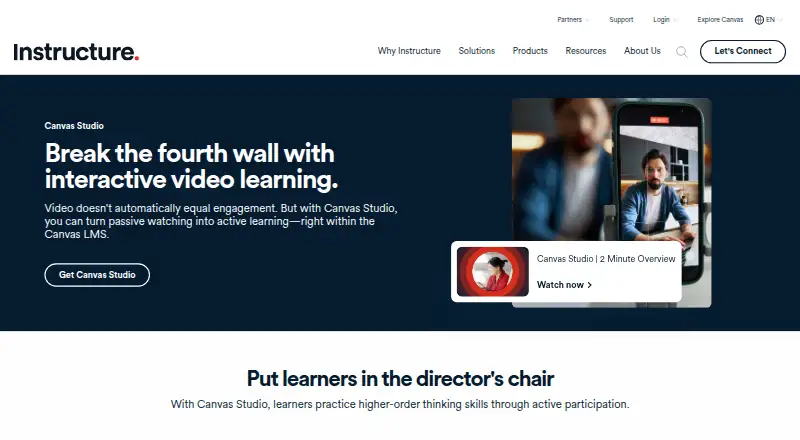
Canvas Studio is an interactive video learning platform from Instructure for educational institutions, particularly higher education and K–12 organizations using Canvas LMS. It combines a media library with browser-based screen and webcam recording, editing, sharing, captions, transcripts, quizzes, discussions, and viewer analytics. Its main audience is instructors and learners who need video teaching tools delivered through Canvas courses rather than a standalone lecture-capture environment.
The strongest fit is the Canvas-centered workflow. Instructors can embed media in courses, add in-video discussions and threaded comments, create quizzes with Gradebook submission, and review viewer engagement analytics and searchable viewer lists. Editable automatic captions, caption-file uploads and downloads, and interactive searchable transcripts support accessible and discoverable video content. Studio also integrates with YouTube, Vimeo, Zoom, Microsoft Teams, and Google Hangouts, although the product is delivered on the web and its core value is its Canvas LMS integration.
Pricing is organized into Canvas Core, Canvas Plus, and Canvas Next. Canvas Core provides the Canvas LMS foundation. Canvas Plus adds interactive video capabilities with Studio, advanced analytics, and engagement tools, while Canvas Next adds those Studio capabilities, advanced analytics, and AI features. The published plans show contact-sales pricing, and Studio is described as a legacy add-on available with Canvas Plus and Canvas Next. Choose Canvas Studio when Canvas delivery, interactive video, captions, quizzes, and analytics are central requirements. Institutions seeking a broader, dedicated lecture-capture system should consider alternatives instead.
Your product? Our editors can test Canvas Studio in depth and publish a review, labelled as paid · from $149/mo →
Canvas Studio pricing
All 3 Canvas Studio plans and prices →
Canvas Studio fact sheet
| Free plan | No |
|---|---|
| Paid from | Not verified |
| Deployment | Cloud |
| Automatic captions | Yes |
| Searchable transcripts | Yes |
| LMS delivery | Yes |
| Multi-camera capture | Not verified |
| Live streaming | Not verified |
| Retention period | Not verified |
| Deployment | Cloud |
| Platforms | Web |
| Support | Email, Phone |
| Built for | Mid-market, Enterprise (editorial estimate) |
| Integrations | 6 integrations: Canvas LMS, YouTube, Vimeo, Zoom, Microsoft Teams, Google Hangouts |
| Pricing | Pricing on request (source) |
| Website | instructure.com |
| Facts checked | 20 Sep 2026 |
Canvas Studio integrations
Canvas Studio lists 6 integrations on its own site.
- Canvas LMS
- YouTube
- Vimeo
- Zoom
- Microsoft Teams
- Google Hangouts
Alternatives to Canvas Studio
- PanoptoA mature all-in-one platform for recording, managing, searching, and assessing video.9.3
- Echo360A broad education video platform for capture, delivery, accessibility, and learning insight.9.1
- UbiCast NudgisA flexible lecture-capture platform for institutions with complex delivery needs.8.9



See all Canvas Studio alternatives →
Used Canvas Studio? Be the first to review it
The editor score above is our own research. What this page doesn't have yet is a reader's view — what you used Canvas Studio for, what worked and what didn't. No stars are seeded and no review is paid for; an editor reads every one before it appears.
Write a reviewTwo minutes · verified accounts only · read by an editor before it appears
Featured on iTechGuides

Canvas Studio is listed in our Lecture Capture Software directory. Add the badge to your site — it links back to this page.
<a href="https://www.itechguides.com/products/canvas-studio/"><img src="https://www.itechguides.com/best/badge/canvas-studio.svg" alt="Featured on iTechGuides" width="230" height="46"></a>
Reviewed by iTechGuides Editors · Editorial team · Updated Oct 2026
Advertiser disclosure: iTechGuides is reader-supported. Vendors can pay for top positions in our rankings and for a place on other products' pages, and we may earn a commission when you click some links. Bought places stand at the number bought; this page and our disclosure say so. Paying vendors may get a fuller, more detailed review from our editors, and that review can change their score. How we rank.
Last updated · How we research and update