
Cambric
Cambric: A structured desktop workflow for text-led books, with print PDF and EPUB 3 export. Ranked #26 of 28 in Book Layout Software by our editors (5.8/10); pricing: Free plan; best for desktop users wanting structured print and ebook output.
At a glance
- Editor score5.8 / 10
- PricingFree plan
- Best forDesktop users wanting structured print and ebook output
- Free planYes
- Paid from$199 one-time
- Ebook exportYes
- Facts checked20 Sep 2026
Where it wins
- Exports fixed-page print PDFs and reflowable EPUB 3 files
- Combines structured editing, design systems, live pages, and preflight
- Runs locally on Windows and macOS with unlimited books
Where it doesn't
- Does not provide cover layout tools
- Limited to Windows and macOS desktop applications
- Not aimed at highly illustrated or freeform layouts
Our verdict on Cambric
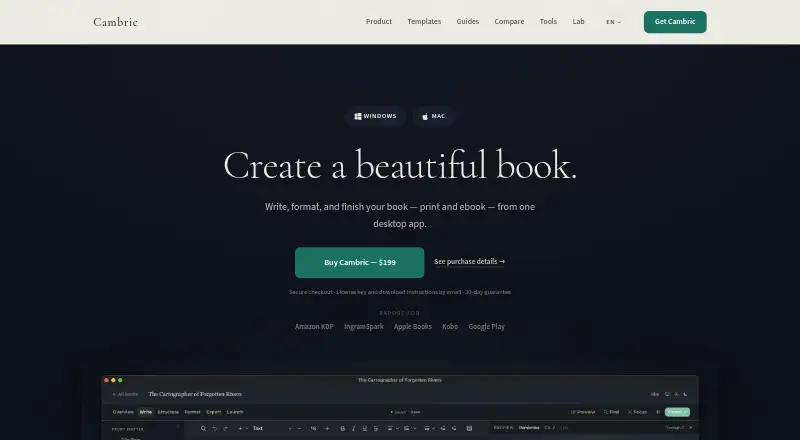
Cambric is a local-first desktop application for independent authors producing text-led books. It combines structured manuscript writing, DOCX import, book organization, coordinated interior design systems, live composed-page previews, preflight checks, and export in one project. Its output covers both fixed-page print PDFs and reflowable EPUB 3 ebooks, making it a fit for novels, memoirs, narrative nonfiction, series authors, and backlist production on Windows or macOS.
Pricing is split between a free-to-use workflow with payment when exporting and a listed Cambric edition priced at $199 as a one-time purchase. The paid edition includes unlimited books, print PDF and EPUB 3 export, updates within the purchased major version, and a 30-day money-back guarantee. The strongest part of the workflow is its production structure: authors can maintain local manuscript and production files, review live pages, apply coordinated interior rules, and run preflight checks before creating output. That combination suits writers who want more control than a basic word processor without assembling separate writing, layout, and ebook tools.
Cambric’s focus is intentionally narrow. It supports interior production and both print and ebook layout, but it does not provide cover layout tools and is not designed for highly illustrated or freeform projects. Authors working primarily with text, repeatable interior design, and multiple editions should find its scope well aligned. Those needing extensive image composition, expressive page-by-page art direction, or cover creation should choose a broader layout application instead. Desktop-only availability also makes it a better match for users who want local Windows or macOS production rather than a browser-based workflow.
Your product? Our editors can test Cambric in depth and publish a review, labelled as paid · from $149/mo →
Cambric pricing
All 1 Cambric plans and prices →
Cambric fact sheet
| Free plan | Yes |
|---|---|
| Paid from | $199 one-time |
| Ebook export | Yes |
| Print PDF export | Yes |
| Cover layout | No |
| Bleed settings | Yes |
| Master pages | Not verified |
| Layout model | Both |
| Money-back guarantee | 30 days |
| Deployment | Desktop |
| Platforms | Windows, macOS |
| Support | |
| Built for | Solo, Small business (editorial estimate) |
| Pricing | Free plan (source) |
| Website | cambric.pub |
| Facts checked | 20 Sep 2026 |
Alternatives to Cambric
- Reedsy StudioA free, collaborative book workspace with version history and publishing-ready exports.9.2
- PressbooksA web-based book production workspace with strong export, collaboration, and education features.8.8
- Kindle CreateA free Kindle-focused formatter with flexible imports, previews, and KPF or EPUB export.8.4


See all Cambric alternatives →
Used Cambric? Be the first to review it
The editor score above is our own research. What this page doesn't have yet is a reader's view — what you used Cambric for, what worked and what didn't. No stars are seeded and no review is paid for; an editor reads every one before it appears.
Write a reviewTwo minutes · verified accounts only · read by an editor before it appears
Featured on iTechGuides

Cambric is listed in our Book Layout Software directory. Add the badge to your site — it links back to this page.
<a href="https://www.itechguides.com/products/cambric/"><img src="https://www.itechguides.com/best/badge/cambric.svg" alt="Featured on iTechGuides" width="230" height="46"></a>
Reviewed by iTechGuides Editors · Editorial team · Updated Oct 2026
Advertiser disclosure: iTechGuides is reader-supported. Vendors can pay for top positions in our rankings and for a place on other products' pages, and we may earn a commission when you click some links. Bought places stand at the number bought; this page and our disclosure say so. Paying vendors may get a fuller, more detailed review from our editors, and that review can change their score. How we rank.
Last updated · How we research and update