build123d
build123d: A capable open-source CAD framework for developers who prefer Python-driven parametric modeling. Ranked #53 of 80 in 3D CAD Software by our editors (4.2/10); pricing: Free plan; best for python-driven open-source CAD developers.
At a glance
- Editor score4.2 / 10
- PricingFree plan
- Best forPython-driven open-source CAD developers
- Free planYes
- Paid fromFree
- Assembly designYes
- Facts checked23 Sep 2026
Where it wins
- Parametric BREP modeling with algebraic and builder APIs
- Assemblies, joints, surfaces, and sheet-metal operations in one framework
- Runs on Windows, macOS, and Linux with broad format exchange
Where it doesn't
- Python-first workflows are not suited to GUI-only CAD users
- It is a library rather than a conventional standalone CAD application
- Advanced workflows require comfort with parametric geometry and APIs
Our verdict on build123d
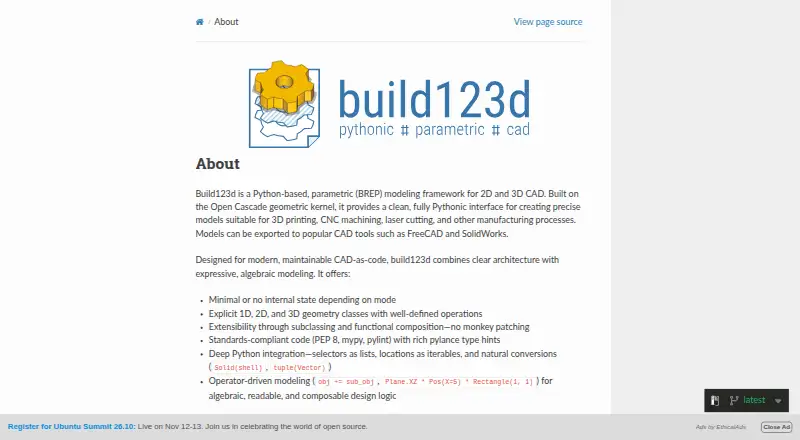
build123d is an open-source Python library for creating parametric 2D and 3D CAD models with boundary-representation geometry. It is aimed at developers, makers, and manufacturing-oriented designers working on 3D printing, CNC machining, laser cutting, and related applications. The framework runs on Windows, macOS, and Linux, and supports both algebraic and builder-style modeling through the Open Cascade kernel.
The published licensing model keeps build123d distinct from tiered commercial CAD products: it is distributed as open-source software under the Apache License 2.0. There are no paid tiers to compare. Its feature set covers sketches and constraints, 3D solid operations, Bézier and Gordon surfaces, assembly compounds, parent-child part trees, joints, and sheet-metal brake-forming operations. That makes it a strong fit for users who want to define repeatable geometry in code rather than work primarily through a graphical interface.
Ecosystem fit is another strength. build123d supports import and export across CAD, mesh, and manufacturing formats including 3MF, BREP, DXF, glTF, OBJ, STL, STEP, and SVG. It also integrates with ocp_vscode, CadQuery, FreeCAD, and SolidWorks. The main trade-off is its developer-oriented shape: teams seeking a conventional standalone CAD application or a GUI-first workflow may prefer an alternative. Choose build123d when Python extensibility, parametric BREP modeling, assemblies, surfaces, and manufacturing exchange matter more than a traditional desktop experience.
Your product? Our editors can test build123d in depth and publish a review, labelled as paid · from $149/mo →
build123d pricing
build123d fact sheet
| Free plan | Yes |
|---|---|
| Paid from | Free |
| Modeling method | Parametric |
| Assembly design | Yes |
| Sheet-metal tools | Yes |
| Surface modeling | Yes |
| Cloud collaboration | No |
| Supported platforms | Windows, macOS, Linux (Python package) |
| File import and export | Import: STEP, STL, 3MF; export: BREP, DXF, glTF, OBJ, STL, STEP, SVG, 3MF |
| Deployment | Self-hosted |
| Platforms | Windows, macOS, Linux |
| Support | Community, Docs |
| Built for | Solo, Small business, Mid-market, Enterprise (editorial estimate) |
| Pricing | Free plan |
| Website | build123d.readthedocs.io |
| Facts checked | 23 Sep 2026 |
Alternatives to build123d
- Siemens NXDeep hybrid CAD with Teamcenter integration for large engineering organizations.9.4
- CATIAA deep engineering suite for complex products, with enterprise pricing to match.9.3
- SOLIDWORKSFull mechanical CAD with broad design, manufacturing, simulation, and collaboration tools.9.2


See all build123d alternatives →
Also Ranked In
build123d is ranked in 2 of our directories.
Used build123d? Be the first to review it
The editor score above is our own research. What this page doesn't have yet is a reader's view — what you used build123d for, what worked and what didn't. No stars are seeded and no review is paid for; an editor reads every one before it appears.
Write a reviewTwo minutes · verified accounts only · read by an editor before it appears
Featured on iTechGuides

build123d is listed in our 3D CAD Software directory. Add the badge to your site — it links back to this page.
<a href="https://www.itechguides.com/products/build123d/"><img src="https://www.itechguides.com/best/badge/build123d.svg" alt="Featured on iTechGuides" width="230" height="46"></a>
Reviewed by iTechGuides Editors · Editorial team · Updated Oct 2026
Advertiser disclosure: iTechGuides is reader-supported. Vendors can pay for top positions in our rankings and for a place on other products' pages, and we may earn a commission when you click some links. Bought places stand at the number bought; this page and our disclosure say so. Paying vendors may get a fuller, more detailed review from our editors, and that review can change their score. How we rank.
Last updated · How we research and update