
Brushapes Studio
Brushapes Studio: A flexible brush library spanning five major creative applications and multiple art workflows. Ranked #1 of 23 in Digital Brush Libraries by our editors (9.4/10); pricing: Free plan; best for artists needing broad app compatibility.
At a glance
- Editor score9.4 / 10
- PricingFree plan
- Best forArtists needing broad app compatibility
- Free planYes
- Paid from$9 one-time
- Commercial licenseYes
- Facts checked21 Sep 2026
Where it wins
- Supports Photoshop, Procreate, Illustrator, Affinity Designer, and Clip Studio Paint
- Covers concept art, manga, vector, shading, and rendering workflows
- Offers free access plus one-time commercial products and licences
Where it doesn't
- Standard commercial products are single-app collections
- Vector brush support is limited to selected collections
- Downloads require manual installation using ZIP or .brushset packages
Our verdict on Brushapes Studio
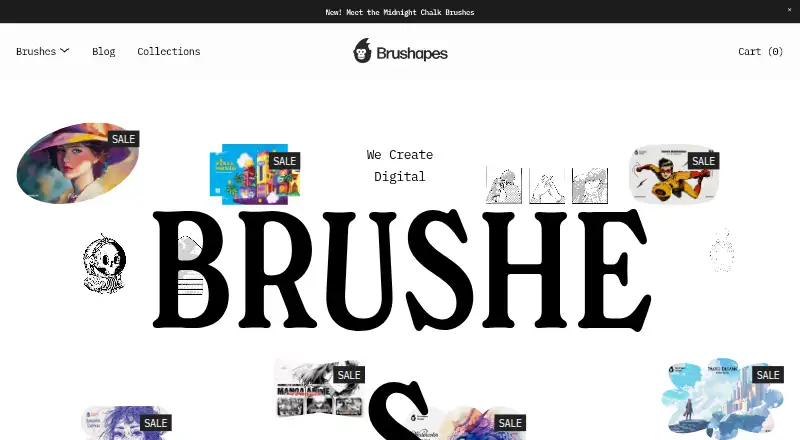
Brushapes Studio is a downloadable digital brush library for illustrators, concept artists, comic artists, and other digital creators. Its collections support Adobe Photoshop, Procreate, Adobe Illustrator, Affinity Designer, and Clip Studio Paint, with options for single-app and multi-app use. The catalogue spans concept-art sketching, blocking, painting, and rendering, alongside manga and anime inking, shading, patterns, screen tones, watercolor, oil, pastel, texture, engraving, and sketching workflows. Free access provides an entry point, while commercial products are available for professional projects.
Pricing is built around one-time purchases rather than a recurring subscription. The Standard commercial brush product costs $9 and includes a single-app brush collection with a standard commercial licence. An Extended commercial licence example costs $59 and adds extended commercial licensing. Collections can also be purchased as multi-app bundles, so the right option depends on the applications and licensing scope required. Purchases are delivered as downloadable packages, with ZIP and .brushset formats represented in the product details. Installation guidance is included, but the download-based delivery model leaves installation as part of the buyer’s workflow.
The main strength is breadth across creative applications and visual disciplines. Artists working between raster painting, comic production, vector work, and texture-driven illustration can select collections aligned with their software and process. Commercial licensing makes the catalogue relevant to paid creative work, while the free access option allows artists to explore the library before purchasing. Brushapes Studio is a strong fit for creators who value broad application compatibility and varied brush styles. It is less suitable for buyers seeking an all-in-one collection for every application under one standard product, built-in AI features, or a fully managed installation experience.
Your product? Our editors can test Brushapes Studio in depth and publish a review, labelled as paid · from $149/mo →
Brushapes Studio pricing
All 2 Brushapes Studio plans and prices →
Brushapes Studio fact sheet
| Free plan | Yes |
|---|---|
| Paid from | $9 one-time |
| Supported apps | Adobe Photoshop, Procreate, Adobe Illustrator, Affinity Designer, Clip Studio Paint |
| Brush file formats | ZIP, .brushset |
| Commercial license | Yes |
| Brushes included | 12 brushes |
| Delivery method | Download |
| License scope | Commercial |
| Deployment | Desktop, Mobile |
| Support | |
| Built for | Solo, Small business, Mid-market (editorial estimate) |
| Integrations | 5 integrations: Adobe Photoshop, Procreate, Adobe Illustrator, Affinity Designer, Clip Studio Paint See all → |
| Pricing | Free plan (source) |
| Website | brushapes.com |
| Facts checked | 21 Sep 2026 |
Brushapes Studio integrations
Brushapes Studio lists 5 integrations on its own site.
- Adobe Photoshop
- Procreate
- Adobe Illustrator
- Affinity Designer
- Clip Studio Paint
See all Brushapes Studio integrations →
Alternatives to Brushapes Studio
- Frankentoon StudioA flexible free starter library for illustrators working across several creative apps.9.2
- Bardot BrushA focused Procreate brush library with flexible one-time bundles and lifetime updates.9.0
- GrutBrushesA broad, affordable brush catalog for artists working across major creative apps.8.9



See all Brushapes Studio alternatives →
Brushapes Studio vs the competition
- Brushapes Studio vs Frankentoon Studio
- Brushapes Studio vs Bardot Brush
- Brushapes Studio vs GrutBrushes
- Brushapes Studio vs Brusher
- Brushapes Studio vs DAUB Brushes
- Brushapes Studio vs True Grit Texture Supply

Compare Brushapes Studio with any tool side by side →
Used Brushapes Studio? Be the first to review it
The editor score above is our own research. What this page doesn't have yet is a reader's view — what you used Brushapes Studio for, what worked and what didn't. No stars are seeded and no review is paid for; an editor reads every one before it appears.
Write a reviewTwo minutes · verified accounts only · read by an editor before it appears
Featured on iTechGuides

Brushapes Studio is listed in our Digital Brush Libraries directory. Add the badge to your site — it links back to this page.
<a href="https://www.itechguides.com/products/brushapes-studio/"><img src="https://www.itechguides.com/best/badge/brushapes-studio.svg" alt="Featured on iTechGuides" width="230" height="46"></a>
Reviewed by iTechGuides Editors · Editorial team · Updated Oct 2026
Advertiser disclosure: iTechGuides is reader-supported. Vendors can pay for top positions in our rankings and for a place on other products' pages, and we may earn a commission when you click some links. Bought places stand at the number bought; this page and our disclosure say so. Paying vendors may get a fuller, more detailed review from our editors, and that review can change their score. How we rank.
Last updated · How we research and update