
Bonsai
Bonsai: Broad openBIM coverage at no software cost, with a desktop-only workflow. Ranked #24 of 30 in BIM Software by our editors (7.1/10); pricing: Free plan; best for budget-conscious openBIM practitioners.
At a glance
- Editor score7.1 / 10
- PricingFree plan
- Best forBudget-conscious openBIM practitioners
- Free planYes
- Paid fromFree
- Clash detectionYes
- Facts checked20 Sep 2026
Where it wins
- Native IFC authoring with viewing and exploration
- Broad architecture, structural, MEP, scheduling, and FM coverage
- Built-in quantities, cost schedules, clash detection, and drawings
Where it doesn't
- Desktop-only workflow with no mobile access
- Cloud collaboration is outside the stated workflow
- Blender-centered rather than a standalone BIM application
Our verdict on Bonsai
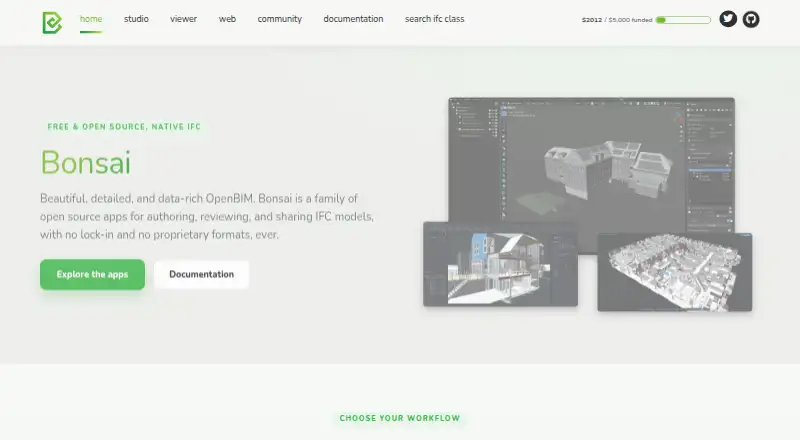
Bonsai is a free, open-source BIM add-on for Blender built around IFC as its native data structure. It is aimed at architects, engineers, construction professionals, facility managers, and other AEC teams working with openBIM processes. The product runs on Windows, macOS, and Linux, and covers both model authoring and exploration rather than focusing only on model viewing. Its free availability makes it particularly relevant for practitioners who need broad discipline coverage without a commercial software license.
Its main strength is breadth within an IFC-centered workflow. Bonsai includes 2D drawing generation, structural analysis workflows, MEP system modeling, construction scheduling with critical-path analysis, quantity extraction, cost schedules, clash detection, and facility-management or asset-data workflows. That combination gives multidisciplinary teams a single desktop environment for design, coordination, construction planning, and operational information. API access is also listed, which supports further technical extension, while the open-source model gives teams visibility into the software’s underlying approach.
The trade-off is that Bonsai is focused on desktop openBIM work. Mobile access is not part of the product’s coverage, and cloud collaboration is outside the stated workflow, so distributed teams seeking a vendor-hosted workspace may prefer another option. Its Blender add-on format also suits users comfortable working inside Blender more than teams seeking a conventional standalone BIM application. Choose Bonsai when native IFC, multi-discipline capability, and zero software cost matter most; consider an alternative when mobile review, cloud coordination, or a broader integration ecosystem is central to daily operations.
Your product? Our editors can test Bonsai in depth and publish a review, labelled as paid · from $149/mo →
Bonsai pricing
Bonsai fact sheet
| Free plan | Yes |
|---|---|
| Paid from | Free |
| Discipline coverage | Multi-discipline |
| IFC support | Yes |
| Cloud collaboration | Not verified |
| Clash detection | Yes |
| Quantity takeoff | Yes |
| Mobile access | None |
| API access | Yes |
| Deployment | Desktop |
| Platforms | Windows, macOS, Linux |
| Support | Community, Docs |
| Built for | Solo, Small business, Mid-market (editorial estimate) |
| Pricing | Free plan |
| Website | bonsaibim.org |
| Facts checked | 20 Sep 2026 |
Alternatives to Bonsai
- Autodesk RevitA mature, multi-discipline BIM environment for coordinated building delivery.9.4
- ArchicadA broad architectural BIM platform with strong openBIM and teamwork capabilities.9.2
- Tekla StructuresA deep structural BIM platform for modeling, detailing, fabrication and project collaboration.9.1



Also Ranked In
Bonsai is ranked in 7 of our directories.
Used Bonsai? Be the first to review it
The editor score above is our own research. What this page doesn't have yet is a reader's view — what you used Bonsai for, what worked and what didn't. No stars are seeded and no review is paid for; an editor reads every one before it appears.
Write a reviewTwo minutes · verified accounts only · read by an editor before it appears
Featured on iTechGuides

Bonsai is listed in our BIM Software directory. Add the badge to your site — it links back to this page.
<a href="https://www.itechguides.com/products/bonsai-bim-software/"><img src="https://www.itechguides.com/best/badge/bonsai-bim-software.svg" alt="Featured on iTechGuides" width="230" height="46"></a>
Reviewed by iTechGuides Editors · Editorial team · Updated Oct 2026
Advertiser disclosure: iTechGuides is reader-supported. Vendors can pay for top positions in our rankings and for a place on other products' pages, and we may earn a commission when you click some links. Bought places stand at the number bought; this page and our disclosure say so. Paying vendors may get a fuller, more detailed review from our editors, and that review can change their score. How we rank.
Last updated · How we research and update