
BeeCut
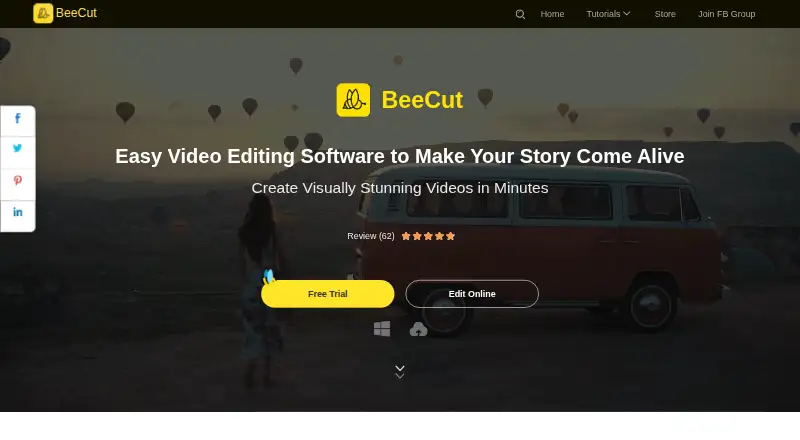
BeeCut: BeeCut covers multi-track editing and speech tools on Windows and Mac. Ranked #118 of 153 in Video Editing Software by our editors (3.0/10); pricing: Paid; best for desktop editors wanting multi-track basics.
At a glance
- Editor score3.0 / 10
- PricingPaid
- Best forDesktop editors wanting multi-track basics
- Facts checked23 Sep 2026
Where it wins
- Multi-track editing supports video, audio, text, filters and overlays
- Speech recognition converts speech to text and text to speech
- Screen recordings can be edited and exported with configurable settings
Where it doesn't
- Desktop app is limited to Windows and Mac
- Plan pages list auto-renewal but give few other plan details
- Support is listed through documentation
Our verdict on BeeCut
BeeCut is a desktop video editor for Windows and Mac, aimed at beginners and solo or small teams creating videos for social platforms. Its core workflow covers trimming, splitting and combining clips, then assembling video, audio, text, filters and overlays across multiple tracks. Picture-in-picture, titles, subtitles, transitions, color correction and visual effects add options for shaping a finished edit without changing the product's focus on desktop video creation.
A notable area of depth is its mix of editing and speech tools. Speech recognition can convert speech to text and text to speech, while screen recording produces media that can be edited in the application. Export supports common video formats and configurable output settings, including resolution. YouTube, Facebook, Instagram and TikTok are listed as integrations, which may suit creators preparing work for those services. The published information describes output choices but does not establish support for particular maximum resolutions, so editors with a fixed high-resolution requirement should verify that before choosing BeeCut.
BeeCut is sold through Personal and Business plans, each with monthly, annual and lifetime options. Personal monthly and annual plans are auto-renewing and can be canceled anytime; Personal Lifetime includes free lifetime updates and technical support. Business Lifetime includes free service and upgrades for life. A 30-day refund period is listed, but the plan descriptions provide limited detail for comparing monthly and annual tiers. Documentation is the listed support channel. Choose BeeCut if a desktop editor with multi-track basics, social-platform integrations and speech features fits the job; consider alternatives if you need richer published plan comparisons or a specified resolution capability before buying.
Your product? Our editors can test BeeCut in depth and publish a review, labelled as paid · from $149/mo →
BeeCut pricing
All 6 BeeCut plans and prices →
BeeCut fact sheet
| Free plan | Not verified |
|---|---|
| Paid from | Not verified |
| Desktop app | Yes |
| Web app | Not verified |
| Mobile app | Not verified |
| 4K export | Not verified |
| Team collaboration | Not verified |
| Included cloud storage | Not verified |
| Money-back guarantee | 30 days |
| Deployment | Desktop |
| Platforms | Windows, macOS |
| Support | Docs |
| Built for | Solo, Small business (editorial estimate) |
| Integrations | 4 integrations: YouTube, Facebook, Instagram, TikTok |
| Pricing | Paid (source) |
| Website | beecut.com |
| Facts checked | 23 Sep 2026 |
BeeCut integrations
BeeCut lists 4 integrations on its own site.
- YouTube
- TikTok
Alternatives to BeeCut
- DaVinci ResolveA deep free editor with professional post-production tools across desktop and iPad.9.3
- Avid Media ComposerA deep editing suite with collaborative workflows, AI search, and a free entry option.9.2
- Final Cut ProA full-featured editor for Apple users who want desktop and iPad workflows.9.1


Used BeeCut? Be the first to review it
The editor score above is our own research. What this page doesn't have yet is a reader's view — what you used BeeCut for, what worked and what didn't. No stars are seeded and no review is paid for; an editor reads every one before it appears.
Write a reviewTwo minutes · verified accounts only · read by an editor before it appears
Featured on iTechGuides

BeeCut is listed in our Video Editing Software directory. Add the badge to your site — it links back to this page.
<a href="https://www.itechguides.com/products/beecut/"><img src="https://www.itechguides.com/best/badge/beecut.svg" alt="Featured on iTechGuides" width="230" height="46"></a>
Reviewed by iTechGuides Editors · Editorial team · Updated Oct 2026
Advertiser disclosure: iTechGuides is reader-supported. Vendors can pay for top positions in our rankings and for a place on other products' pages, and we may earn a commission when you click some links. Bought places stand at the number bought; this page and our disclosure say so. Paying vendors may get a fuller, more detailed review from our editors, and that review can change their score. How we rank.
Last updated · How we research and update