
Banner Maker Pro
Banner Maker Pro: A free Windows banner maker for simple static graphics and animated GIFs. Ranked #21 of 25 in Banner Design Software by our editors (6.8/10); pricing: Free plan; best for windows users making simple GIF banners.
At a glance
- Editor score6.8 / 10
- PricingFree plan
- Best forWindows users making simple GIF banners
- Free planYes
- Paid fromFree
- Animated bannersYes
- Facts checked21 Sep 2026
Where it wins
- Creates custom-size banners, mobile ads and web graphics
- Supports animated GIF, JPEG and PNG output
- Generates HTML, mouse-over and banner rotator code
Where it doesn't
- Windows-only desktop software
- No verified HTML5 export
- No automation, collaboration or integrations
Our verdict on Banner Maker Pro
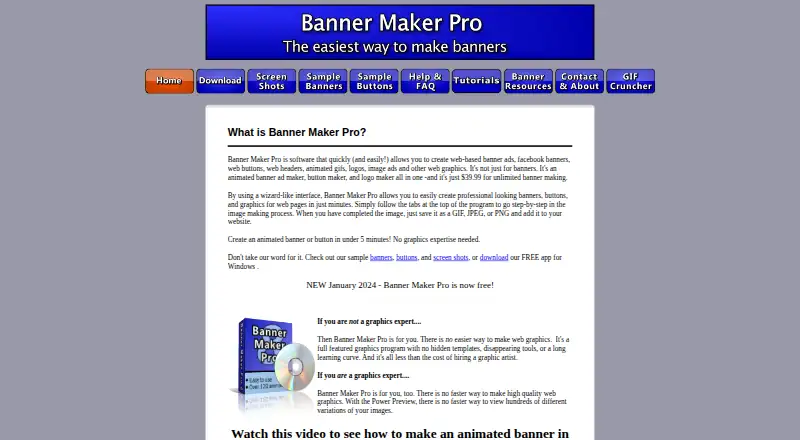
Banner Maker Pro is downloadable Windows desktop software for creating web banner ads, headers, buttons, logos, mobile ads, animated GIFs and other web graphics. It is aimed at non-designers and graphics professionals who need custom-size graphics without a paid plan. A wizard-style interface brings together text, images, backgrounds, shapes, animation, transparency and compression controls, while users can add their own photos and logos.
The published pricing information presents Banner Maker Pro as free, including the ability to create custom-size banners and mobile ads. Its feature set covers both design and output tasks: users can resize images, apply text effects and installed fonts, preview hundreds of image variations, compress JPEG and non-animated GIF images, and save designs as GIF, JPEG or PNG files. Animated GIF creation is a clear fit for web graphics that need motion, while generated HTML, mouse-over and banner rotator code can help place banners on websites.
Banner Maker Pro is most suitable for Windows users who want a focused desktop tool for straightforward banner production and animated GIF output. Its scope is narrower for teams or workflows that depend on HTML5 export, automation, collaboration or integrations. The product also centers on downloadable desktop work rather than a broader platform ecosystem. Choose it when custom dimensions, basic image and text editing, variations and traditional web-banner formats are the priority; consider an alternative when shared production, connected services or HTML5-based publishing is required.
Your product? Our editors can test Banner Maker Pro in depth and publish a review, labelled as paid · from $149/mo →
Banner Maker Pro pricing
Banner Maker Pro fact sheet
| Free plan | Yes |
|---|---|
| Paid from | Free |
| Animated banners | Yes |
| HTML5 export | No |
| Bulk banner creation | Not verified |
| Automated resizing | Not verified |
| Display ad templates | Not verified |
| Brand kit | Not verified |
| Team collaboration | Not verified |
| Deployment | Desktop |
| Platforms | Windows |
| Support | Email, Docs |
| Built for | Solo, Small business (editorial estimate) |
| Pricing | Free plan |
| Website | bannermakerpro.com |
| Facts checked | 21 Sep 2026 |
Alternatives to Banner Maker Pro
- BannersnackA broad banner production platform with animation, automation, collaboration, and API access.9.4
- BannerBooA web-based banner editor with AI, resizing, animation, and ad-network exports.9.2
- BannerNowA deep display-ad platform for teams managing complex creative and campaign workflows.9.0



See all Banner Maker Pro alternatives →
Also Ranked In
Banner Maker Pro is ranked in 2 of our directories.
Used Banner Maker Pro? Be the first to review it
The editor score above is our own research. What this page doesn't have yet is a reader's view — what you used Banner Maker Pro for, what worked and what didn't. No stars are seeded and no review is paid for; an editor reads every one before it appears.
Write a reviewTwo minutes · verified accounts only · read by an editor before it appears
Featured on iTechGuides

Banner Maker Pro is listed in our Banner Design Software directory. Add the badge to your site — it links back to this page.
<a href="https://www.itechguides.com/products/banner-maker-pro/"><img src="https://www.itechguides.com/best/badge/banner-maker-pro.svg" alt="Featured on iTechGuides" width="230" height="46"></a>
Reviewed by iTechGuides Editors · Editorial team · Updated Oct 2026
Advertiser disclosure: iTechGuides is reader-supported. Vendors can pay for top positions in our rankings and for a place on other products' pages, and we may earn a commission when you click some links. Bought places stand at the number bought; this page and our disclosure say so. Paying vendors may get a fuller, more detailed review from our editors, and that review can change their score. How we rank.
Last updated · How we research and update