AVS Audio Editor
AVS Audio Editor: A capable Windows editor for basic cleanup, multitrack work, and common formats. Ranked #89 of 128 in Audio Editing Software by our editors (3.0/10); pricing: Paid; best for windows users needing basic audio cleanup.
At a glance
- Editor score3.0 / 10
- PricingPaid
- Best forWindows users needing basic audio cleanup
- Free planNo
- Paid from$149/yr
- Third-party pluginsYes
- Facts checked20 Sep 2026
Where it wins
- Supports common formats including MP3, FLAC, WAV, M4A, and OGG
- Includes multitrack mixing, recording, effects, and noise removal
- Supports external DirectX and VST plug-ins plus video-audio import
Where it doesn't
- Available only for Windows computers
- No free plan; the annual subscription costs $149
- Does not include MIDI or video-sync features
Our verdict on AVS Audio Editor
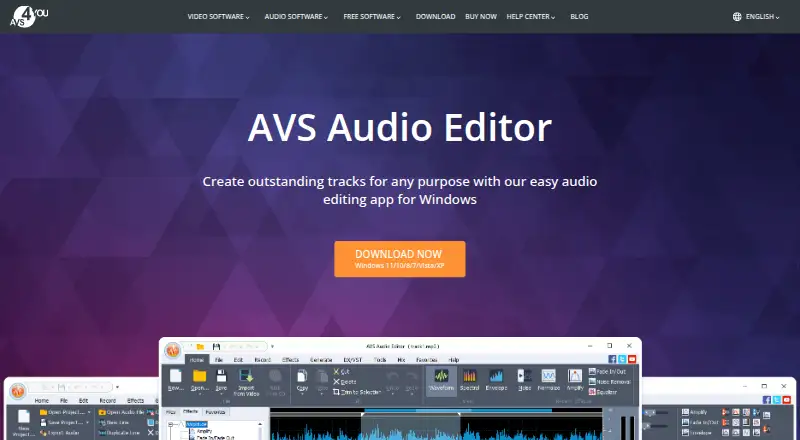
AVS Audio Editor is Windows desktop software for recording, editing, mixing, and processing audio. It suits users who need waveform editing, multitrack timelines, basic cleanup, and audio conversion in one application. The editor handles MP3, FLAC, WAV, M4A, WMA, AAC, MP2, AMR, and OGG files. It can cut, join, trim, delete, and split audio; record from microphones, vinyl records, and sound-card inputs; and import audio tracks from video files. Text-to-speech, built-in effects, filters, and support for Windows versions from XP through Windows 11 broaden its desktop workflow.
Its feature set is strongest for everyday editing and cleanup. Users can mix multiple tracks on a timeline, remove background noise such as hiss and crackle, and apply external DirectX and VST plug-ins. That makes it a practical fit for Windows users working with recordings, assembled tracks, and audio extracted from video. The focus is narrower for workflows that depend on MIDI or synchronized video editing, since those features are not included. Users who need those capabilities should choose an alternative designed around them.
The published plans show two paid options. The 1 year subscription costs $149 per year and includes access to 5 AVS4YOU programs. The Unlimited subscription costs $279 as a one-time payment and includes unlimited access to 5 AVS4YOU programs plus free upgrades. Licenses cover one computer. With Windows-only coverage and no free plan, AVS Audio Editor fits buyers who want a desktop editor with common formats, multitrack mixing, noise reduction, and plug-in support. It is less suitable for users seeking cross-platform access, MIDI tools, or video synchronization.
Your product? Our editors can test AVS Audio Editor in depth and publish a review, labelled as paid · from $149/mo →
AVS Audio Editor pricing
All 2 AVS Audio Editor plans and prices →
AVS Audio Editor fact sheet
| Free plan | No |
|---|---|
| Paid from | $149/yr |
| Supported platforms | Windows 11, 10, 8.1, 8, 7, Vista, XP |
| Multitrack editing | Yes |
| MIDI sequencing | Not verified |
| Third-party plugins | Yes |
| Noise reduction | Yes |
| Video synchronization | Not verified |
| Cloud collaboration | Not verified |
| Money-back guarantee | 30 days |
| Deployment | Desktop |
| Platforms | Windows |
| Support | Email, Tickets, Docs |
| Built for | Solo, Small business (editorial estimate) |
| Pricing | Paid (source) |
| Website | avs4you.com |
| Facts checked | 20 Sep 2026 |
Alternatives to AVS Audio Editor
- Pro ToolsA broad workstation for studios spanning music production, audio post, and immersive mixing.9.4
- REAPERA flexible desktop DAW with broad audio and MIDI tools and a one-time license from $60.9.3
- Logic ProA broad audio and MIDI workstation for Apple-based producers and video composers.9.2


See all AVS Audio Editor alternatives →
Used AVS Audio Editor? Be the first to review it
The editor score above is our own research. What this page doesn't have yet is a reader's view — what you used AVS Audio Editor for, what worked and what didn't. No stars are seeded and no review is paid for; an editor reads every one before it appears.
Write a reviewTwo minutes · verified accounts only · read by an editor before it appears
Featured on iTechGuides

AVS Audio Editor is listed in our Audio Editing Software directory. Add the badge to your site — it links back to this page.
<a href="https://www.itechguides.com/products/avs-audio-editor/"><img src="https://www.itechguides.com/best/badge/avs-audio-editor.svg" alt="Featured on iTechGuides" width="230" height="46"></a>
Reviewed by iTechGuides Editors · Editorial team · Updated Oct 2026
Advertiser disclosure: iTechGuides is reader-supported. Vendors can pay for top positions in our rankings and for a place on other products' pages, and we may earn a commission when you click some links. Bought places stand at the number bought; this page and our disclosure say so. Paying vendors may get a fuller, more detailed review from our editors, and that review can change their score. How we rank.
Last updated · How we research and update