Avidemux
Avidemux: A focused free editor for cuts, transcoding, filters, and scripted workflows. Ranked #97 of 153 in Video Editing Software by our editors (3.0/10); pricing: Free plan; best for free users needing cuts and transcoding.
At a glance
- Editor score3.0 / 10
- PricingFree plan
- Best forFree users needing cuts and transcoding
- Free planYes
- Paid fromFree
- Facts checked20 Sep 2026
Where it wins
- Free and open source on Linux, Windows, and macOS
- Supports cutting, transcoding, filtering, joining, and stream copying
- Projects, job queues, scripts, and command-line arguments enable automation
Where it doesn't
- Not designed for timeline-based, multitrack production
- Narrower feature set than full nonlinear video editors
- Desktop-focused workflows may not suit collaborative editing teams
Our verdict on Avidemux
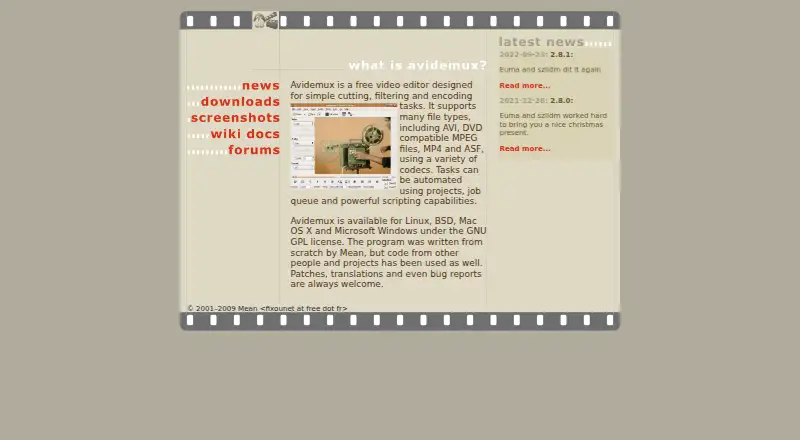
Avidemux is a free, open-source desktop video editor for straightforward processing rather than full production work. It suits users who need to cut video segments, convert formats, apply filters, replace or save audio tracks, join files, or copy streams without re-encoding. Published materials document availability for Linux, Windows, and macOS, with both graphical and command-line workflows. Its focus makes it a practical fit for targeted edits and transcoding, while users seeking timeline-based, multitrack production should look elsewhere.
The feature set covers several common utility tasks. Start and end markers define cuts, selectable codecs support encoding and transcoding, and filters include deinterlacing, resizing, subtitles, and color correction. Avidemux can also save video snapshots as JPEG images and append or join video files. Stream copying is useful when audio or video can be retained without re-encoding, while audio-track replacement provides a focused option for changing a file’s sound. These capabilities favor precise, file-level processing over an expansive editing workspace.
Automation is a notable strength for repeatable work: projects, job queues, scripts, and command-line arguments are supported alongside GUI workflows. The published materials identify 2.8.1 as the latest release in the official GitHub repository, while the official SourceForge downloads page lists older 2.6.x builds, so download selection deserves attention. Choose Avidemux when free, open-source cutting and transcoding are the priority. Choose a broader nonlinear editor when you need multitrack timelines or a larger production workflow.
Your product? Our editors can test Avidemux in depth and publish a review, labelled as paid · from $149/mo →
Avidemux pricing
All 1 Avidemux plans and prices →
Avidemux fact sheet
| Free plan | Yes |
|---|---|
| Paid from | Free |
| Desktop app | Yes |
| Web app | Not verified |
| Mobile app | Not verified |
| 4K export | Not verified |
| Team collaboration | Not verified |
| Included cloud storage | Not verified |
| Deployment | Desktop |
| Platforms | Web, Windows, macOS, Linux |
| Support | Docs |
| Built for | Solo, Small business (editorial estimate) |
| Pricing | Free plan (source) |
| Website | avidemux.sourceforge.net |
| Facts checked | 20 Sep 2026 |
Alternatives to Avidemux
- DaVinci ResolveA deep free editor with professional post-production tools across desktop and iPad.9.3
- Avid Media ComposerA deep editing suite with collaborative workflows, AI search, and a free entry option.9.2
- Final Cut ProA full-featured editor for Apple users who want desktop and iPad workflows.9.1


See all Avidemux alternatives →
Also Ranked In
Avidemux is ranked in 121 of our directories; the 6 strongest besides Video Editing Software.
Used Avidemux? Be the first to review it
The editor score above is our own research. What this page doesn't have yet is a reader's view — what you used Avidemux for, what worked and what didn't. No stars are seeded and no review is paid for; an editor reads every one before it appears.
Write a reviewTwo minutes · verified accounts only · read by an editor before it appears
Featured on iTechGuides

Avidemux is listed in our Video Editing Software directory. Add the badge to your site — it links back to this page.
<a href="https://www.itechguides.com/products/avidemux/"><img src="https://www.itechguides.com/best/badge/avidemux.svg" alt="Featured on iTechGuides" width="230" height="46"></a>
Reviewed by iTechGuides Editors · Editorial team · Updated Oct 2026
Advertiser disclosure: iTechGuides is reader-supported. Vendors can pay for top positions in our rankings and for a place on other products' pages, and we may earn a commission when you click some links. Bought places stand at the number bought; this page and our disclosure say so. Paying vendors may get a fuller, more detailed review from our editors, and that review can change their score. How we rank.
Last updated · How we research and update