
Autodesk Inventor
Autodesk Inventor: A broad Windows CAD system for mechanical design, assemblies, documentation, and automation. Ranked #6 of 80 in 3D CAD Software by our editors (9.0/10); pricing: 30-day trial; best for windows-based mechanical engineering teams.
At a glance
- Editor score9.0 / 10
- Pricing30-day trial
- Best forWindows-based mechanical engineering teams
- Free planNo
- Assembly designYes
- Facts checked23 Sep 2026
Where it wins
- Supports parametric, direct, freeform, and rules-based modeling
- Covers assemblies, sheet metal, surfaces, drawings, and MBD
- Connects with AutoCAD, Revit, and Autodesk Platform Services
Where it doesn't
- Runs as Windows desktop software rather than a cross-platform CAD tool
- Requires a paid subscription and has no free plan
- Its broad scope may exceed the needs of narrowly focused CAD teams
Our verdict on Autodesk Inventor
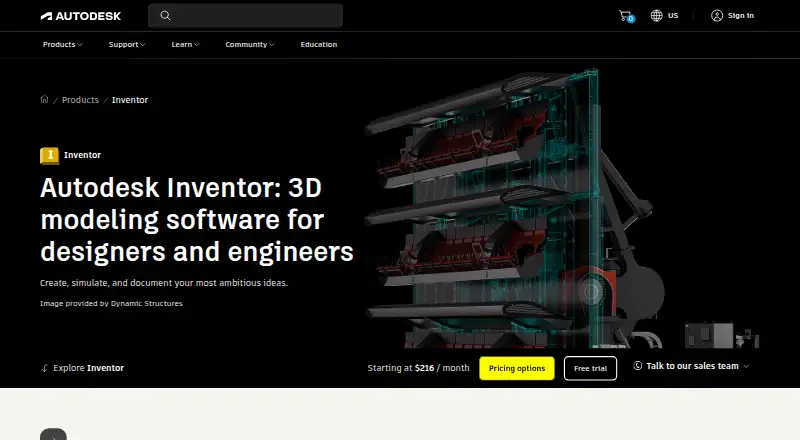
Autodesk Inventor is 3D CAD software for mechanical designers and engineers working on machine design, assemblies, sheet metal, frames, tube and pipe, cable and harness systems, simulation, rendering, and documentation. Its modeling approach combines parametric, direct, freeform, and rules-based methods, making it a fit for Windows-based engineering teams that need more than basic part modeling. A 30-day free trial is available, alongside paid subscription access and separate educational access for eligible students and educators.
Inventor’s strongest area is the breadth of its mechanical design workflow. The feature set spans assembly modeling, sheet-metal design with flat-pattern workflows, surface modeling, drawing creation, Model-Based Definition, simulation and visualization, and documentation and manufacturing workflows. Shared-view cloud collaboration supports review, while multi-CAD translation and non-native data support cover formats including DWG, DXF, IGES, JT, OBJ, Parasolid, SAT, SolidWorks, STEP, STL, CATIA, Creo, NX, Rhino, IFC, Alias, glTF, and USDz. iLogic design automation and Inventor API access add options for rules-driven work and custom automation.
The product also fits organizations already working within Autodesk’s ecosystem through integrations with AutoCAD, Revit, and Autodesk Platform Services. That ecosystem connection, combined with Windows desktop deployment, makes Inventor a practical choice for established mechanical engineering groups with structured documentation and manufacturing requirements. It is less suitable for teams that need native macOS or Linux coverage, a free plan, or a narrowly focused tool for simple modeling. Choose Inventor when one environment needs to span design, assemblies, documentation, translation, collaboration, and automation; consider a more focused alternative when that breadth is unnecessary.
Your product? Our editors can test Autodesk Inventor in depth and publish a review, labelled as paid · from $149/mo →
Autodesk Inventor pricing
Autodesk Inventor fact sheet
| Free plan | No |
|---|---|
| Paid from | Not verified |
| Modeling method | Hybrid |
| Assembly design | Yes |
| Sheet-metal tools | Yes |
| Surface modeling | Yes |
| Cloud collaboration | Yes |
| Supported platforms | Windows |
| File import and export | Import: Autodesk states Inventor supports opening non-native CAD data. Export formats documented for parts include DWG, DWF/DWFx, IGES, JT, OBJ, RFA, SAT, STEP, STL, CATIA V5, Parasolid, and Pro/ENGINEER; assemblies additionally include RVT. Drawing formats include DWG, IDW, DWF/DWFx, and DXF. Format support varies by data type and version. |
| Free trial | 30 days |
| Money-back guarantee | 30 days |
| Deployment | Desktop, Cloud |
| Platforms | Windows |
| Compliance & security | SSO/SAML |
| Support | Docs · 24/7 |
| Built for | Small business, Mid-market, Enterprise (editorial estimate) |
| Integrations | 4 integrations: Autodesk Fusion, Revit, AutoCAD, Autodesk Vault |
| Pricing | 30-day trial (source) |
| Website | autodesk.com |
| Facts checked | 23 Sep 2026 |
Autodesk Inventor integrations
Autodesk Inventor lists 4 integrations on its own site.
- Autodesk Fusion
- Revit
- AutoCAD
- Autodesk Vault
Alternatives to Autodesk Inventor
- Siemens NXDeep hybrid CAD with Teamcenter integration for large engineering organizations.9.4
- CATIAA deep engineering suite for complex products, with enterprise pricing to match.9.3
- SOLIDWORKSFull mechanical CAD with broad design, manufacturing, simulation, and collaboration tools.9.2


See all Autodesk Inventor alternatives →
Autodesk Inventor vs the competition
- Autodesk Inventor vs Siemens NX
- Autodesk Inventor vs CATIA
- Autodesk Inventor vs SOLIDWORKS
- Autodesk Inventor vs Autodesk Fusion
- Autodesk Inventor vs Creo
- Autodesk Inventor vs Onshape



Compare Autodesk Inventor with any tool side by side →
Also Ranked In
Autodesk Inventor is ranked in 7 of our directories.
Used Autodesk Inventor? Be the first to review it
The editor score above is our own research. What this page doesn't have yet is a reader's view — what you used Autodesk Inventor for, what worked and what didn't. No stars are seeded and no review is paid for; an editor reads every one before it appears.
Write a reviewTwo minutes · verified accounts only · read by an editor before it appears
Featured on iTechGuides

Autodesk Inventor is listed in our 3D CAD Software directory. Add the badge to your site — it links back to this page.
<a href="https://www.itechguides.com/products/autodesk-inventor/"><img src="https://www.itechguides.com/best/badge/autodesk-inventor.svg" alt="Featured on iTechGuides" width="230" height="46"></a>
Reviewed by iTechGuides Editors · Editorial team · Updated Oct 2026
Advertiser disclosure: iTechGuides is reader-supported. Vendors can pay for top positions in our rankings and for a place on other products' pages, and we may earn a commission when you click some links. Bought places stand at the number bought; this page and our disclosure say so. Paying vendors may get a fuller, more detailed review from our editors, and that review can change their score. How we rank.
Last updated · How we research and update