
Autodesk Flow Production Tracking
Autodesk Flow Production Tracking: A mature, security-focused production hub for complex VFX and animation workflows. Ranked #13 of 29 in Video Production Management Software by our editors (8.2/10); pricing: 30-day trial; best for large VFX and animation organizations.
At a glance
- Editor score8.2 / 10
- Pricing30-day trial
- Best forLarge VFX and animation organizations
- Free planNo
- Founded1982 · San Francisco, California, USA
- Facts checked20 Sep 2026
Where it wins
- AI scheduling, workload planning, and real-time production tracking
- Review, annotations, version history, and protected client access
- Maya, 3ds Max, Blender, Unreal Engine, Python, and REST API support
Where it doesn't
- Web-only access limits desktop and offline workflow options
- No free plan; access begins with a paid subscription
- Subscription pricing is organized by term rather than listed numeric tiers
Our verdict on Autodesk Flow Production Tracking
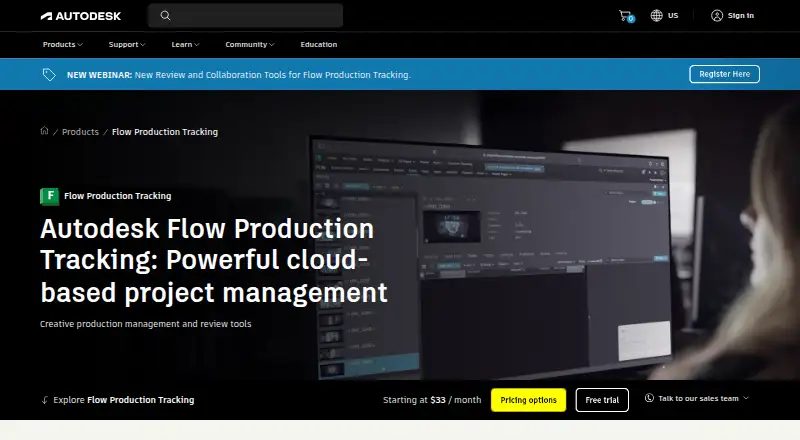
Autodesk Flow Production Tracking is a cloud-based production management and review platform for VFX, animation, film, television, and game teams. It brings project, shot, asset, task, schedule, resource, version, review, and approval data into one system. Producers, supervisors, artists, pipeline developers, and other studio staff can use it to coordinate production, review media, collect feedback, and share progress with clients. Its strongest fit is a large organization managing many assets, versions, departments, and approval stages.
The published plans are paid subscriptions offered monthly, for one year, or for three years. The monthly option has no contract, while the one-year subscription offers annual billing and states savings of 33% over the monthly price. The three-year term provides price protection for three years. A 30-day free trial is available. This structure gives larger teams a choice between flexibility, annual savings, and longer-term price stability. The product also includes a 30-day money-back policy for annual and multi-year subscriptions and a 15-day policy for monthly subscriptions.
Workflow depth is the main reason to choose Flow Production Tracking. AI-powered scheduling, resource planning, workload balancing, file publishing, media annotations, version comparison, and version history address the coordination demands of studio production. Integrations with Maya, 3ds Max, Blender, Unreal Engine, and RV connect creative work to production oversight, while Python and REST APIs support custom pipeline connections. SSO, two-factor authentication, and IP allowlisting add security controls, and protected client review sites support external approvals. Teams wanting a browser-based system for complex, collaborative production should consider it; smaller groups seeking a free plan or a non-web application may prefer a simpler alternative.
Your product? Our editors can test Autodesk Flow Production Tracking in depth and publish a review, labelled as paid · from $149/mo →
Autodesk Flow Production Tracking pricing
All 3 Autodesk Flow Production Tracking plans and prices →
Autodesk Flow Production Tracking fact sheet
| Free plan | No |
|---|---|
| Paid from | Not verified |
| Script breakdowns | Not verified |
| Production scheduling | Not verified |
| Call sheets | Not verified |
| Budget tracking | Not verified |
| Crew and cast management | Not verified |
| Location management | Not verified |
| Mobile app platforms | Not verified |
| Free trial | 30 days |
| Deployment | Cloud |
| Platforms | Web |
| Compliance & security | SSO/SAML, 2FA |
| Support | Live chat, Community, Docs |
| Built for | Small business, Mid-market, Enterprise (editorial estimate) |
| Integrations | 5 integrations: Autodesk Maya, Autodesk 3ds Max, Blender, Unreal Engine, RV |
| Pricing | 30-day trial (source) |
| Website | autodesk.com |
| Facts checked | 20 Sep 2026 |
Autodesk Flow Production Tracking integrations
Autodesk Flow Production Tracking lists 5 integrations on its own site.
- Autodesk Maya
- Autodesk 3ds Max
- Blender
- Unreal Engine
- RV
Alternatives to Autodesk Flow Production Tracking
- YamduA broad production workspace covering planning, scheduling, budgeting, collaboration, and delivery.9.4
- InteSceneA broad, budget-friendly toolkit covering production from script to reports.9.3
- ScenePaperA free production workspace spanning scripts, schedules, budgets, crews, and department workflows.9.2



See all Autodesk Flow Production Tracking alternatives →
Also Ranked In
Autodesk Flow Production Tracking is ranked in 4 of our directories.
Used Autodesk Flow Production Tracking? Be the first to review it
The editor score above is our own research. What this page doesn't have yet is a reader's view — what you used Autodesk Flow Production Tracking for, what worked and what didn't. No stars are seeded and no review is paid for; an editor reads every one before it appears.
Write a reviewTwo minutes · verified accounts only · read by an editor before it appears
Featured on iTechGuides

Autodesk Flow Production Tracking is listed in our Video Production Management Software directory. Add the badge to your site — it links back to this page.
<a href="https://www.itechguides.com/products/autodesk-flow-production-tracking/"><img src="https://www.itechguides.com/best/badge/autodesk-flow-production-tracking.svg" alt="Featured on iTechGuides" width="230" height="46"></a>
Reviewed by iTechGuides Editors · Editorial team · Updated Oct 2026
Advertiser disclosure: iTechGuides is reader-supported. Vendors can pay for top positions in our rankings and for a place on other products' pages, and we may earn a commission when you click some links. Bought places stand at the number bought; this page and our disclosure say so. Paying vendors may get a fuller, more detailed review from our editors, and that review can change their score. How we rank.
Last updated · How we research and update