Audiola
Audiola: Separate songs locally, then edit, process, and export the resulting tracks. Ranked #5 of 21 in Stem Separation Software by our editors (9.0/10); pricing: Free plan; best for free local separation with editing and mastering tools.
At a glance
- Editor score9.0 / 10
- PricingFree plan
- Best forFree local separation with editing and mastering tools
- Free planYes
- Paid fromFree
- Stem typesvocals, drums, bass, guitar, piano, other
- Facts checked19 Sep 2026
Where it wins
- Separates vocals, drums, bass, guitar, piano, and other parts locally
- Includes a multitrack timeline with editing and track effects
- Adds mastering, spatial audio, transcription, and WAV, MP3, and AAC-M4A export
Where it doesn't
- Its listed integration coverage is limited to ElevenLabs
- It is a desktop application for Windows, macOS, and Linux
- It is distributed without an open-source license
Our verdict on Audiola
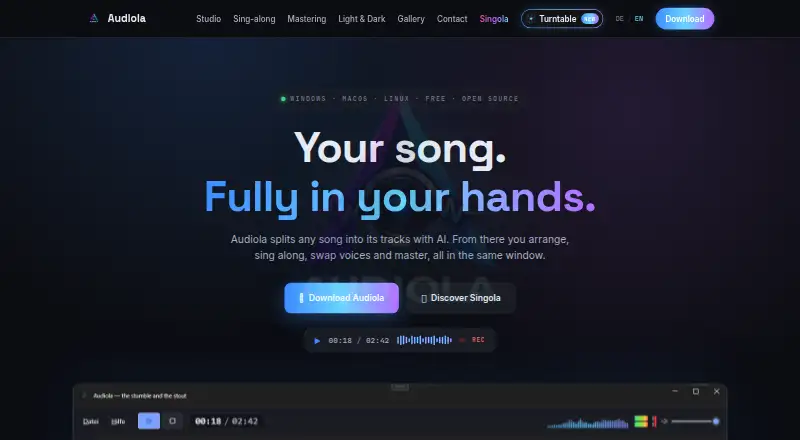
Audiola is a free desktop audio-production studio for Windows, macOS, and Linux, aimed at people who want to separate a song and continue working on its parts in one application. Its local AI workflow uses Demucs and other audio-separator models to extract vocals, drums, bass, guitar, piano, and other sounds without uploading audio for separation. That makes it a fit for music makers, editors, and other audio projects where local processing and follow-on editing matter more than a browser-based workflow.
Separation is only the starting point: a multitrack timeline supports arranging, cutting, fading, looping, and moving clips, while track effects include reverb, echo, normalization, reverse, and vocal cleanup. The broader toolset also covers EQ, compression, loudness normalization and presets for mastering, plus spatial positioning with binaural or multichannel rendering. Voice cloning, text-to-speech, per-clip voice swapping, and Whisper transcription with LRC lyrics generation extend the application beyond stem extraction. Exports include WAV, MP3, and AAC-M4A for mixes or individual tracks. Buyers who want a focused separator without production and voice tools may find this breadth unnecessary.
Audiola is free, and its listed integration is ElevenLabs. The desktop scope suits people working on Windows, macOS, or Linux, but it is not positioned as a mobile app, and the integration list is narrow for users who depend on a connected software ecosystem. Audiola is also distributed without an open-source license, so it is not the choice for buyers who require open-source software. Pick it if local separation, editing, and mastering in a free desktop studio match your workflow; consider a narrower alternative if you need broader integrations or a dedicated separation tool.
Your product? Our editors can test Audiola in depth and publish a review, labelled as paid · from $149/mo →
Audiola pricing
Audiola fact sheet
| Free plan | Yes |
|---|---|
| Paid from | Free |
| Stem types | vocals, drums, bass, guitar, piano, other |
| Max upload size | Not verified |
| Max track length | Not verified |
| Batch processing | Not verified |
| Export formats | WAV, MP3, AAC-M4A |
| Desktop app | Yes |
| API access | Not verified |
| Deployment | Desktop |
| Platforms | Windows, macOS, Linux |
| Integrations | 1 integrations: ElevenLabs |
| Pricing | Free plan |
| Website | audiola.de |
| Facts checked | 19 Sep 2026 |
Audiola integrations
Audiola lists 1 integrations on its own site.
- ElevenLabs
Alternatives to Audiola
- FadrA free starting point for stem separation, remix tools, MIDI detection and API workflows.9.4
- LALAL.AIFlexible stem separation with web, app, plugin, and API access.9.3
- MoisesA broad stem-separation toolkit for musicians, with bulk processing and apps across platforms.9.2



See all Audiola alternatives →
Audiola vs the competition
- Audiola vs Fadr
- Audiola vs LALAL.AI
- Audiola vs Moises
- Audiola vs AudioShake
- Audiola vs Pymss
- Audiola vs Ultimate Vocal Remover


Compare Audiola with any tool side by side →
Used Audiola? Be the first to review it
The editor score above is our own research. What this page doesn't have yet is a reader's view — what you used Audiola for, what worked and what didn't. No stars are seeded and no review is paid for; an editor reads every one before it appears.
Write a reviewTwo minutes · verified accounts only · read by an editor before it appears
Featured on iTechGuides

Audiola is listed in our Stem Separation Software directory. Add the badge to your site — it links back to this page.
<a href="https://www.itechguides.com/products/audiola/"><img src="https://www.itechguides.com/best/badge/audiola.svg" alt="Featured on iTechGuides" width="230" height="46"></a>
Reviewed by iTechGuides Editors · Editorial team · Updated Oct 2026
Advertiser disclosure: iTechGuides is reader-supported. Vendors can pay for top positions in our rankings and for a place on other products' pages, and we may earn a commission when you click some links. Bought places stand at the number bought; this page and our disclosure say so. Paying vendors may get a fuller, more detailed review from our editors, and that review can change their score. How we rank.
Last updated · How we research and update