AsyncUp
AsyncUp: A configurable Google Chat standup tool with blocker follow-up and reporting. Ranked #9 of 24 in Daily Standup Software by our editors (8.3/10); pricing: Free plan; best for google Chat teams preferring open-source hosting.
At a glance
- Editor score8.3 / 10
- PricingFree plan
- Best forGoogle Chat teams preferring open-source hosting
- Free planYes
- Paid fromFree
- Blocker trackingYes
- Facts checked23 Sep 2026
Where it wins
- Posts standup responses and wrap-ups in Google Chat.
- Tracks blockers with assignment, updates, and escalation.
- Includes charts, weekly digests, and CSV export.
Where it doesn't
- Requires self-hosted deployment.
- No current Slack or Microsoft Teams integration.
- AI summaries require a user-provided API key.
Our verdict on AsyncUp
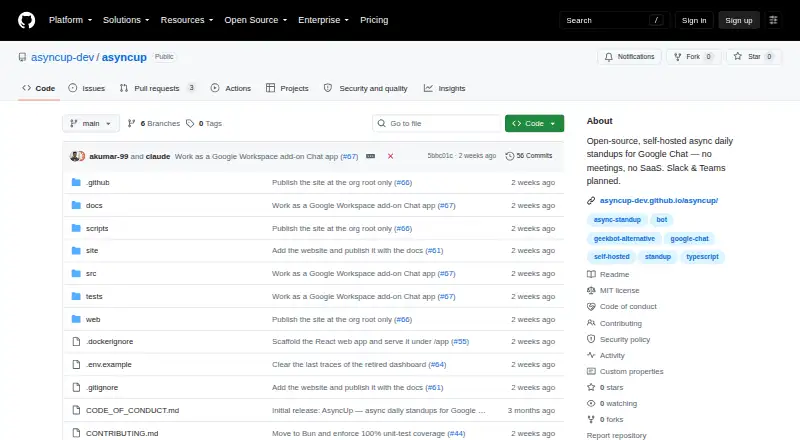
AsyncUp runs asynchronous daily standups through Google Chat: participants receive forms for reporting completed work, plans, and blockers, and responses are posted to a team space with a submission wrap-up. It suits teams that want configurable standup routines and are comfortable hosting an open-source tool themselves. A web app covers standups, blockers, reports, team, and settings, while the integration focus is Google Chat rather than a broad chat-platform choice.
Its workflow extends beyond collecting updates. Teams can set custom questions, optional mood check-ins, participant schedules, time zones, reminders, late-submission flags, and vacation or skip controls. Blockers can be assigned, updated, and escalated, giving teams a way to follow issues after the daily check-in. Optional Google Calendar out-of-office sync can support skip handling. Participation, mood, and blocker charts, a weekly digest, CSV export, and outbound webhooks add reporting and follow-up options. Optional AI summaries use a team-provided API key.
AsyncUp is self-hosted as a container, with SQLite by default and optional PostgreSQL; the project is open source and described as forever free. That model avoids a listed paid-tier ladder but puts deployment and ongoing hosting on the team. Google Workspace identity options include Okta, Microsoft Entra, and OneLogin via SSO/SAML. Choose AsyncUp if Google Chat is where standups belong and you want control over hosting and blocker workflows. Teams that require current Slack or Microsoft Teams integrations should choose another tool; those integrations are described as planned, not current.
Your product? Our editors can test AsyncUp in depth and publish a review, labelled as paid · from $149/mo →
AsyncUp pricing
AsyncUp fact sheet
| Free plan | Yes |
|---|---|
| Paid from | Free |
| Slack integration | No |
| Microsoft Teams | No |
| Jira integration | Not verified |
| Blocker tracking | Yes |
| Reporting dashboard | Yes |
| Participant limit | Not verified |
| Deployment | Self-hosted |
| Platforms | Web |
| Compliance & security | SSO/SAML |
| Built for | Small business, Mid-market, Enterprise (editorial estimate) |
| Integrations | 7 integrations: Google Chat, Google Calendar, Google Workspace, Okta, Microsoft Entra, OneLogin … |
| Pricing | Free plan |
| Website | github.com |
| Facts checked | 23 Sep 2026 |
AsyncUp integrations
AsyncUp lists 7 integrations on its own site.
- Google Chat
- Google Calendar
- Google Workspace
- Okta
- Microsoft Entra
- OneLogin
- PostgreSQL
Alternatives to AsyncUp
- DailyBotBroad standup automation with a free plan and paid tiers from $2.40 per active user monthly.9.3
- GeekbotA broad async check-in tool for teams that need reporting beyond daily updates.9.1
- Team O'clockA broad standup and meeting toolkit with useful planning, reporting, and integration coverage.9.0



See all AsyncUp alternatives →
Used AsyncUp? Be the first to review it
The editor score above is our own research. What this page doesn't have yet is a reader's view — what you used AsyncUp for, what worked and what didn't. No stars are seeded and no review is paid for; an editor reads every one before it appears.
Write a reviewTwo minutes · verified accounts only · read by an editor before it appears
Featured on iTechGuides

AsyncUp is listed in our Daily Standup Software directory. Add the badge to your site — it links back to this page.
<a href="https://www.itechguides.com/products/asyncup/"><img src="https://www.itechguides.com/best/badge/asyncup.svg" alt="Featured on iTechGuides" width="230" height="46"></a>
Reviewed by iTechGuides Editors · Editorial team · Updated Oct 2026
Advertiser disclosure: iTechGuides is reader-supported. Vendors can pay for top positions in our rankings and for a place on other products' pages, and we may earn a commission when you click some links. Bought places stand at the number bought; this page and our disclosure say so. Paying vendors may get a fuller, more detailed review from our editors, and that review can change their score. How we rank.
Last updated · How we research and update