Aseprite
Aseprite: A focused desktop toolkit for pixel art, animation, tilemaps, and game-ready exports. Ranked #4 of 70 in Pixel Art Software by our editors (9.0/10); pricing: Paid; best for professional pixel-art and game-sprite workflows.
At a glance
- Editor score9.0 / 10
- PricingPaid
- Best forProfessional pixel-art and game-sprite workflows
- Free planNo
- Paid from$19.99 one-time
- Animation timelineYes
- Facts checked20 Sep 2026
Where it wins
- Frame animation, layers, cels, and onion skinning
- Indexed color, palettes, tilemaps, and tileset creation
- Sprite-sheet, texture-atlas, and command-line export workflows
Where it doesn't
- No free plan is available
- The product is focused on desktop pixel-art workflows
- AI features are not part of the product
Our verdict on Aseprite
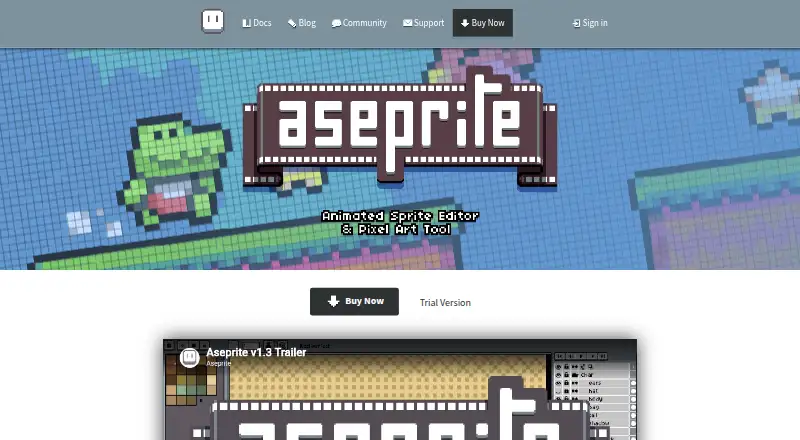
Aseprite is a desktop application for creating pixel art, game sprites, and 2D animations. It is aimed at artists, game developers, and other creators working with pixel-based graphics on Windows, macOS, or Ubuntu Linux. Its core workspace combines layers and cels with a frame-based animation timeline, making it suitable for projects that need both individual sprites and animated sequences. Tilemap and tileset tools extend the workflow into tiled game graphics, while indexed color mode and palette tools support controlled pixel-art color work.
The published pricing shows one paid Aseprite plan at $19.99 USD as a one-time purchase, rather than a recurring subscription. The purchase includes a Windows installer and portable ZIP, a macOS application bundle, Ubuntu packages, and a Steam key. There is no free plan. For buyers who prefer a single payment and need the application across the listed desktop platforms, the pricing structure is straightforward. The one-time amount is described as a minimum pledge amount, so buyers should review the vendor's current purchase terms before completing an order.
Aseprite's standout value is the depth of its pixel-art production toolkit. Onion skinning supports frame-based animation work, while sprite-sheet export, PNG, GIF, and image-sequence export cover common asset-delivery needs. JSON texture-atlas export and command-line automation add options for organized asset pipelines. These capabilities make it a strong fit for professional pixel-art and game-sprite workflows. It is less suited to buyers seeking a free tool, AI-assisted features, or a broader graphics application beyond its focused desktop pixel-art and animation purpose.
Questions about Aseprite
What does Aseprite run on? Windows, macOS and Linux. It runs as a desktop app.
Does Aseprite offer a money-back guarantee? Yes: 90 days.
Who is Aseprite built for? Solo users, small businesses and mid-market companies (our editorial estimate).
Your product? Our editors can test Aseprite in depth and publish a review, labelled as paid · from $149/mo →
Aseprite pricing
All 1 Aseprite plans and prices →
Aseprite fact sheet
| Free plan | No |
|---|---|
| Paid from | $19.99 one-time |
| Animation timeline | Yes |
| Indexed color tools | Yes |
| Sprite-sheet export | Yes |
| Onion skinning | Yes |
| Tilemap tools | Yes |
| Supported platforms | Windows, macOS, Ubuntu Linux |
| Export formats | PNG, GIF, JSON, Aseprite (.ase/.aseprite) |
| Money-back guarantee | 90 days |
| Deployment | Desktop |
| Platforms | Windows, macOS, Linux |
| Support | Email, Community, Docs |
| Built for | Solo, Small business, Mid-market (editorial estimate) |
| Pricing | Paid (source) |
| Website | aseprite.org |
| Facts checked | 20 Sep 2026 |
Alternatives to Aseprite
- PixeloramaA capable free pixel art editor with broad platform support and automation tools.9.4
- PixelWallA capable free pixel-art editor with broad platform support and $15 Pro exports.9.3
- Pix2DA capable free pixel art editor for artists working across web, desktop, and Android.9.1



See all Aseprite alternatives →
Aseprite vs the competition
- Aseprite vs Pixelorama
- Aseprite vs PixelWall
- Aseprite vs Pix2D
- Aseprite vs RetroSprite
- Aseprite vs Resprite
- Aseprite vs Pro Motion NG


Compare Aseprite with any tool side by side →
Also Ranked In
Aseprite is ranked in 4 of our directories.
Used Aseprite? Be the first to review it
The editor score above is our own research. What this page doesn't have yet is a reader's view — what you used Aseprite for, what worked and what didn't. No stars are seeded and no review is paid for; an editor reads every one before it appears.
Write a reviewTwo minutes · verified accounts only · read by an editor before it appears
Featured on iTechGuides

Aseprite is listed in our Pixel Art Software directory. Add the badge to your site — it links back to this page.
<a href="https://www.itechguides.com/products/aseprite/"><img src="https://www.itechguides.com/best/badge/aseprite.svg" alt="Featured on iTechGuides" width="230" height="46"></a>
Reviewed by iTechGuides Editors · Editorial team · Updated Nov 2026
Advertiser disclosure: iTechGuides is reader-supported. Vendors can pay for top positions in our rankings and for a place on other products' pages, and we may earn a commission when you click some links. Bought places stand at the number bought; this page and our disclosure say so. Paying vendors may get a fuller, more detailed review from our editors, and that review can change their score. How we rank.
Last updated · How we research and update