
AquaSoft Video Vision
AquaSoft Video Vision: A Windows editor with 4K export, animated maps and broad creative tools. Ranked #79 of 153 in Video Editing Software by our editors (3.0/10); pricing: 14-day trial; best for windows editors needing maps and 4K effects.
At a glance
- Editor score3.0 / 10
- Pricing14-day trial
- Best forWindows editors needing maps and 4K effects
- Free planNo
- Paid from$59.88/yr
- 4K exportYes
- Founded1999 · Potsdam, Germany
- Facts checked22 Sep 2026
Where it wins
- Timeline editing with transitions, effects, captions and audio tools
- Animated travel routes through the built-in map wizard
- 4K UHD export plus Adobe Premiere Pro and OpenFX integration
Where it doesn't
- Windows-only desktop application
- No free plan; ongoing access requires a paid option
- Consumer and presentation focus may not suit specialized workflows
Our verdict on AquaSoft Video Vision
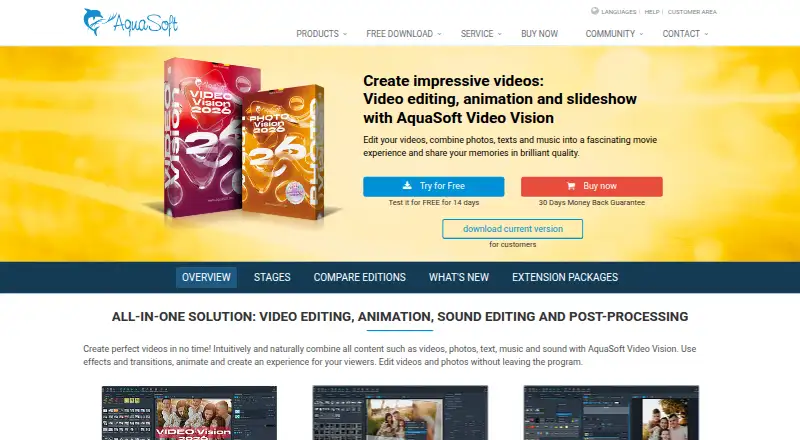
AquaSoft Video Vision is Windows desktop software for editing videos and combining photos, text, music and sound into presentations, slideshows and movies. It is aimed at consumers and creators making personal presentations, photo shows and multimedia videos. Its core timeline includes split, crop and trim tools, while transitions, camera pans, zooms, motion blur, masks, blur, color correction and mosaic effects support more stylized projects. Text captions, titles, credits, text animations, narration recording and background music cover common finishing needs.
The feature set is especially relevant for editors who need visual storytelling beyond standard cuts. A map wizard creates animated travel routes, and 3D positioning lets users animate media elements. Export options include MP4, WMV, MPG, GIF and image sequences, with 4K UHD video export available. The software also integrates with Adobe Premiere Pro and OpenFX-compatible applications, while the listed ecosystem includes DaVinci Resolve, VEGAS, Natron, YouTube and Vimeo. That combination makes it a practical fit for Windows users working across video, slideshow and map-based content.
Pricing is paid, with a 14-day trial. The published options include Video Vision 2026 at $129.90 one-time, Video Vision subscription at $9.99 per month, or $59.88 per year. The annual-billing entry price is shown as $4.99 per month. All listed plans include video editing, animations and effects, 4K export, and audio and text tools. Choose Video Vision if you want a Windows editor with maps, 3D positioning and broad presentation features. Choose an alternative if you need a free plan, a non-Windows application, or a narrower tool built around a specialized professional workflow.
Your product? Our editors can test AquaSoft Video Vision in depth and publish a review, labelled as paid · from $149/mo →
AquaSoft Video Vision pricing
All 2 AquaSoft Video Vision plans and prices →
AquaSoft Video Vision fact sheet
| Free plan | No |
|---|---|
| Paid from | $59.88/yr |
| Desktop app | Yes |
| Web app | Not verified |
| Mobile app | Not verified |
| 4K export | Yes |
| Team collaboration | Not verified |
| Included cloud storage | Not verified |
| Free trial | 14 days |
| Money-back guarantee | 30 days |
| Deployment | Desktop |
| Platforms | Windows |
| Support | Email, Docs |
| Built for | Solo, Small business (editorial estimate) |
| Integrations | 6 integrations: Adobe Premiere Pro, DaVinci Resolve, VEGAS, Natron, YouTube, Vimeo |
| Pricing | 14-day trial (source) |
| Website | aquasoft.net |
| Facts checked | 22 Sep 2026 |
AquaSoft Video Vision integrations
AquaSoft Video Vision lists 6 integrations on its own site.
- Adobe Premiere Pro
- DaVinci Resolve
- VEGAS
- Natron
- YouTube
- Vimeo
Alternatives to AquaSoft Video Vision
- DaVinci ResolveA deep free editor with professional post-production tools across desktop and iPad.9.3
- Avid Media ComposerA deep editing suite with collaborative workflows, AI search, and a free entry option.9.2
- Final Cut ProA full-featured editor for Apple users who want desktop and iPad workflows.9.1


See all AquaSoft Video Vision alternatives →
Used AquaSoft Video Vision? Be the first to review it
The editor score above is our own research. What this page doesn't have yet is a reader's view — what you used AquaSoft Video Vision for, what worked and what didn't. No stars are seeded and no review is paid for; an editor reads every one before it appears.
Write a reviewTwo minutes · verified accounts only · read by an editor before it appears
Featured on iTechGuides

AquaSoft Video Vision is listed in our Video Editing Software directory. Add the badge to your site — it links back to this page.
<a href="https://www.itechguides.com/products/aquasoft-video-vision/"><img src="https://www.itechguides.com/best/badge/aquasoft-video-vision.svg" alt="Featured on iTechGuides" width="230" height="46"></a>
Reviewed by iTechGuides Editors · Editorial team · Updated Oct 2026
Advertiser disclosure: iTechGuides is reader-supported. Vendors can pay for top positions in our rankings and for a place on other products' pages, and we may earn a commission when you click some links. Bought places stand at the number bought; this page and our disclosure say so. Paying vendors may get a fuller, more detailed review from our editors, and that review can change their score. How we rank.
Last updated · How we research and update