
Aqua Mail
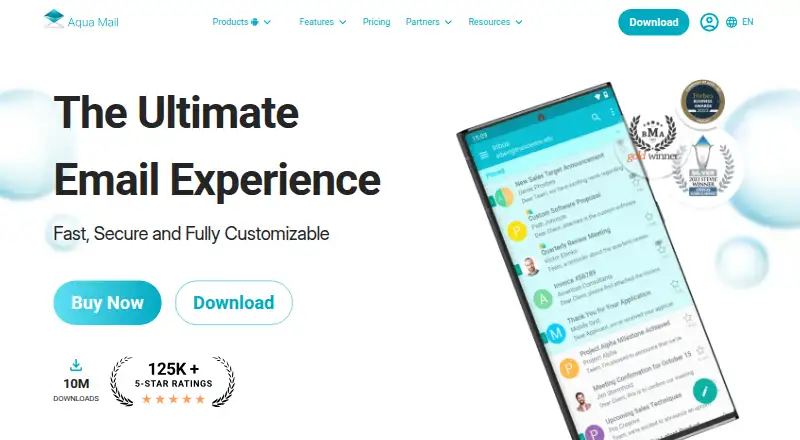
Aqua Mail: A feature-rich email client for Android users managing one primary account. Ranked #74 of 142 in Email Clients by our editors (3.0/10); pricing: Free plan; best for android users with a single primary account.
At a glance
- Editor score3.0 / 10
- PricingFree plan
- Best forAndroid users with a single primary account
- Free planYes
- App coverageMobile
- Facts checked23 Sep 2026
Where it wins
- Supports major providers and protocols, including Exchange, Gmail, and iCloud
- Smart Folder combines messages from multiple accounts
- Offers offline access, backups, widgets, and calendar synchronization
Where it doesn't
- The Free plan supports only one account
- Filters, aliases, and folder operations require a paid tier
- Exchange push mail is available only with Premium/Pro
Our verdict on Aqua Mail
Aqua Mail is an email client for personal and professional users who want broad provider support and detailed control over message handling. It connects with Gmail, Yahoo, Outlook, Hotmail, Exchange, Office 365, iCloud, IMAP, and POP3 accounts, while its Smart Folder provides a unified inbox for messages from multiple accounts. Rich-text composition, notifications, widgets, offline access, backups, encryption, and customization make it suited to Android users with a primary personal or work account. It is also available on iOS and macOS.
The published plans separate basic access from multi-account and advanced features. The Free plan includes one account and core email management features. Premium/Pro adds unlimited accounts, ad-free use, Exchange push mail, email identities, end-to-end encryption, and email backup. Paid tiers also include aliases, filters, folder operations, EML support, and priority notifications. This makes the free version a straightforward fit for one-account use, while users managing several inboxes or needing advanced organization will need Premium/Pro.
Aqua Mail’s ecosystem fit is broad: it supports Exchange and Office 365 contact and calendar synchronization, plus integrations with Dropbox, OneDrive, Google Drive, Light Flow, Enhanced SMS & Caller ID, and Tasker. Email and settings backup, S/MIME encryption, and configurable notifications add useful depth for users who value control and account continuity. The main constraint is the Free plan’s single-account limit, which reduces its suitability for people who want a no-cost multi-account inbox. Choose Aqua Mail for protocol breadth, customization, and Android-focused email management; choose another client if multiple free accounts are essential.
Your product? Our editors can test Aqua Mail in depth and publish a review, labelled as paid · from $149/mo →
Aqua Mail pricing
Aqua Mail fact sheet
| Free plan | Yes |
|---|---|
| Paid from | Not verified |
| App coverage | Mobile |
| Account limit | Not verified |
| Unified inbox | Yes |
| Offline access | Not verified |
| Scheduled sending | Not verified |
| Calendar tools | No |
| Deployment | Mobile |
| Platforms | Android, iOS |
| Support | Email, Docs |
| Built for | Solo, Small business (editorial estimate) |
| Integrations | 4 integrations: Dropbox, OneDrive, Google Drive, Tasker |
| Pricing | Free plan (source) |
| Website | aqua-mail.com |
| Facts checked | 23 Sep 2026 |
Aqua Mail integrations
Aqua Mail lists 4 integrations on its own site.
- Dropbox
- OneDrive
- Google Drive
- Tasker
Alternatives to Aqua Mail
- Mozilla ThunderbirdA capable free client for multi-account email, offline access, and desktop productivity tools.9.4
- Zoho MailA flexible hosted email service with free access, migration tools, and Zoho collaboration options.9.2
- Apple MailA capable Apple-focused email client with unified inboxes, scheduling, privacy controls, and AI assistance.9.1



See all Aqua Mail alternatives →
Used Aqua Mail? Be the first to review it
The editor score above is our own research. What this page doesn't have yet is a reader's view — what you used Aqua Mail for, what worked and what didn't. No stars are seeded and no review is paid for; an editor reads every one before it appears.
Write a reviewTwo minutes · verified accounts only · read by an editor before it appears
Featured on iTechGuides

Aqua Mail is listed in our Email Clients directory. Add the badge to your site — it links back to this page.
<a href="https://www.itechguides.com/products/aqua-mail/"><img src="https://www.itechguides.com/best/badge/aqua-mail.svg" alt="Featured on iTechGuides" width="230" height="46"></a>
Reviewed by iTechGuides Editors · Editorial team · Updated Oct 2026
Advertiser disclosure: iTechGuides is reader-supported. Vendors can pay for top positions in our rankings and for a place on other products' pages, and we may earn a commission when you click some links. Bought places stand at the number bought; this page and our disclosure say so. Paying vendors may get a fuller, more detailed review from our editors, and that review can change their score. How we rank.
Last updated · How we research and update