
Apowersoft GIF
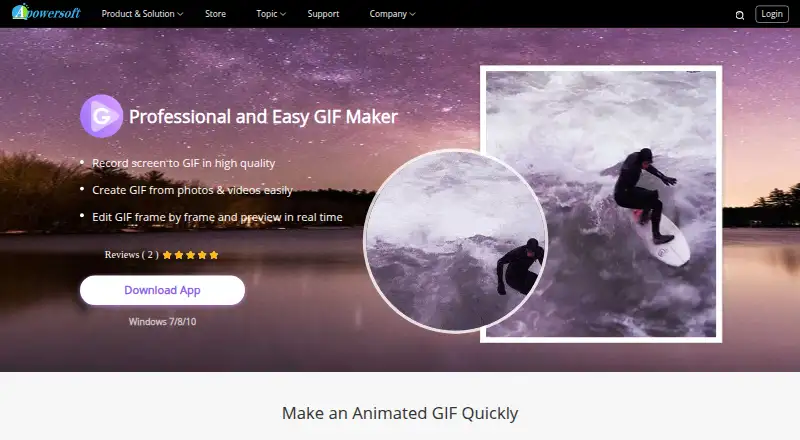
Apowersoft GIF: A versatile Windows GIF editor for recording, converting, and refining animations. Ranked #28 of 33 in GIF Maker Software by our editors (6.5/10); pricing: Paid; best for windows users needing multiple recording sources.
At a glance
- Editor score6.5 / 10
- PricingPaid
- Best forWindows users needing multiple recording sources
- Supported platformsWindows
- Facts checked23 Sep 2026
Where it wins
- Captures screens, webcams, whiteboards, videos, photos, and drawings
- Frame-by-frame editing includes reordering, overlays, effects, and preview
- Exports GIFs, video, images, PNG, and PSD files
Where it doesn't
- Available only for Windows
- Paid software with no product-specific price shown
- Not open source
Our verdict on Apowersoft GIF
Apowersoft GIF is a Windows desktop application for creating animated GIFs from screen recordings, webcam footage, videos, photos, and drawings. It suits Windows users who need more than a basic screen-to-GIF utility, particularly when a project may combine several capture sources with detailed frame editing. The built-in recorder supports screen, webcam, and whiteboard capture, while video-to-GIF conversion and photo-to-GIF creation cover prepared media. Its paid version also supports watermark-free export.
Its main strength is the breadth of its creation and editing workflow. The frame-by-frame editor supports reordering, duplicating, deleting, cropping, resizing, rotating, text, effects, watermarks, borders, blur, and other overlays. Real-time preview helps review the animation before export. The range of save formats is also practical: projects can be saved as GIF, video, image files, PNG, or PSD. That combination makes the software a fit for tutorials, demonstrations, annotated captures, and short visual assets that need editing after recording.
The trade-off is platform and purchasing flexibility. Apowersoft GIF is Windows-only, so it is not suited to teams that need the same application across operating systems. It is also paid software, and the product-specific price and plan structure are not part of its positioning here, which makes budgeting less straightforward than with a clearly tiered product. Choose it if Windows support and multiple recording sources matter more than cross-platform access or open-source availability. Choose an alternative if those requirements are central.
Your product? Our editors can test Apowersoft GIF in depth and publish a review, labelled as paid · from $149/mo →
Apowersoft GIF pricing
All 3 Apowersoft GIF plans and prices →
Apowersoft GIF fact sheet
| Free plan | Not verified |
|---|---|
| Paid from | Not verified |
| Video import | Yes |
| Screen recording | Yes |
| Watermark-free export | Not verified |
| Transparent GIF export | Not verified |
| Maximum file size | Not verified |
| Maximum GIF duration | Not verified |
| Supported platforms | Windows |
| Money-back guarantee | 30 days |
| Deployment | Desktop |
| Platforms | Windows |
| Support | Email, Docs |
| Built for | Solo, Small business (editorial estimate) |
| Pricing | Paid (source) |
| Website | apowersoft.com |
| Facts checked | 23 Sep 2026 |
Alternatives to Apowersoft GIF
- EzgifA free, watermark-free browser toolkit covering GIF creation, editing, conversion, and optimization.9.4
- GGIFFA deep free browser editor for animated visuals, with no screen-recording workflow.9.2
- ImgPlayA versatile mobile GIF editor with broad media imports, exports, and sharing options.9.1


See all Apowersoft GIF alternatives →
Used Apowersoft GIF? Be the first to review it
The editor score above is our own research. What this page doesn't have yet is a reader's view — what you used Apowersoft GIF for, what worked and what didn't. No stars are seeded and no review is paid for; an editor reads every one before it appears.
Write a reviewTwo minutes · verified accounts only · read by an editor before it appears
Featured on iTechGuides

Apowersoft GIF is listed in our GIF Maker Software directory. Add the badge to your site — it links back to this page.
<a href="https://www.itechguides.com/products/apowersoft-gif/"><img src="https://www.itechguides.com/best/badge/apowersoft-gif.svg" alt="Featured on iTechGuides" width="230" height="46"></a>
Reviewed by iTechGuides Editors · Editorial team · Updated Oct 2026
Advertiser disclosure: iTechGuides is reader-supported. Vendors can pay for top positions in our rankings and for a place on other products' pages, and we may earn a commission when you click some links. Bought places stand at the number bought; this page and our disclosure say so. Paying vendors may get a fuller, more detailed review from our editors, and that review can change their score. How we rank.
Last updated · How we research and update