
Ant Text
Ant Text: A Microsoft-focused template tool for teams managing repeat email and meeting content. Ranked #27 of 31 in Text Expansion Software by our editors (6.1/10); pricing: 30-day trial; best for microsoft-centric template workflows.
At a glance
- Editor score6.1 / 10
- Pricing30-day trial
- Best forMicrosoft-centric template workflows
- Free planNo
- Expansion rulesBasic
- Facts checked20 Sep 2026
Where it wins
- Combines email, meeting, signature, and attachment templates
- Supports shared templates, folders, merge fields, and team management
- Connects with Outlook, Microsoft 365, Word, Teams, and Power Automate
Where it doesn't
- No free plan
- Text expansion rules are basic
- Classic Templates and ERP plans target narrower workflows
Our verdict on Ant Text
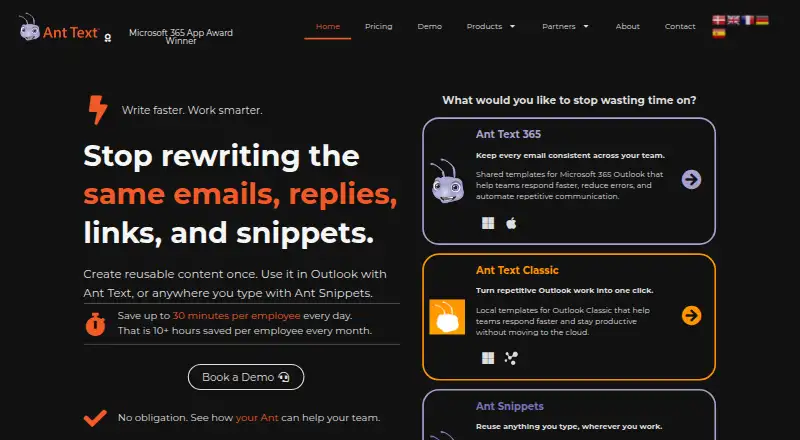
Ant Text is a text-expansion and email-template product from Insight Office for teams that repeatedly write similar content. Its main audience includes sales, support, marketing, administration, and other groups working with Outlook, Microsoft 365, Word, Teams, browsers, CRM systems, or AI assistants. The product family covers web, Windows, and macOS workflows, with Ant Text 365 focused on Microsoft 365 Outlook teams and Ant Text Classic providing local templates for Outlook Classic on Windows.
The plan structure is split across four offerings. Ant Text 365 Standard includes quick replies, signatures, snippets, subjects, email and meeting templates, merge fields, draft management, and template sharing. Ant Text 365 Business adds Ant XL without watermark, Ant Automation, and team management. Ant Text Classic Templates includes quick replies, signatures, snippets, subjects, email and meeting templates, a customized toolbar, MS Word management, and template sharing. Ant Text Classic ERP adds Ant ERP for Visma e-conomic and Ant XL without watermark. Ant Text 365 has a 30-day trial, while Ant Text Classic has a 14-day trial; the product is paid rather than free.
Its strongest fit is a Microsoft-centered environment where reusable content needs to stay organized across individuals and teams. Merge fields support fixed and custom inputs, while templates can include signatures and attachments. Outlook Classic toolbar integration, bulk email sending with Ant XL, Power Automate email flows, and Visma e-conomic integration extend the workflow beyond simple shortcut expansion. The related Ant Snippets product also covers saved replies, links, prompts, and other text across Outlook, Word, Teams, browsers, CRM systems, and AI assistants. Choose Ant Text for shared Microsoft workflows and structured templates; choose an alternative if advanced expansion logic or a free plan is essential.
Your product? Our editors can test Ant Text in depth and publish a review, labelled as paid · from $149/mo →
Ant Text pricing
All 4 Ant Text plans and prices →
Ant Text fact sheet
| Free plan | No |
|---|---|
| Paid from | Not verified |
| Supported platforms | Windows, macOS, web |
| Expansion rules | Basic |
| Team snippet sharing | Yes |
| Usage analytics | Not verified |
| Approval controls | Not verified |
| Mobile support | Not verified |
| Free trial | 30 days · no card needed |
| Deployment | Cloud, Desktop |
| Platforms | Web, Windows, macOS |
| Support | Email, Docs |
| Built for | Small business, Mid-market, Enterprise (editorial estimate) |
| Integrations | 10 integrations: Microsoft Outlook, Microsoft 365, Microsoft Word, Microsoft Teams, Microsoft Power Automate, Visma e-conomic … |
| Pricing | 30-day trial (source) |
| Website | anttext.com |
| Facts checked | 20 Sep 2026 |
Ant Text integrations
Ant Text lists 10 integrations on its own site.
- Microsoft Outlook
- Microsoft 365
- Microsoft Word
- Microsoft Teams
- Microsoft Power Automate
- Visma e-conomic
- CRM systems
- web browsers
- AI assistants
Alternatives to Ant Text
- TextExpanderA broad text-expansion platform with governed team workflows and cross-platform support.9.4
- PhraseExpressA deep text expansion tool for automation, sharing, forms, and AI-assisted workflows.9.1
- typedeskA flexible text expansion tool for teams that write recurring responses across many apps.8.9



See all Ant Text alternatives →
Used Ant Text? Be the first to review it
The editor score above is our own research. What this page doesn't have yet is a reader's view — what you used Ant Text for, what worked and what didn't. No stars are seeded and no review is paid for; an editor reads every one before it appears.
Write a reviewTwo minutes · verified accounts only · read by an editor before it appears
Featured on iTechGuides

Ant Text is listed in our Text Expansion Software directory. Add the badge to your site — it links back to this page.
<a href="https://www.itechguides.com/products/ant-text/"><img src="https://www.itechguides.com/best/badge/ant-text.svg" alt="Featured on iTechGuides" width="230" height="46"></a>
Reviewed by iTechGuides Editors · Editorial team · Updated Oct 2026
Advertiser disclosure: iTechGuides is reader-supported. Vendors can pay for top positions in our rankings and for a place on other products' pages, and we may earn a commission when you click some links. Bought places stand at the number bought; this page and our disclosure say so. Paying vendors may get a fuller, more detailed review from our editors, and that review can change their score. How we rank.
Last updated · How we research and update