
Animdock
Animdock: A focused free tool for customizable motion graphics, with browser-only exports. Ranked #15 of 21 in Motion Graphics Template Libraries by our editors (7.2/10); pricing: Free plan; best for free browser-based procedural animations.
At a glance
- Editor score7.2 / 10
- PricingFree plan
- Best forFree browser-based procedural animations
- Free planYes
- Paid fromFree
- Included appsWeb browser
- Facts checked20 Sep 2026
Where it wins
- Live parameter previews make template customization immediate.
- Exports WebM videos and PNG still images directly in the browser.
- Commercial use is supported, with no installation required for core use.
Where it doesn't
- Browser-only access limits use outside web workflows.
- Export is limited to WebM video and PNG still images.
- No integrations are provided for broader production workflows.
Our verdict on Animdock
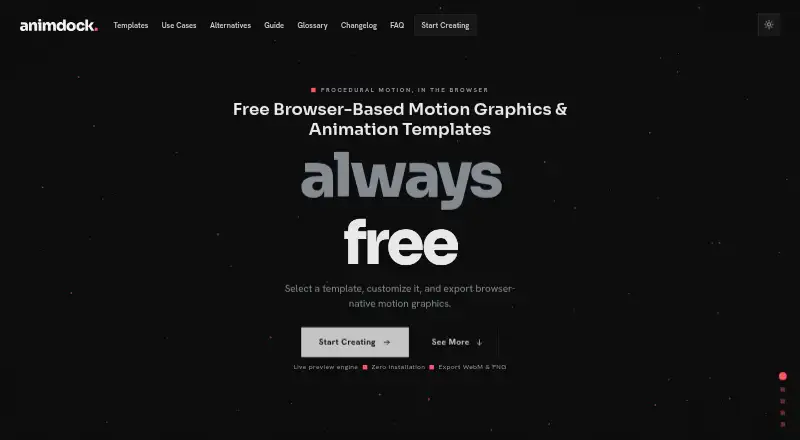
Animdock is a free, browser-based motion design tool for creators, designers, professionals, YouTubers, and social media users. It focuses on procedural motion templates rather than a broad downloadable library, with options covering particle effects, kinetic typography, animated backgrounds, ASCII animation, starfields, orbit animation, and logo animation. Core use requires no installation or account, and exported files can be used commercially. Rendering takes place locally through the HTML Canvas API.
Customization is the main reason to choose Animdock. A live parameter preview lets users adjust motion settings as they work, while text, font, and kinetic typography controls support title and text-led compositions. Selected templates also accept logo and image uploads. The browser interface can export WebM video or PNG still images, giving users a direct path from adjustment to output. This makes Animdock a practical fit for lightweight motion assets, social posts, visual experiments, and other projects that do not require a larger editing ecosystem.
The trade-off is its narrow delivery model. Animdock runs on the web and does not provide integrations, plugins, or broader export coverage beyond WebM and PNG. That suits users who want free procedural templates with local browser rendering, but it is less suitable for teams that need connected production workflows, downloadable project files, or a wider range of video formats. Choose Animdock for quick, customizable browser-based motion graphics and commercial exports; choose another tool when integration depth, format flexibility, or non-browser work is central.
Your product? Our editors can test Animdock in depth and publish a review, labelled as paid · from $149/mo →
Animdock pricing
Animdock fact sheet
| Free plan | Yes |
|---|---|
| Paid from | Free |
| Included apps | Web browser |
| Template types | particle effects, kinetic typography, animated backgrounds, ASCII animation, starfield animation, orbit animation, logo animation |
| Commercial license | Yes |
| Editable source files | Not verified |
| Download policy | Not verified |
| Plugin required | No |
| Available resolution | Not verified |
| Deployment | Cloud |
| Platforms | Web |
| Support | |
| Built for | Solo, Small business, Mid-market (editorial estimate) |
| Pricing | Free plan |
| Website | animdock.com |
| Facts checked | 20 Sep 2026 |
Alternatives to Animdock
- VideoboltA broad browser-based template library for fast, branded video production.9.4
- Motion ArrayA broad asset subscription for creators who need templates, stock media, and editing tools.9.1
- Artlist TemplatesA broad, editable template library for teams working across four major video editors.8.9

See all Animdock alternatives →
Used Animdock? Be the first to review it
The editor score above is our own research. What this page doesn't have yet is a reader's view — what you used Animdock for, what worked and what didn't. No stars are seeded and no review is paid for; an editor reads every one before it appears.
Write a reviewTwo minutes · verified accounts only · read by an editor before it appears
Featured on iTechGuides

Animdock is listed in our Motion Graphics Template Libraries directory. Add the badge to your site — it links back to this page.
<a href="https://www.itechguides.com/products/animdock/"><img src="https://www.itechguides.com/best/badge/animdock.svg" alt="Featured on iTechGuides" width="230" height="46"></a>
Reviewed by iTechGuides Editors · Editorial team · Updated Oct 2026
Advertiser disclosure: iTechGuides is reader-supported. Vendors can pay for top positions in our rankings and for a place on other products' pages, and we may earn a commission when you click some links. Bought places stand at the number bought; this page and our disclosure say so. Paying vendors may get a fuller, more detailed review from our editors, and that review can change their score. How we rank.
Last updated · How we research and update