
Altova XMLSpy
Altova XMLSpy: A specialist editor for XML, schemas, transformations, debugging, and related data workflows. Ranked #38 of 82 in Text Editors by our editors (5.5/10); pricing: 30-day trial; best for specialists working with XML and related schemas.
At a glance
- Editor score5.5 / 10
- Pricing30-day trial
- Best forSpecialists working with XML and related schemas
- Free planNo
- Founded1992 · Vienna, Austria and Marblehead, Massachusetts, United States
- Facts checked21 Sep 2026
Where it wins
- Combines text, graphical editing, validation, and schema design
- Supports XSLT, XPath, XQuery, databases, debugging, and profiling
- Handles large XML, JSON, XSD, XBRL, and Avro files
Where it doesn't
- Paid product with no free plan
- macOS and Linux require third-party Windows emulation
- Its specialist focus is excessive for general text editing
Our verdict on Altova XMLSpy
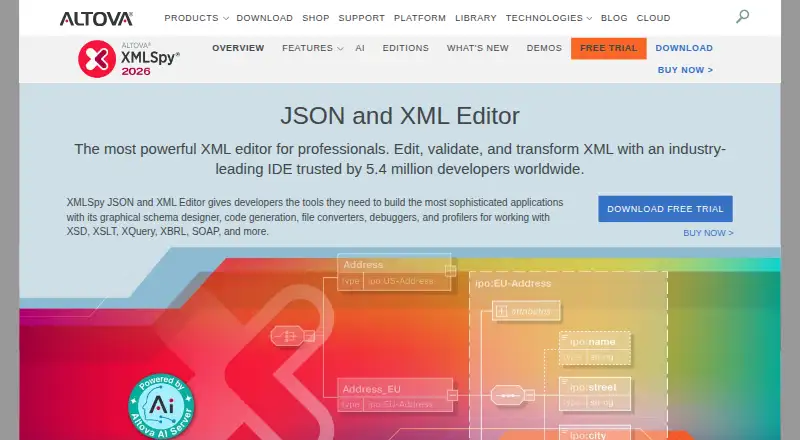
Altova XMLSpy is a desktop editor for developers working with XML, JSON, XML Schema, XSLT, XQuery, SOAP, WSDL, XBRL, and related technologies. It combines syntax-colored text editing and code completion with graphical XML, JSON, YAML, and schema views. The feature set also covers validation, automatic error correction, transformations, debugging, profiling, database connectivity, SQL editing, code generation, and large-file handling. It is best suited to specialists building or maintaining structured-data systems rather than users seeking a general-purpose text editor.
XMLSpy is sold as a paid product with no free plan and a 30-day free trial. The Professional plan includes XML and JSON editing, a graphical XML Schema editor, SmartFix validation, file converters, and debuggers. The Enterprise plan adds XBRL tools, web services support, program code generation, XSLT and XQuery back-mapping, Apache Avro support, and chart generation. Pricing varies by region. Buyers should choose Professional when core XML, JSON, schema, and debugging tools are the priority; Enterprise is more appropriate for broader development workflows involving XBRL, web services, code generation, or Avro.
Its ecosystem fit is a meaningful strength. XMLSpy integrates with Visual Studio and Eclipse, connects to SQL databases, and works with RaptorXML Server and SharePoint Server. Large-file optimization supports XML, JSON, XSD, XBRL, and Avro, while transformation and debugging tools cover XSLT, XPath, and XQuery workflows. Windows is the primary supported environment; macOS and Linux require third-party Windows emulation and are not supported by Altova. Choose XMLSpy for structured-data development across these technologies. Choose another editor if you mainly need lightweight text editing, broad native platform support, or a free option.
Your product? Our editors can test Altova XMLSpy in depth and publish a review, labelled as paid · from $149/mo →
Altova XMLSpy pricing
All 2 Altova XMLSpy plans and prices →
Altova XMLSpy fact sheet
| Free plan | No |
|---|---|
| Paid from | Not verified |
| Supported platforms | Windows, macOS, Linux |
| Multi-cursor editing | Not verified |
| Macro recording | Not verified |
| Column editing | Not verified |
| Large-file handling | Yes |
| Extension support | Yes |
| Free trial | 30 days |
| Deployment | Desktop |
| Platforms | Windows, macOS, Linux |
| Support | Email, Tickets, Community, Docs |
| Built for | Small business, Mid-market, Enterprise (editorial estimate) |
| Integrations | 5 integrations: Visual Studio, Eclipse, RaptorXML Server, SQL databases, SharePoint Server |
| Pricing | 30-day trial (source) |
| Website | altova.com |
| Facts checked | 21 Sep 2026 |
Altova XMLSpy integrations
Altova XMLSpy lists 5 integrations on its own site.
- Visual Studio
- Eclipse
- RaptorXML Server
- SQL databases
- SharePoint Server
Alternatives to Altova XMLSpy
- Visual Studio CodeA free, open-source editor with broad development features across desktop and web.9.4
- NeovimA free, open-source editor for keyboard-driven workflows and deep customization.9.3
- GNU EmacsA mature, highly customizable editor for users who value breadth and control.9.2


See all Altova XMLSpy alternatives →
Used Altova XMLSpy? Be the first to review it
The editor score above is our own research. What this page doesn't have yet is a reader's view — what you used Altova XMLSpy for, what worked and what didn't. No stars are seeded and no review is paid for; an editor reads every one before it appears.
Write a reviewTwo minutes · verified accounts only · read by an editor before it appears
Featured on iTechGuides

Altova XMLSpy is listed in our Text Editors directory. Add the badge to your site — it links back to this page.
<a href="https://www.itechguides.com/products/altova-xmlspy/"><img src="https://www.itechguides.com/best/badge/altova-xmlspy.svg" alt="Featured on iTechGuides" width="230" height="46"></a>
Reviewed by iTechGuides Editors · Editorial team · Updated Oct 2026
Advertiser disclosure: iTechGuides is reader-supported. Vendors can pay for top positions in our rankings and for a place on other products' pages, and we may earn a commission when you click some links. Bought places stand at the number bought; this page and our disclosure say so. Paying vendors may get a fuller, more detailed review from our editors, and that review can change their score. How we rank.
Last updated · How we research and update