
Altitask
Altitask: Turns course content into tasks, reviews, and schedules from the web. Ranked #21 of 38 in Study Planner Apps by our editors (6.0/10); pricing: Free plan · 7-day trial; best for students planning around lecture content.
At a glance
- Editor score6.0 / 10
- PricingFree plan · 7-day trial
- Best forStudents planning around lecture content
- Free planYes
- Paid from$6.99/mo
- Assignment trackingYes
- Facts checked20 Sep 2026
Where it wins
- Turns recordings and syllabi into tasks and review sessions
- Combines recurring events, calendar views, and kanban tracking
- Supports ICS, Zoom, Microsoft Teams, and Google Meet workflows
Where it doesn't
- Free plan limits usage to 3 Altitasks and 25 tasks
- Access is web-based only
- Calendar support centers on ICS import
Our verdict on Altitask
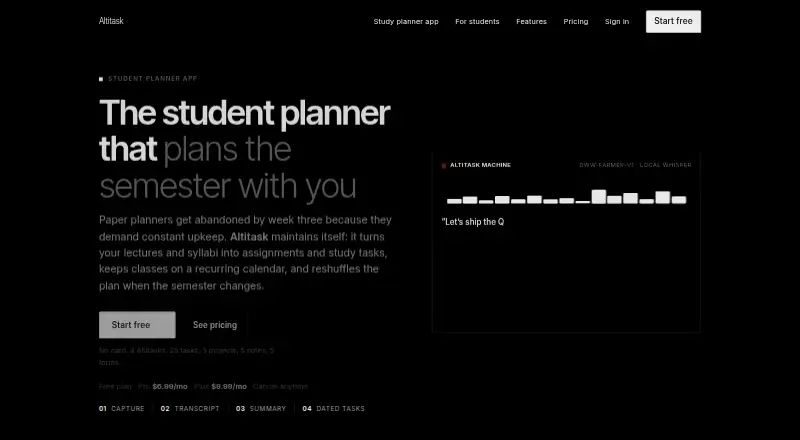
Altitask is a web-based study planner for students and professionals taking courses. It turns lecture recordings into transcripts, summaries, study tasks, and scheduled review sessions, while extracting dated assignments from .txt or .docx syllabi. Coursework can be organized with recurring class events, deadlines, notes, calendar views, and a kanban board. The built-in AI assistant can also reschedule affected tasks when plans change.
Its freemium pricing gives students a way to start with a limited Free plan, which includes 3 Altitasks, 25 tasks, 5 projects, 5 notes, and 5 forms. Pro costs $6.99 per month and adds unlimited usage, AI chat, sharing, and themes. Plus costs $9.99 per month and includes unlimited usage, more monthly AI compute, AI chat, sharing, and themes. An additional workspace costs $3.99 per month. A 7-day Pro trial is offered through flyer QR codes and requires a card, while the standard Free plan requires no card. The Free plan suits light coursework; Pro is the clearer fit for regular AI-assisted planning, and Plus is aimed at heavier AI use.
Altitask fits study workflows that already involve online lectures and university timetables. It supports Zoom, Microsoft Teams, and Google Meet, and can import university calendars through ICS. Its main strength is the connection between course content and follow-up work: recordings, syllabi, assignments, and review sessions can feed one planning system. However, the product is web-only, and its calendar workflow is centered on ICS import. Students who want a focused planner for lecture-based coursework should consider Altitask; those needing broader platform access or a different calendar workflow should look elsewhere.
Your product? Our editors can test Altitask in depth and publish a review, labelled as paid · from $149/mo →
Altitask pricing
All 4 Altitask plans and prices →
Altitask fact sheet
| Free plan | Yes |
|---|---|
| Paid from | $6.99/mo |
| Assignment tracking | Yes |
| Exam planning | Yes |
| Revision scheduling | Yes |
| Recurring study sessions | Yes |
| Calendar sync | Not verified |
| Available platforms | web |
| Free trial | 7 days · card required |
| Deployment | Cloud |
| Platforms | Web |
| Built for | Solo, Small business (editorial estimate) |
| Integrations | 4 integrations: ICS calendar import, Zoom, Microsoft Teams, Google Meet |
| Pricing | Free plan · 7-day trial (source) |
| Website | altitask.com |
| Facts checked | 20 Sep 2026 |
Altitask integrations
Altitask lists 4 integrations on its own site.
- ICS calendar import
- Zoom
- Microsoft Teams
- Google Meet
Alternatives to Altitask
- Get RevisingA free web planner that combines revision schedules with broad exam-study resources.8.1
- AdaptA focused study planner pairing adaptive timetables with lessons, questions and feedback.7.9
- StudiPaceA low-cost adaptive exam planner for students who want guided scheduling.7.8



See all Altitask alternatives →
Also Ranked In
Altitask is ranked in 3 of our directories.
Used Altitask? Be the first to review it
The editor score above is our own research. What this page doesn't have yet is a reader's view — what you used Altitask for, what worked and what didn't. No stars are seeded and no review is paid for; an editor reads every one before it appears.
Write a reviewTwo minutes · verified accounts only · read by an editor before it appears
Featured on iTechGuides

Altitask is listed in our Study Planner Apps directory. Add the badge to your site — it links back to this page.
<a href="https://www.itechguides.com/products/altitask/"><img src="https://www.itechguides.com/best/badge/altitask.svg" alt="Featured on iTechGuides" width="230" height="46"></a>
Reviewed by iTechGuides Editors · Editorial team · Updated Oct 2026
Advertiser disclosure: iTechGuides is reader-supported. Vendors can pay for top positions in our rankings and for a place on other products' pages, and we may earn a commission when you click some links. Bought places stand at the number bought; this page and our disclosure say so. Paying vendors may get a fuller, more detailed review from our editors, and that review can change their score. How we rank.
Last updated · How we research and update