
Aladin Desktop
Aladin Desktop: A free, open-source desktop atlas for exploring images, surveys, catalogs, and astronomy data. Ranked #14 of 34 in Astronomy Apps by our editors (7.8/10); pricing: Free plan; best for astronomical image and survey analysis.
At a glance
- Editor score7.8 / 10
- PricingFree plan
- Best forAstronomical image and survey analysis
- Free planYes
- Paid fromFree
- Founded1999
- Facts checked22 Sep 2026
Where it wins
- Broad support for astronomy formats, including FITS, HiPS, PDS, and VOTable
- Catalog filtering, merging, cross-matching, and image-processing tools
- Virtual Observatory support, scripting, Java plugins, and local data loading
Where it doesn't
- Built-in data access generally relies on remote astronomical services
- Its Java desktop format may not suit browser-first workflows
- Its specialized focus is less suited to general-purpose data visualization
Our verdict on Aladin Desktop
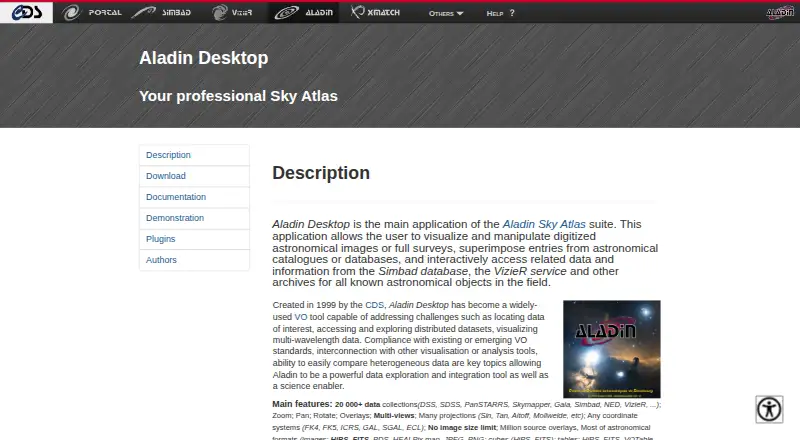
Aladin Desktop is a Java-based desktop sky atlas for astronomy professionals, researchers, teachers, students, and amateur astronomers. It brings digitized astronomical images and full surveys into a visual workspace, where users can zoom, pan, rotate, compare multiple views, and overlay astronomical catalog and database entries. The application runs on Windows, macOS, and Linux, supports local user data, and is distributed under the GPL v3 license. Its audience is broad, but the feature set is particularly aligned with users analyzing astronomical images, surveys, catalogs, and related research data.
Its strongest area is the combination of visual exploration and catalog analysis. Aladin Desktop supports image processing tasks such as contours, mosaics, resampling, and photometric measurements, while catalog tools cover filtering, merging, cross-matching, and scatter plots. Support for HiPS, FITS, PDS, HEALPix, JPEG, PNG, VOTable, and other astronomy formats helps connect different forms of astronomical material in one desktop application. Scripting and Java plugins add further flexibility for workflows that need repeatable operations or extensions.
The ecosystem fit is a major part of the product. Aladin Desktop supports Virtual Observatory standards including TAP, SIA, SSA, and SAMP, and connects with services and tools such as SIMBAD, VizieR, NED, ESO, CADC, MAST, HEASARC, TOPCAT, CASSIS, DS9, and SPLAT. It is free and open source, with no paid tier to distinguish. Built-in data access generally relies on remote astronomical services, so it is better suited to connected research and teaching workflows than to users seeking a standalone offline atlas. Choose it for astronomy-focused image and survey analysis; choose another tool if you need a general-purpose visualization application or a browser-first experience.
Your product? Our editors can test Aladin Desktop in depth and publish a review, labelled as paid · from $149/mo →
Aladin Desktop pricing
Aladin Desktop fact sheet
| Free plan | Yes |
|---|---|
| Paid from | Free |
| Offline access | Not verified |
| Platform coverage | Desktop |
| AR sky view | Not verified |
| Telescope control | Not verified |
| Mission tracking | Not verified |
| Catalog size | Not verified |
| Learning content | Yes |
| Deployment | Desktop |
| Platforms | Windows, macOS, Linux |
| Support | Email, Docs |
| Built for | Solo, Small business, Mid-market, Enterprise (editorial estimate) |
| Integrations | 14 integrations: SIMBAD, VizieR, NED, ESO, CADC, MAST … |
| Pricing | Free plan |
| Website | aladin.cds.unistra.fr |
| Facts checked | 22 Sep 2026 |
Aladin Desktop integrations
Aladin Desktop lists 14 integrations on its own site.
- SIMBAD
- VizieR
- NED
- ESO
- CADC
- MAST
- HEASARC
- NRAO
- ROE
- IMCCE
- TOPCAT
- CASSIS
- DS9
- SPLAT
Alternatives to Aladin Desktop
- StellariumA capable free desktop planetarium with telescope control, scripting, and offline access.9.3
- KStarsA capable free desktop toolkit for sky simulation, planning, and astrophotography.9.2
- WorldWide TelescopeA free, open-source astronomy platform for visualization, tours, and telescope projects.9.1


See all Aladin Desktop alternatives →
Used Aladin Desktop? Be the first to review it
The editor score above is our own research. What this page doesn't have yet is a reader's view — what you used Aladin Desktop for, what worked and what didn't. No stars are seeded and no review is paid for; an editor reads every one before it appears.
Write a reviewTwo minutes · verified accounts only · read by an editor before it appears
Featured on iTechGuides

Aladin Desktop is listed in our Astronomy Apps directory. Add the badge to your site — it links back to this page.
<a href="https://www.itechguides.com/products/aladin-desktop/"><img src="https://www.itechguides.com/best/badge/aladin-desktop.svg" alt="Featured on iTechGuides" width="230" height="46"></a>
Reviewed by iTechGuides Editors · Editorial team · Updated Oct 2026
Advertiser disclosure: iTechGuides is reader-supported. Vendors can pay for top positions in our rankings and for a place on other products' pages, and we may earn a commission when you click some links. Bought places stand at the number bought; this page and our disclosure say so. Paying vendors may get a fuller, more detailed review from our editors, and that review can change their score. How we rank.
Last updated · How we research and update