Aevum
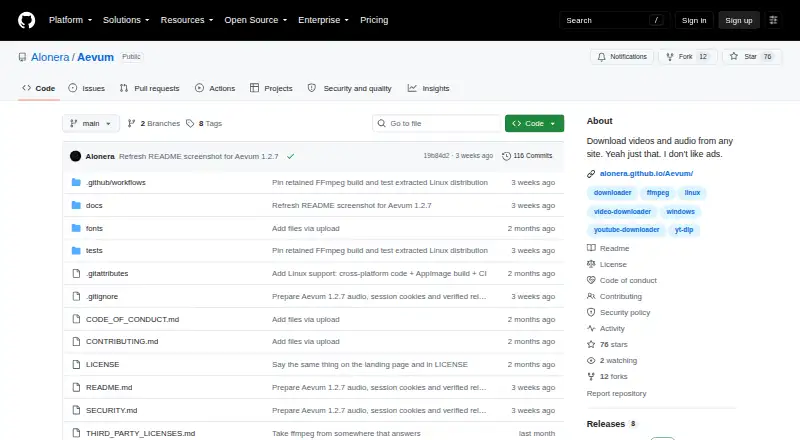
Aevum: A free Windows and Linux downloader with 4K support, playlists, subtitles and clipping. Ranked #61 of 135 in Video Downloaders by our editors (3.0/10); pricing: Free plan; best for windows and Linux users wanting clipping.
At a glance
- Editor score3.0 / 10
- PricingFree plan
- Best forWindows and Linux users wanting clipping
- Free planYes
- Paid fromFree
- Maximum video quality4k
- Facts checked21 Sep 2026
Where it wins
- Downloads video and audio from yt-dlp-supported websites
- Supports 4K video, playlists, subtitles and clip downloads
- Offers broad audio formats, queues, cookies and thumbnail handling
Where it doesn't
- Runs on Windows and Linux only
- Source coverage depends on yt-dlp-supported websites
- No AI features
Our verdict on Aevum
Aevum is a free, open-source desktop downloader for video and audio from websites supported by yt-dlp. It runs on Windows and Linux and is suited to people who want local control over downloads, including individual videos, playlists and selected clips. The local browser-based interface supports link previews, resolution selection up to 4K, subtitle embedding and queue management. It can also import browser cookies for login-only content, while the project states that downloads run locally without accounts, analytics or telemetry.
Its strongest fit is breadth within the downloader workflow. Aevum supports MP4, MKV and WebM video output, plus MP3, M4A, Opus, FLAC and WAV audio extraction. Playlist and batch downloads help with collections, while start and end points make it possible to download clips rather than complete videos. Subtitle downloads, thumbnail saving and audio cover embedding add useful control for organized media files. The bundled yt-dlp, FFmpeg and ffprobe components support the stated workflow without requiring a separate paid tier.
Aevum makes the most sense for Windows and Linux users who value open-source software, multiple output formats and clipping controls. Its coverage extends across YouTube, Vimeo, Twitter/X, Dailymotion, Twitch and other yt-dlp-supported sites, but that source model also means availability depends on yt-dlp support. The platform choice is focused rather than broad, so it is not a fit for buyers seeking a mobile downloader or a tool with AI features. Choose Aevum for flexible local video and audio handling; consider an alternative if your priority is another device platform or capabilities beyond downloading and media conversion.
Your product? Our editors can test Aevum in depth and publish a review, labelled as paid · from $149/mo →
Aevum pricing
Aevum fact sheet
| Free plan | Yes |
|---|---|
| Paid from | Free |
| Maximum video quality | 4k |
| Supported sources | YouTube, Vimeo, Twitter/X, Dailymotion, Twitch, and other yt-dlp-supported sites |
| Output formats | MP4, MKV, WebM, MP3, M4A, Opus, FLAC, WAV |
| Playlist downloads | Yes |
| Subtitle downloads | Yes |
| Batch downloads | Yes |
| Device platforms | Windows, Linux |
| Deployment | Desktop |
| Platforms | Windows, Linux |
| Support | Docs |
| Built for | Solo, Small business (editorial estimate) |
| Pricing | Free plan |
| Website | github.com |
| Facts checked | 21 Sep 2026 |
Alternatives to Aevum
- yt-dlpMaximum control for users comfortable with command-line downloading and automation.9.4
- EaseUS Video DownloaderA broad Windows and macOS downloader with playlists, livestreams, subtitles, and 8K support.9.2
- 4K Video Downloader+A broad desktop downloader with a free starter plan and a $60 Pro option.9.0


Used Aevum? Be the first to review it
The editor score above is our own research. What this page doesn't have yet is a reader's view — what you used Aevum for, what worked and what didn't. No stars are seeded and no review is paid for; an editor reads every one before it appears.
Write a reviewTwo minutes · verified accounts only · read by an editor before it appears
Featured on iTechGuides

Aevum is listed in our Video Downloaders directory. Add the badge to your site — it links back to this page.
<a href="https://www.itechguides.com/products/aevum/"><img src="https://www.itechguides.com/best/badge/aevum.svg" alt="Featured on iTechGuides" width="230" height="46"></a>
Reviewed by iTechGuides Editors · Editorial team · Updated Oct 2026
Advertiser disclosure: iTechGuides is reader-supported. Vendors can pay for top positions in our rankings and for a place on other products' pages, and we may earn a commission when you click some links. Bought places stand at the number bought; this page and our disclosure say so. Paying vendors may get a fuller, more detailed review from our editors, and that review can change their score. How we rank.
Last updated · How we research and update