
Adobe RoboHelp
Adobe RoboHelp: A capable multi-format documentation suite for Windows and Mac teams. Ranked #25 of 37 in Technical Documentation Software by our editors (6.8/10); pricing: 30-day trial; best for windows and Mac teams needing multi-format help.
At a glance
- Editor score6.8 / 10
- Pricing30-day trial
- Best forWindows and Mac teams needing multi-format help
- Free planNo
- Facts checked20 Sep 2026
Where it wins
- Reusable content, cross-references, and dynamic content filters
- Review, Git, SharePoint Online, and Azure DevOps collaboration
- Publishes to HTML5, PDF, Microsoft Help, and knowledge bases
Where it doesn't
- No free plan
- Desktop software limited to Windows and macOS
- Advanced team licensing is structured around subscriptions and term agreements
Our verdict on Adobe RoboHelp
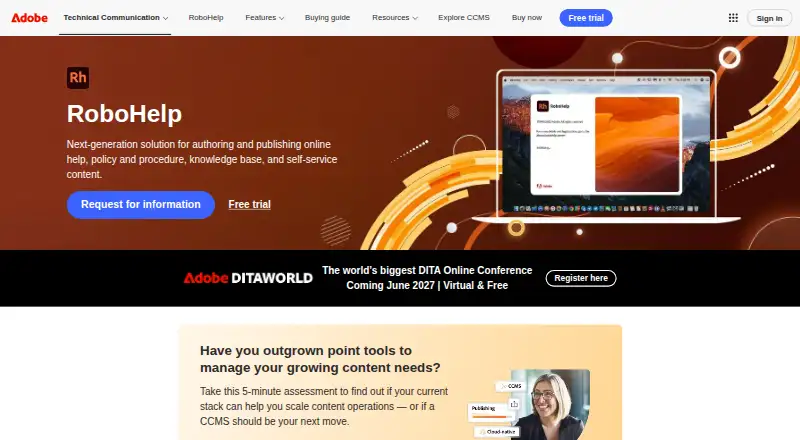
Adobe RoboHelp is desktop authoring software for technical communication professionals creating online help, user guides, policy and procedure content, knowledge bases, and self-service documentation. It suits Windows and Mac teams that need one authoring environment for web, print, application, and support content. HTML5 and CSS3 authoring, reusable content, cross-references, microcontent, and responsive output support documentation programs with varied publishing needs.
Its strongest fit is breadth across collaboration, localization, and delivery. Web-based review supports editorial workflows, while Git, SharePoint Online, and Azure DevOps integrations connect documentation with development and content repositories. Translation workflows support XLIFF import and export. Publishing options include Responsive HTML5, PDF, Microsoft Help, and mobile app output, with direct publishing integrations for Zendesk, Salesforce Knowledge, ServiceNow, Zoho Knowledge Base, Adobe Experience Manager, and Atlassian Confluence Knowledge Base. Google Analytics integration is available for frameless output.
Adobe offers a 30-day free trial and paid subscription and licensing options. The Individual Subscription provides access to the latest RoboHelp release with an annual commitment and monthly or annual payment. A prepaid annual individual subscription is also available. Team Subscription adds bulk license purchasing, enterprise-grade support, and volume savings, while an Enterprise Term License Agreement provides customized term licensing, cloud and desktop offerings, and a three-year term. RoboHelp is a strong choice for teams that value reusable authoring and many output destinations; teams seeking browser-only authoring or broader platform coverage should look elsewhere.
Your product? Our editors can test Adobe RoboHelp in depth and publish a review, labelled as paid · from $149/mo →
Adobe RoboHelp pricing
All 4 Adobe RoboHelp plans and prices →
Adobe RoboHelp fact sheet
| Free plan | No |
|---|---|
| Paid from | Not verified |
| Custom domain | Not verified |
| Private documentation | Not verified |
| Documentation versioning | Not verified |
| Full-text search | Yes |
| Reader analytics | Yes |
| Paid author limit | Not verified |
| Free trial | 30 days |
| Money-back guarantee | 14 days |
| Deployment | Desktop |
| Platforms | Windows, macOS |
| Support | Email, Tickets, Community, Docs |
| Built for | Solo, Small business, Mid-market, Enterprise (editorial estimate) |
| Integrations | 10 integrations: Git, SharePoint Online, Azure DevOps, Zendesk Help Center, Salesforce Knowledge, ServiceNow Knowledge Base … |
| Pricing | 30-day trial (source) |
| Website | adobe.com |
| Facts checked | 20 Sep 2026 |
Adobe RoboHelp integrations
Adobe RoboHelp lists 10 integrations on its own site.
- Git
- SharePoint Online
- Azure DevOps
- Zendesk Help Center
- Salesforce Knowledge
- ServiceNow Knowledge Base
- Zoho Knowledge Base
- Adobe Experience Manager
- Atlassian Confluence Knowledge Base
- Google Analytics
Alternatives to Adobe RoboHelp
- GitBookA broad technical documentation platform with Git sync, publishing controls, workflows, analytics, and AI.9.3
- Read the DocsA repository-driven documentation platform with strong versioning and build workflows.9.2
- SphinxA free, open-source documentation generator for extensible developer workflows.9.0



See all Adobe RoboHelp alternatives →
Also Ranked In
Adobe RoboHelp is ranked in 3 of our directories.
Used Adobe RoboHelp? Be the first to review it
The editor score above is our own research. What this page doesn't have yet is a reader's view — what you used Adobe RoboHelp for, what worked and what didn't. No stars are seeded and no review is paid for; an editor reads every one before it appears.
Write a reviewTwo minutes · verified accounts only · read by an editor before it appears
Featured on iTechGuides

Adobe RoboHelp is listed in our Technical Documentation Software directory. Add the badge to your site — it links back to this page.
<a href="https://www.itechguides.com/products/adobe-robohelp/"><img src="https://www.itechguides.com/best/badge/adobe-robohelp.svg" alt="Featured on iTechGuides" width="230" height="46"></a>
Reviewed by iTechGuides Editors · Editorial team · Updated Oct 2026
Advertiser disclosure: iTechGuides is reader-supported. Vendors can pay for top positions in our rankings and for a place on other products' pages, and we may earn a commission when you click some links. Bought places stand at the number bought; this page and our disclosure say so. Paying vendors may get a fuller, more detailed review from our editors, and that review can change their score. How we rank.
Last updated · How we research and update